커뮤니티

포인트
쿠폰
내 강의실
국비 신청 내역
증명서
계정
로그아웃
학습 질문
개발 일지
나의 활동
답변 완료
mongo DB 데이터 넣기
undefined주차


유*림
댓글
7
・
추천
0
・
조회수
15
조회수
15
답변 완료
* 겪고 있는 문제 상황을 최대한 자세하게 작성해주세요.
* 문제 해결을 위해 어떤 시도를 해보았는지 구체적으로 함께 알려주세요.
mongo DB 로 데이터가 들어가는 과정이 안됩니다
localhost:5000 페이지에서 url, comment 를 입력하고 기록하기를 눌러도 메세지 팝업이 안떠요
라이브러리가 설치가 안된듯 보이기도 하는데 어디가 잘못된지 모르겠습니다
전체 화면 캡처
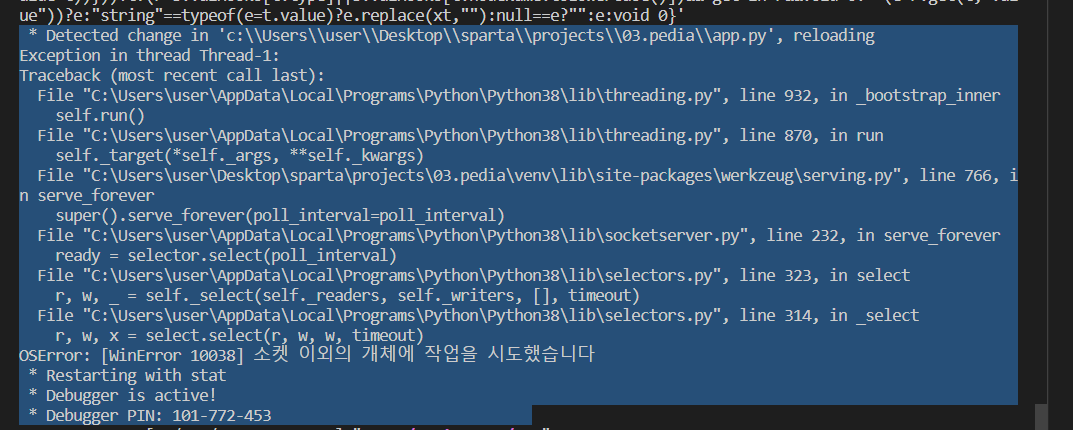
작성한 코드 및 에러 메세지
from flask import Flask, render_template, request, jsonify
app = Flask(__name__)


import requests
from bs4 import BeautifulSoup


from pymongo import MongoClient
import certifi

ca = certifi.where()


client = MongoClient('mongodb://sparta:test@ac-dmpfxfb-shard-00-00.rcsngui.mongodb.net:27017,ac-dmpfxfb-shard-00-01.rcsngui.mongodb.net:27017,ac-dmpfxfb-shard-00-02.rcsngui.mongodb.net:27017/?ssl=true&replicaSet=atlas-cupq2c-shard-0&authSource=admin&retryWrites=true&w=majority', tlsCAFile=ca)
db = client.dbsparta


@app.route('/')
def home():
    return render_template('index.html')


@app.route("/movie", methods=["POST"])
def movie_post():

    url_receive = request.form['url_give']
    comment_receive = request.form['comment_give']

    headers = {'User-Agent' : 'Mozilla/5.0 (Windows NT 10.0; Win64; x64)AppleWebKit/537.36 (KHTML, like Gecko) Chrome/73.0.3683.86 Safari/537.36'}
    data = requests.get(url_receive,headers=headers)
    soup = BeautifulSoup(data.text, 'html.parser')

    ogtitle = soup.select_one('meta[property="og:title"]')['content']
    ogimage = soup.select_one('meta[property="og:image"]')['content']
    ogdesc = soup.select_one('meta[property="og:description"]')['content']

    doc = {
        'title' : ogtitle,
        'desc' : ogdesc,
        'image' : ogimage,
        'comment' : comment_receive,
    }
    db.movies.insert_one(doc)
    return jsonify({'msg':'저장완료!'})
        function posting() {


            let url =$('#url').val
            let comment =$('#comment').val


            let formData = new FormData();
            formData.append("url_give", url);
            formData.append("comment_give", comment);


            fetch('/movie', { method: "POST", body: formData }).then((res) => res.json()).then((data) => {
                alert(data['msg'])
            })
        }


댓글 알림
