


* 겪고 있는 문제 상황을 최대한 자세하게 작성해주세요.
* 문제 해결을 위해 어떤 시도를 해보았는지 구체적으로 함께 알려주세요.
외부에 와이파이가 원활하지 않은 공간에서 앱개발을 하려고 expo start 후 expo go 어플로 연결했더니 해당 와이파이에서만 expo go 어플 작동이 잘 안되고 다른 공간에서는 잘 동작하더군요.
그냥 컴퓨터 내에서만 개발할 수 있게 안드로이드 애뮬레이터 사용하려고 올려주신 링크 따라서 안드로이드 스튜디오 설정까지 다 했는데
expo start 후 단축키 a를 누르면 자꾸 오류가 뜨네요.
계속해서 해결을 못해서 너무 답답하네요
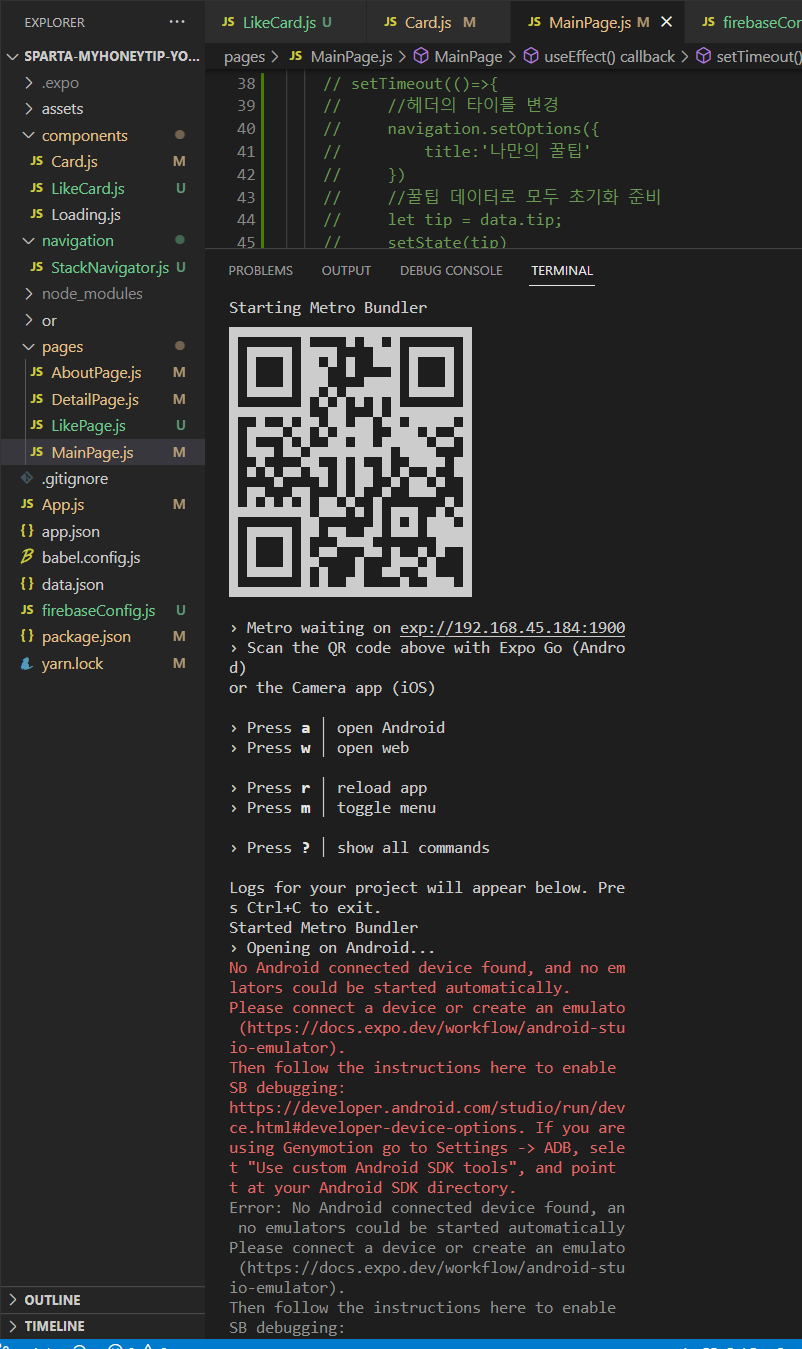
작성한 코드 및 에러 메세지
› Metro waiting on exp://192.168.45.184:1900› Scan the QR code above with Expo Go (Androd)
or the Camera app (iOS)
› Press a │ open Android
› Press w │ open web
› Press r │ reload app
› Press m │ toggle menu
› Press ? │ show all commands
Logs for your project will appear below. Pres Ctrl+C to exit.
Started Metro Bundler
› Opening on Android...
No Android connected device found, and no emlators could be started automatically.
Please connect a device or create an emulato (https://docs.expo.dev/workflow/android-stuio-emulator).
Then follow the instructions here to enable SB debugging:
https://developer.android.com/studio/run/devce.html#developer-device-options. If you are
using Genymotion go to Settings -> ADB, selet "Use custom Android SDK tools", and point t at your Android SDK directory.
Error: No Android connected device found, an no emulators could be started automaticallyPlease connect a device or create an emulato (https://docs.expo.dev/workflow/android-stuio-emulator).
Then follow the instructions here to enable SB debugging:
https://developer.android.com/studio/run/devce.html#developer-device-options. If you are
using Genymotion go to Settings -> ADB, selet "Use custom Android SDK tools", and point t at your Android SDK directory.
at getAllAvailableDevicesAsync (C:\Usershp\AppData\Roaming\npm\node_modules\expo-clinode_modules\xdl\src\Android.ts:118:11)
at processTicksAndRejections (node:interal/process/task_queues:95:5)
at Object.openProjectAsync (C:\Users\hp\ppData\Roaming\npm\node_modules\expo-cli\nod_modules\xdl\src\Android.ts:938:21)
at handleKeypressAsync (C:\Users\hp\AppDta\Roaming\npm\node_modules\expo-cli\src\comands\start\TerminalUI.ts:305:27)
at ReadStream.handleKeypress (C:\Users\h\AppData\Roaming\npm\node_modules\expo-cli\sc\commands\start\TerminalUI.ts:269:7)
C:\Users\hp\Documents\sparta study\sparta-myoneytip-young>expo start
WARNING: The legacy expo-cli does not suppor Node +17. Migrate to the versioned Expo CLI
(npx expo).
┌───────────────────────────────────────────││ There is a new version of expo-cli │ available (6.3.2).│ You are currently using expo-cli │ 6.2.1│ Install expo-cli globally using the │ package manager of your choice;│ for example: `npm install -g│ expo-cli` to get the latest version │└───────────────────────────────────────────
This command is being executed with the globl Expo CLI. Learn more: https://blog.expo.de/the-new-expo-cli-f4250d8e3421
To use the local CLI instead (recommended in
SDK 46 and higher), run:


