


* 겪고 있는 문제 상황을 최대한 자세하게 작성해주세요.
* 문제 해결을 위해 어떤 시도를 해보았는지 구체적으로 함께 알려주세요.
삼성 노트북 사용중이고 , 강의노트에 보면
vscode를 다음 순서대로 실행시켜보세요!
• 1) VSCode를 실행하고 Ctrl + , 조합키를 입력합니다. (아마 모든 설정 검색 창)
• 2) "shell"이라고 입력합니다.
• 3) "Treminal: Select Default Shell"을 클릭합니다.
• 4) "Comand Prompt C:\\Windows\\System32\\cmd.exe"를 클릭합니다.
• 5) VScode를 재실행 하면 제일 아래 "PS"로 시작하던 것이 없어졌을 것이고 이는 CMD로 바뀌었다는 의미가 됩니다.
이렇게 나와있는데 2번까지 했고 3번을 클릭하라고 하는데 찾을수가 없습니다.
expo 설치하는것도 겨우겨우 하고 강의보다가 자꾸 걸려서 진도가 안나가니 답답하네요.
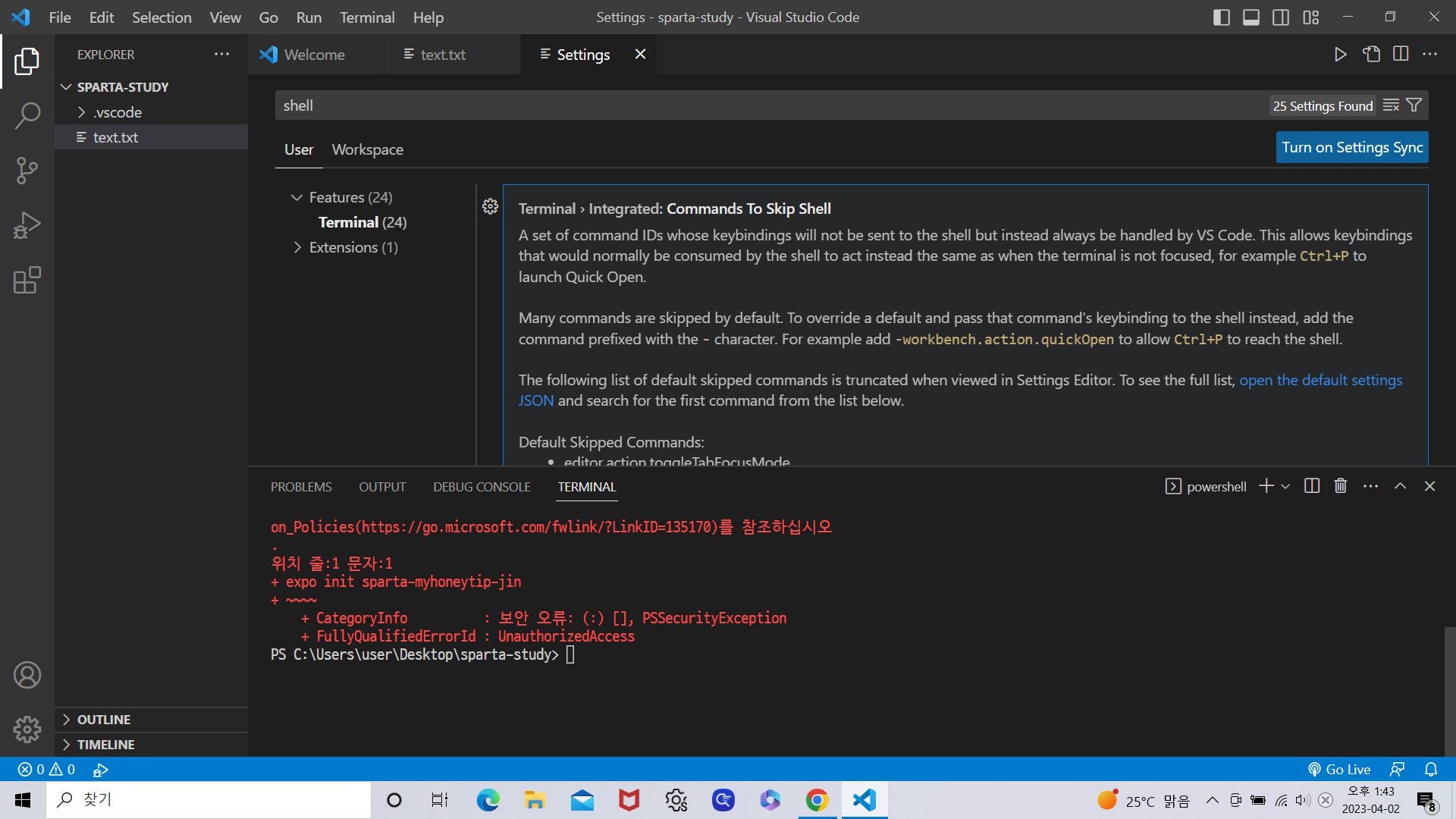
Terminal › Integrated › Automation Profile: Linux
The terminal profile to use on Linux for automation-related terminal usage like tasks and debug. This setting will currently be ignored if terminal.integrated.automationShell.linux (now deprecated) is set.
Edit in settings.json
Terminal › Integrated › Automation Profile: Osx
The terminal profile to use on macOS for automation-related terminal usage like tasks and debug. This setting will currently be ignored if terminal.integrated.automationShell.osx (now deprecated) is set.
Edit in settings.json
Terminal › Integrated › Automation Profile: Windows
The terminal profile to use for automation-related terminal usage like tasks and debug. This setting will currently be ignored if terminal.integrated.automationShell.windows (now deprecated) is set.
Edit in settings.json
PROBLEMSOUTPUTDEBUG CONSOLETERMINAL
- powershell
-> 오른쪽 상단 내용입니다.


