


* 겪고 있는 문제 상황을 최대한 자세하게 작성해주세요.
* 문제 해결을 위해 어떤 시도를 해보았는지 구체적으로 함께 알려주세요.
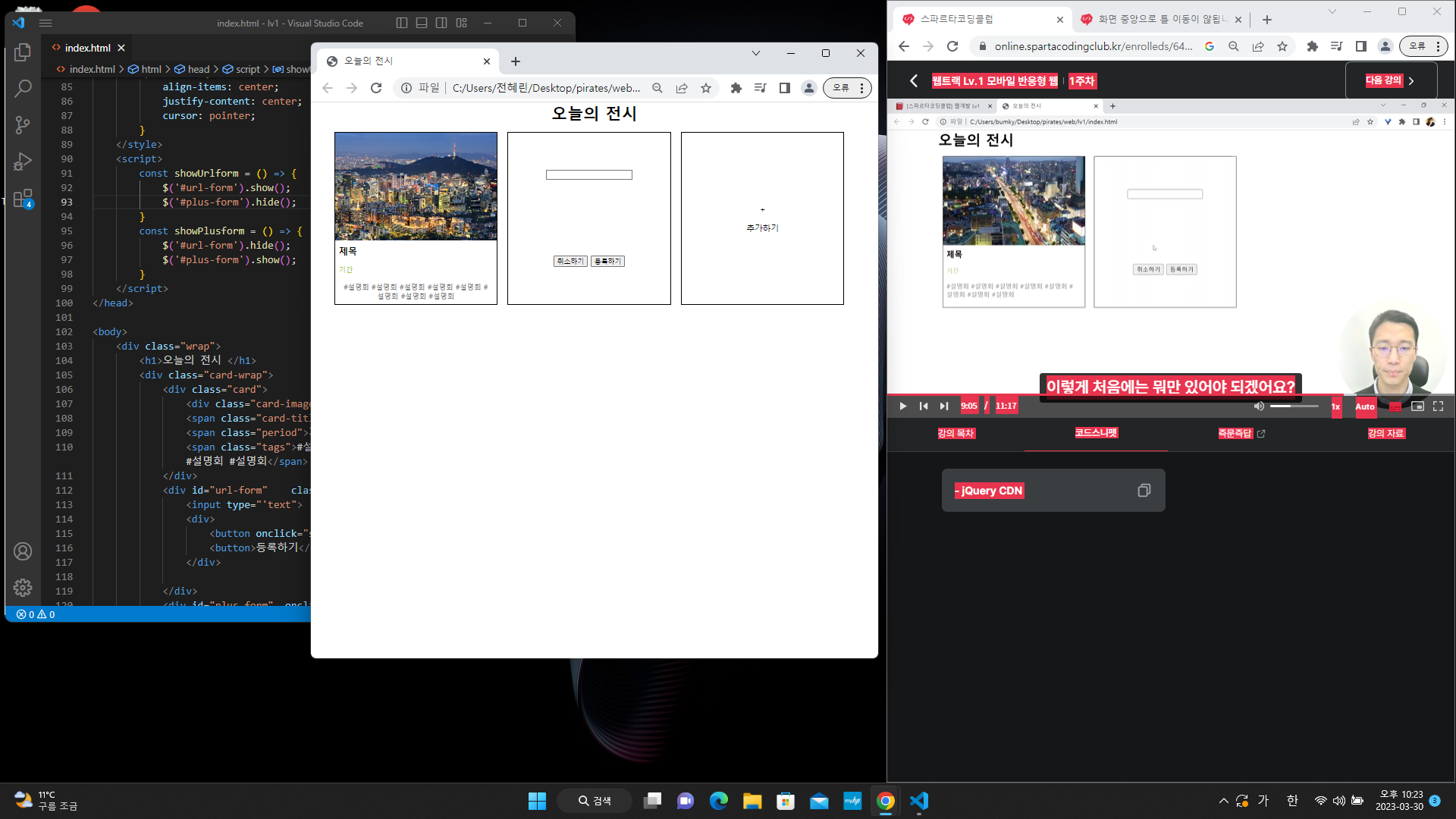
작성한 코드 및 에러 메세지
<!DOCTYPE html>
<html lang="en">
<head>
<meta charset="UTF-8">
<meta http-equiv="X-UA-Compatible" content="IE=edge">
<meta name="viewport" content="width=device-width, initial-scale=1.0">
<title>오늘의 전시</title>
<script src="http://ajax.aspnetcdn.com/ajax/jQuery/jquery-1.12.4.min.js"></script>
<style>
html,
body,
h1,
h2,
h3,
p,
a,
span {
margin: 0;
padding: 0;
}
.wrap {
width: 1050px;
margin: auto;
text-align: center;
}
.card {
width: 320px;
height: 340px;
display: flex;
flex-direction: column;
align-items: flex-start;
justify-content: flex-start;
margin: 16px 10px;
border: 1px solid black;
}
.card-wrap {
display: flex;
flex-direction: row;
flex-wrap: wrap;
}
.card-image {
background-image: url('https://image.librewiki.net/2/2a/%EC%84%9C%EC%9A%B8%ED%8A%B9%EB%B3%84%EC%8B%9C_%EC%9D%B8%EC%99%95%EC%82%B0_%EC%95%BC%EA%B2%BD.jpg');
background-position: center;
background-size: cover;
width: 100%;
height: 200%;
}
.card>span {
margin: 8px;
}
.card-title {
font-size: 18px;
font-weight: bold;
}
.period {
color: yellowgreen;
font-size: 14px;
}
.tags {
color: gray;
font-size: 14px;
word-break: keep-all;
}
.url-form {
align-items: center;
justify-content: space-around;
}
.plus-form {
align-items: center;
justify-content: center;
cursor: pointer;
}
</style>
<script>
const showUrlform = () => {
$('#url-form').show();
$('#plus-form').hide();
}
const showPlusform = () => {
$('#url-form').hide();
$('#plus-form').show();
}
</script>
</head>
<body>
<div class="wrap">
<h1>오늘의 전시 </h1>
<div class="card-wrap">
<div class="card">
<div class="card-image"></div>
<span class="card-title">제목</span>
<span class="period">기간</span>
<span class="tags">#설명회 #설명회 #설명회 #설명회 #설명회 #설명회 #설명회 #설명회</span>
</div>
<div id="url-form" class="url-form card">
<input type="'text">
<div>
<button onclick="showPlusForm()">취소하기</button>
<button>등록하기</button>
</div>
</div>
<div id="plus-form" onclick="showUrlform" class="plus-form card">
<span>+</span>
<span>추가하기</span>
</div>
</div>
</div>
</body>
</html>


