


* 겪고 있는 문제 상황을 최대한 자세하게 작성해주세요.
* 문제 해결을 위해 어떤 시도를 해보았는지 구체적으로 함께 알려주세요.
새벽이라 GPT가 시키는대로 audioManager에 이벤트음악(star,crown발생 등, 음악재생) 등을 재생시키는 코드를 요청하고, 시키는 대로 하고 나서, 갑자기 처음부터 실행되던 Sfx1, Sfx2가 실행이 안됩니다.
GPT가 시키는대로 코드를 수정해도 해결이 안되네요.
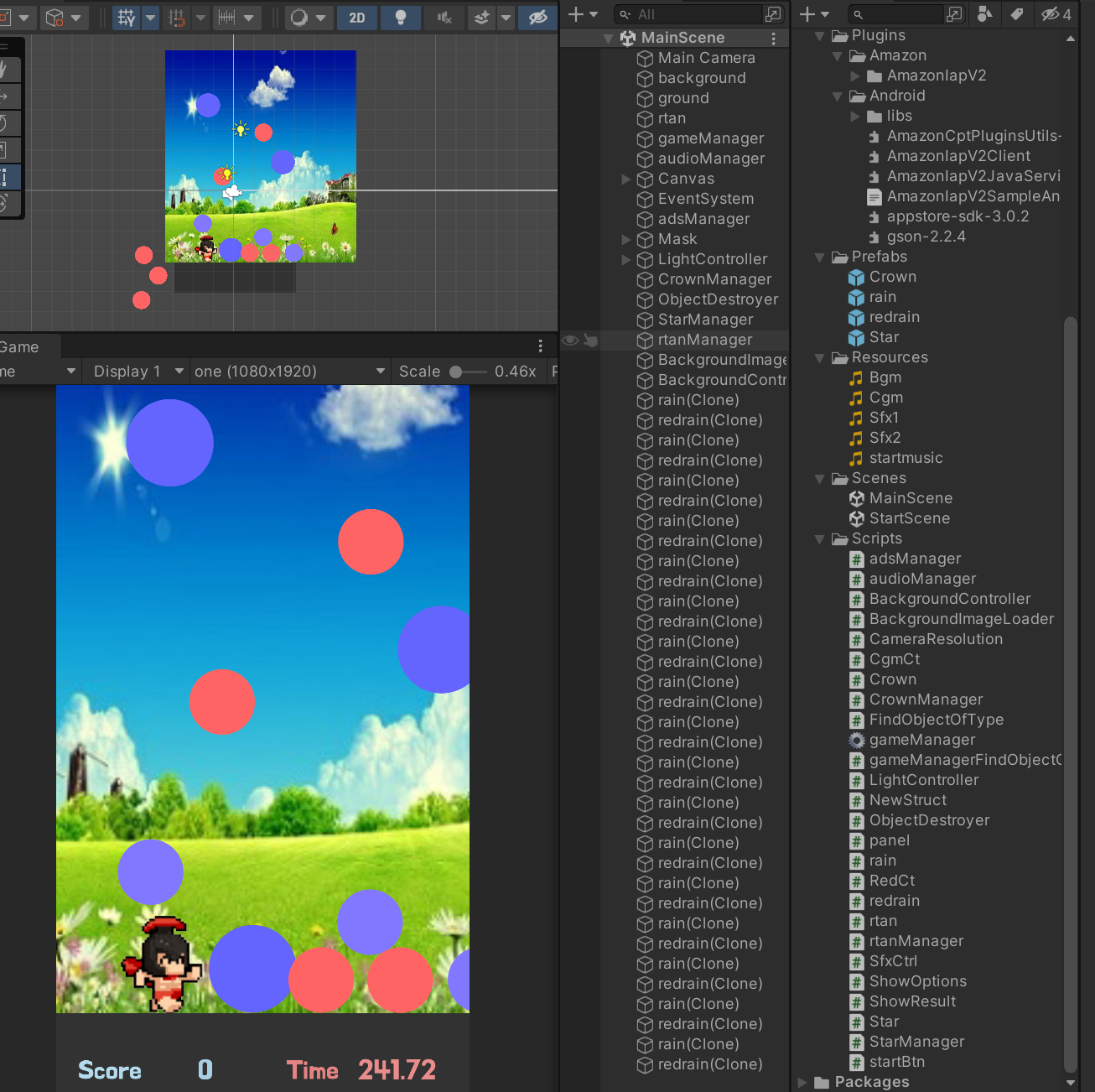
작성한 코드 및 에러 메세지
using System;
using System.Collections;
using System.Collections.Generic;
using UnityEngine;


public class audioManager : MonoBehaviour
{
    public static audioManager I;


    public AudioSource audioSource;
    private AudioSource bgmSource;
    public AudioClip Cgm;
    public AudioClip bgm;
    public AudioClip Sfx1;
    public AudioClip Sfx2;

    public float CgmVolume = 1f;
    public float bgmVolume = 0.8f;

    private AudioSource Sfx1Source; // to store the audio source for Sfx1
    private AudioSource Sfx2Source; // to store the audio source for Sfx2

    public float Sfx1Volume=0.8f;
    public float Sfx2Volume=0.8f;
    private float prevSfx1Volume; // to store the previous volume of Sfx1
    private float prevSfx2Volume; // to store the previous volume of Sfx2
    private int score;
    private bool isCgmPlayed = false;

    public float SfxVolume = 0.8f; // define the volume for Sfx1 and Sfx2


    private AudioSource CgmSource;
    // bgmSource를 AudioSource 타입으로 선언합니다.
    private bool StopCgm;


    // bgmSource를 AudioSource 타입으로 선언합니다.

    internal bool bgmisPlaying;


    public object Cgmclip { get; private set; }


    private void Start()
    {
        audioSource = GetComponent<AudioSource>();

        Sfx1Source = gameObject.AddComponent<AudioSource>();
        Sfx1Source.clip = Sfx1;
        Sfx1Source.volume = SfxVolume;


        Sfx2Source = gameObject.AddComponent<AudioSource>();
        Sfx2Source.clip = Sfx2;
        Sfx2Source.volume = SfxVolume;


        // save the previous volume of Sfx1 and Sfx2
        prevSfx1Volume = Sfx1Source.volume;
        prevSfx2Volume = Sfx2Source.volume;
        Cgm = Resources.Load<AudioClip>("Cgm");


        // CgmSource 초기화
        CgmSource = gameObject.AddComponent<AudioSource>();
        CgmSource.clip = Cgm;
        CgmSource.volume = CgmVolume;

    }


    private void Update()
    {
        if (audioSource.clip == Cgm && audioSource.isPlaying)
        {
            // If the congratulatory music is playing, set the volume of Sfx1 and Sfx2 to 0.2f and stop the bgm
            prevSfx1Volume = Sfx1Source.volume; // store the previous volume of Sfx1
            prevSfx2Volume = Sfx2Source.volume; // store the previous volume of Sfx2
            Sfx1Source.volume = 0.3f;
            Sfx2Source.volume = 0.3f;
            bgmSource.Pause();
        }
        else
        {
            // If the congratulatory music is not playing, set the volume of Sfx1 and Sfx2 to their previous values and play the bgm
            Sfx1Source.volume = prevSfx1Volume;
            Sfx2Source.volume = prevSfx2Volume;
            bgmSource.Play();
        }
    }


    public void Sfx1PlayOneShot()
    {
        Sfx1Source.PlayOneShot(Sfx1);
    }


    public void Sfx2PlayOneShot()
    {
        Sfx2Source.PlayOneShot(Sfx2);
    }


    public void CgmPlayOneShot()
    {
        audioSource.clip = Cgm;
        audioSource.volume = CgmVolume;
        CgmSource.PlayOneShot(Cgm);


            if (score < 300)
            {
                // play Sfx1 and Sfx2
                Sfx1Source.PlayOneShot(Sfx1, SfxVolume);
                Sfx2Source.PlayOneShot(Sfx2, SfxVolume);
            }
            else
            {
                bgmSource.Pause();
                Sfx1Source.volume = 0.3f;
                Sfx2Source.volume = 0.3f;
            }


            AudioSource[] allAudioSources = FindObjectsOfType(typeof(AudioSource)) as AudioSource[];
            foreach (AudioSource audioS in allAudioSources)
            {
                    if (audioS != audioSource && audioS != bgmSource && audioS != Sfx1Source && audioS != Sfx2Source)
                        audioS.Stop();


                    // If the congratulatory music is not playing, play the bgm
                    if (!isCgmPlayed)
                {
                    isCgmPlayed = true;
                    // Play bgm
                    bgmSource.volume = 0.8f;
                    bgmSource.Play();
                    isCgmPlayed = true;
                }

    }
    }


    internal void CgmStop()
    {
        throw new NotImplementedException();
    }

    public void BgmPlay()
    {
        BgmPlay();
    }


    public void BgmStop()
    {
        BgmStop();
    }

}


error

MissingComponentException: There is no 'Rigidbody2D' attached to the "rtan" game object, but a script is trying to access it.
You probably need to add a Rigidbody2D to the game object "rtan". Or your script needs to check if the component is attached before using it.
UnityEngine.Rigidbody2D.set_velocity (UnityEngine.Vector2 value) (at <2fed12eace764578a01a50262fe1edc7>:0)
gameManager.Update () (at Assets/Scripts/gameManager.cs:130)
ArgumentOutOfRangeException: Index was out of range. Must be non-negative and less than the size of the collection.
Parameter name: index
System.Collections.Generic.List`1[T].get_Item (System.Int32 index) (at <03bd9b261dff4c2b8b568aca27f561b2>:0)
BackgroundController.Update () (at Assets/Scripts/BackgroundController.cs:35)
NullReferenceException: Object reference not set to an instance of an object
audioManager.Update () (at Assets/Scripts/audioManager.cs:85)
NullReferenceException: Object reference not set to an instance of an object
redrain.OnCollisionEnter2D (UnityEngine.Collision2D collision) (at Assets/Scripts/redrain.cs:44)
NullReferenceException: Object reference not set to an instance of an object
rain.OnCollisionEnter2D (UnityEngine.Collision2D collision) (at Assets/Scripts/rain.cs:76)
NullReferenceException: Object reference not set to an instance of an object
rain.OnCollisionEnter2D (UnityEngine.Collision2D collision) (at Assets/Scripts/rain.cs:69)
NullReferenceException: Object reference not set to an instance of an object
redrain.OnCollisionEnter2D (UnityEngine.Collision2D collision) (at Assets/Scripts/redrain.cs:51)
MissingComponentException: There is no 'Rigidbody2D' attached to the "rtan" game object, but a script is trying to access it.
You probably need to add a Rigidbody2D to the game object "rtan". Or your script needs to check if the component is attached before using it.
UnityEngine.Rigidbody2D.get_velocity () (at <2fed12eace764578a01a50262fe1edc7>:0)
rtan.FixedUpdate () (at Assets/Scripts/rtan.cs:105)
HTTP/1.1 404 Not Found
UnityEngine.Debug:Log (object)
BackgroundImageLoader/<LoadImages>d__3:MoveNext () (at Assets/Scripts/BackgroundImageLoader.cs:27)
UnityEngine.SetupCoroutine:InvokeMoveNext (System.Collections.IEnumerator,intptr)
인공지능은 그 당시 코딩에만 주안점을 주고 앞엣것은 참고하지 않은 듯합니다.


