


* 겪고 있는 문제 상황을 최대한 자세하게 작성해주세요.
* 문제 해결을 위해 어떤 시도를 해보았는지 구체적으로 함께 알려주세요.
expo에서 render error 가 발생하네요
app.js 내용입니다.
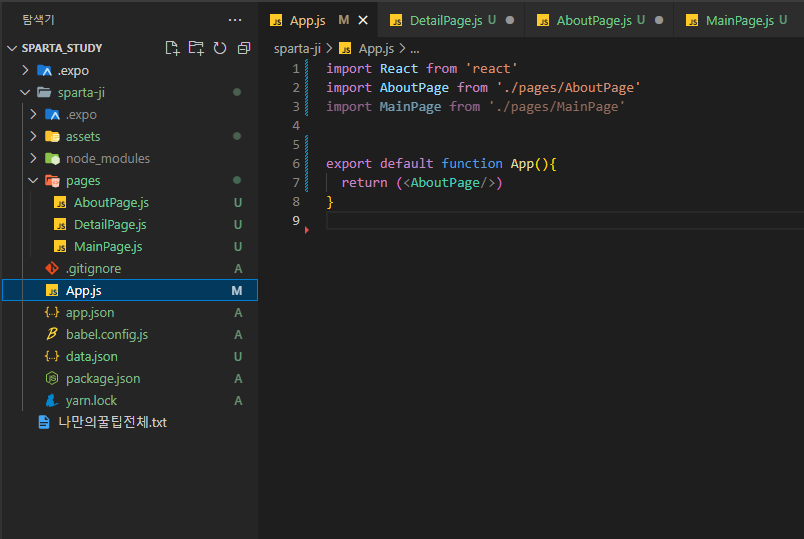
작성한 코드 및 에러 메세지
AboutPage의 코딩 내용 입니다.
import React from 'react'
import {View,Text,StyleSheet,Image, TouchableOpacity, ScrollView} from 'react-native'
export default function AboutPage(){
const aboutImage = "https://storage.googleapis.com/sparta-image.appspot.com/lecture/about.png"
return (
<ScrollView style={styles.container}>
<Text style={styles.title}>HI! 스파르타코딩 앱개발 반에 오신것을 환영합니다</Text>
<View style={styles.textContainer}>
<Image style={styles.aboutImage} source={{uri:aboutImage}} resizeMode={"cover"}/>
<Text style={styles.desc01}>많은 내용을 간결하게 담아내려 노력했습니다!</Text>
<Text style={styles.desc02}>꼭 완주 하셔서 꼭 여러분것으로 만들어가시길 바랍니다</Text>
<TouchableOpacity style={styles.button}>
<Text style={styles.buttonText}>여러분의 인스타계정</Text>
</TouchableOpacity>
</View>
</ScrollView>
)
}
const styles = StyleSheet.create({
container: {
flex:1,
backgroundColor:"#1F266A",
/* alignItems:"center" */
},
title: {
fontSize:30,
fontWeight:"700",
color:"#fff",
paddingLeft:30,
paddingTop:100,
paddingRight:30
},
textContainer: {
width:300,
height:500,
backgroundColor:"#fff",
marginTop:50,
marginLeft:30,
marginBottom:20,
borderRadius:30,
justifyContent:"center",
alignItems:"center"
},
aboutImage:{
width:150,
height:150,
borderRadius:30
},
desc01: {
textAlign:"center",
fontSize:20,
fontWeight:"700",
paddingLeft:22,
paddingRight:22
},
desc02: {
textAlign:"center",
fontSize:15,
fontWeight:"700",
padding:22
},
button:{
backgroundColor:"orange",
padding:20,
borderRadius:15
},
buttonText: {
color:"#fff",
fontSize:15,
fontWeight:"700"
}
})
===========================================================
expo 에서의 에러 메세지 입니다.
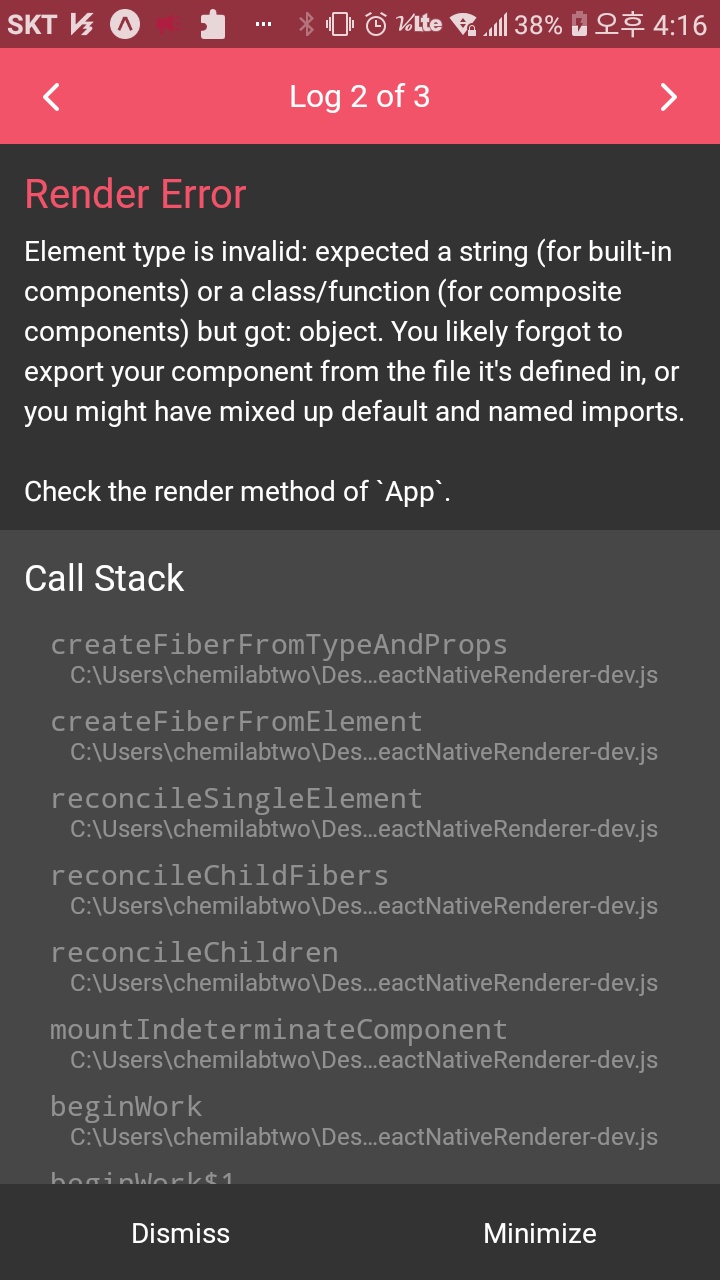
류 발생 시, 작성한 코드 전체와 에러 메시지를 첨부해 주세요.
Tip 1) </> 아이콘을 눌러 코드박스를 만들어 보세요.
Tip 2) Ctrl+A(맥의 경우 Command+A) 단축키로 코드를 한 번에 선택할 수 있어요!


