


* 겪고 있는 문제 상황을 최대한 자세하게 작성해주세요.
* 문제 해결을 위해 어떤 시도를 해보았는지 구체적으로 함께 알려주세요.
앱 개발 종합반 5-3 강의를 듣는 중에 app.js 파일을 복사 붙여넣기했더니 에러가 떠서 확인 한번만 부탁드립니다.
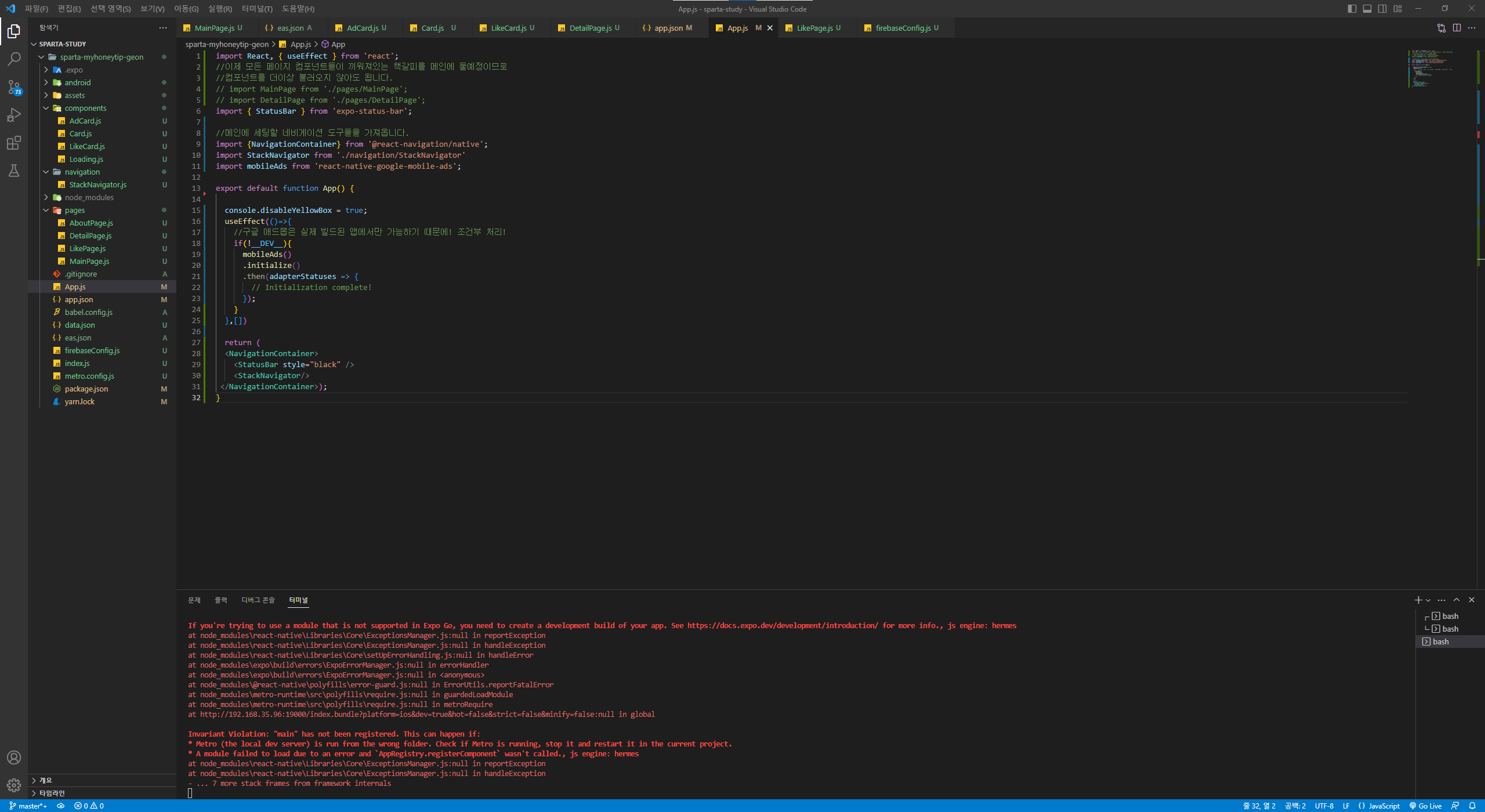
작성한 코드 및 에러 메세지
import React, { useEffect } from 'react';
//이제 모든 페이지 컴포넌트들이 끼워져있는 책갈피를 메인에 둘예정이므로
//컴포넌트를 더이상 불러오지 않아도 됩니다.
// import MainPage from './pages/MainPage';
// import DetailPage from './pages/DetailPage';
import { StatusBar } from 'expo-status-bar';
//메인에 세팅할 네비게이션 도구들을 가져옵니다.
import {NavigationContainer} from '@react-navigation/native';
import StackNavigator from './navigation/StackNavigator'
import mobileAds from 'react-native-google-mobile-ads';
export default function App() {
console.disableYellowBox = true;
useEffect(()=>{
//구글 애드몹은 실제 빌드된 앱에서만 가능하기 때문에! 조건부 처리!
if(!__DEV__){
mobileAds()
.initialize()
.then(adapterStatuses => {
// Initialization complete!
});
}
},[])
return (
<NavigationContainer>
<StatusBar style="black" />
<StackNavigator/>
</NavigationContainer>);
}
에러코드
Invariant Violation: Your JavaScript code tried to access a native module that doesn't exist.
If you're trying to use a module that is not supported in Expo Go, you need to create a development build of your app. See https://docs.expo.dev/development/introduction/ for more info., js engine: hermes
at node_modules\react-native\Libraries\Core\ExceptionsManager.js:null in reportException
at node_modules\react-native\Libraries\Core\ExceptionsManager.js:null in handleException
at node_modules\react-native\Libraries\Core\setUpErrorHandling.js:null in handleError
at node_modules\expo\build\errors\ExpoErrorManager.js:null in errorHandler
at node_modules\expo\build\errors\ExpoErrorManager.js:null in <anonymous>
at node_modules\@react-native\polyfills\error-guard.js:null in ErrorUtils.reportFatalError
at node_modules\metro-runtime\src\polyfills\require.js:null in guardedLoadModule
at node_modules\metro-runtime\src\polyfills\require.js:null in metroRequire
at http://192.168.35.96:19000/index.bundle?platform=ios&dev=true&hot=false&strict=false&minify=false:null in global
Invariant Violation: "main" has not been registered. This can happen if:
* Metro (the local dev server) is run from the wrong folder. Check if Metro is running, stop it and restart it in the current project.
* A module failed to load due to an error and `AppRegistry.registerComponent` wasn't called., js engine: hermes
at node_modules\react-native\Libraries\Core\ExceptionsManager.js:null in reportException
at node_modules\react-native\Libraries\Core\ExceptionsManager.js:null in handleException
- ... 7 more stack frames from framework internals


