


* 겪고 있는 문제 상황을 최대한 자세하게 작성해주세요.
* 문제 해결을 위해 어떤 시도를 해보았는지 구체적으로 함께 알려주세요.
plt.legend 명령문을 실행해도 범례가 생기지 않습니다.
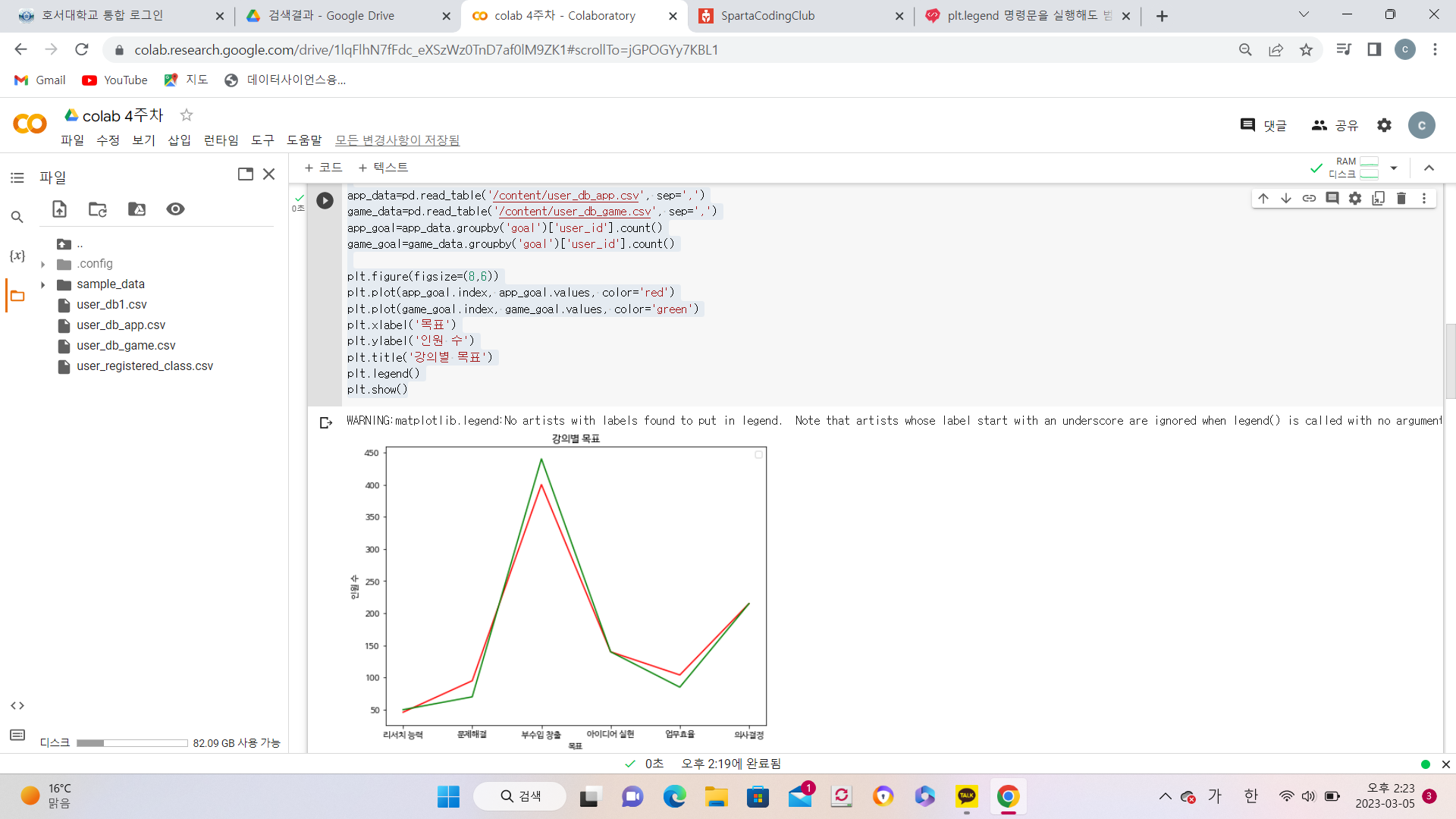
작성한 코드 및 에러 메세지
import pandas as pd
import numpy as np
import matplotlib.pyplot as plt
plt.rc('font', family='NanumBarunGothic')
app_data=pd.read_table('/content/user_db_app.csv', sep=',')
game_data=pd.read_table('/content/user_db_game.csv', sep=',')
app_goal=app_data.groupby('goal')['user_id'].count()
game_goal=game_data.groupby('goal')['user_id'].count()
plt.figure(figsize=(8,6))
plt.plot(app_goal.index, app_goal.values, color='red')
plt.plot(game_goal.index, game_goal.values, color='green')
plt.xlabel('목표')
plt.ylabel('인원 수')
plt.title('강의별 목표')
plt.legend()
plt.show()오류 발생 시, 작성한 코드 전체와 에러 메시지를 첨부해 주세요.
Tip 1) </> 아이콘을 눌러 코드박스를 만들어 보세요.
Tip 2) Ctrl+A(맥의 경우 Command+A) 단축키로 코드를 한 번에 선택할 수 있어요!
WARNING:matplotlib.legend:No artists with labels found to put in legend. Note that artists whose label start with an underscore are ignored when legend() is called with no argument.


