


* 겪고 있는 문제 상황을 최대한 자세하게 작성해주세요.
* 문제 해결을 위해 어떤 시도를 해보았는지 구체적으로 함께 알려주세요.
왜 navigation이 사용되지 않는지 궁금합니다.
보고 계신 화면 전체를 캡처해 주
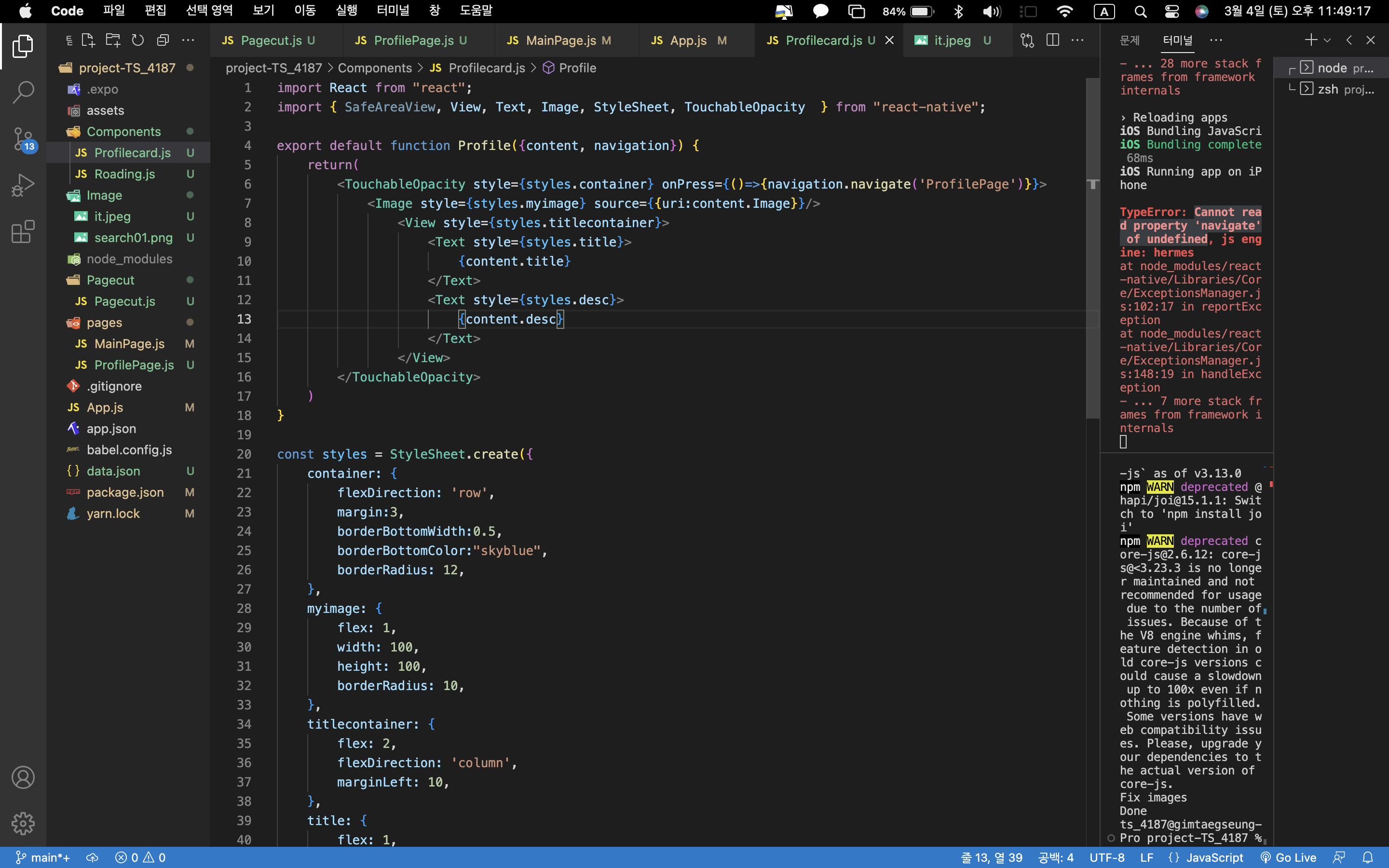
시면, 튜터님들이 빠르게 상황을 이해할 수 있어요.
import React from "react";
import { SafeAreaView, View, Text, Image, StyleSheet, TouchableOpacity } from "react-native";
export default function Profile({content, navigation}) {
return(
<TouchableOpacity style={styles.container} onPress={()=>{navigation.navigate('ProfilePage')}}>
<Image style={styles.myimage} source={{uri:content.Image}}/>
<View style={styles.titlecontainer}>
<Text style={styles.title}>
{content.title}
</Text>
<Text style={styles.desc}>
{content.desc}
</Text>
</View>
</TouchableOpacity>
)
}
const styles = StyleSheet.create({
container: {
flexDirection: 'row',
margin:3,
borderBottomWidth:0.5,
borderBottomColor:"skyblue",
borderRadius: 12,
},
myimage: {
flex: 1,
width: 100,
height: 100,
borderRadius: 10,
},
titlecontainer: {
flex: 2,
flexDirection: 'column',
marginLeft: 10,
},
title: {
flex: 1,
fontSize: 25,
fontWeight: '700',
height: 30,
},
desc: {
flex: 3,
fontSize: 17,
fontWeight: '500',
marginTop: 5,
},
})
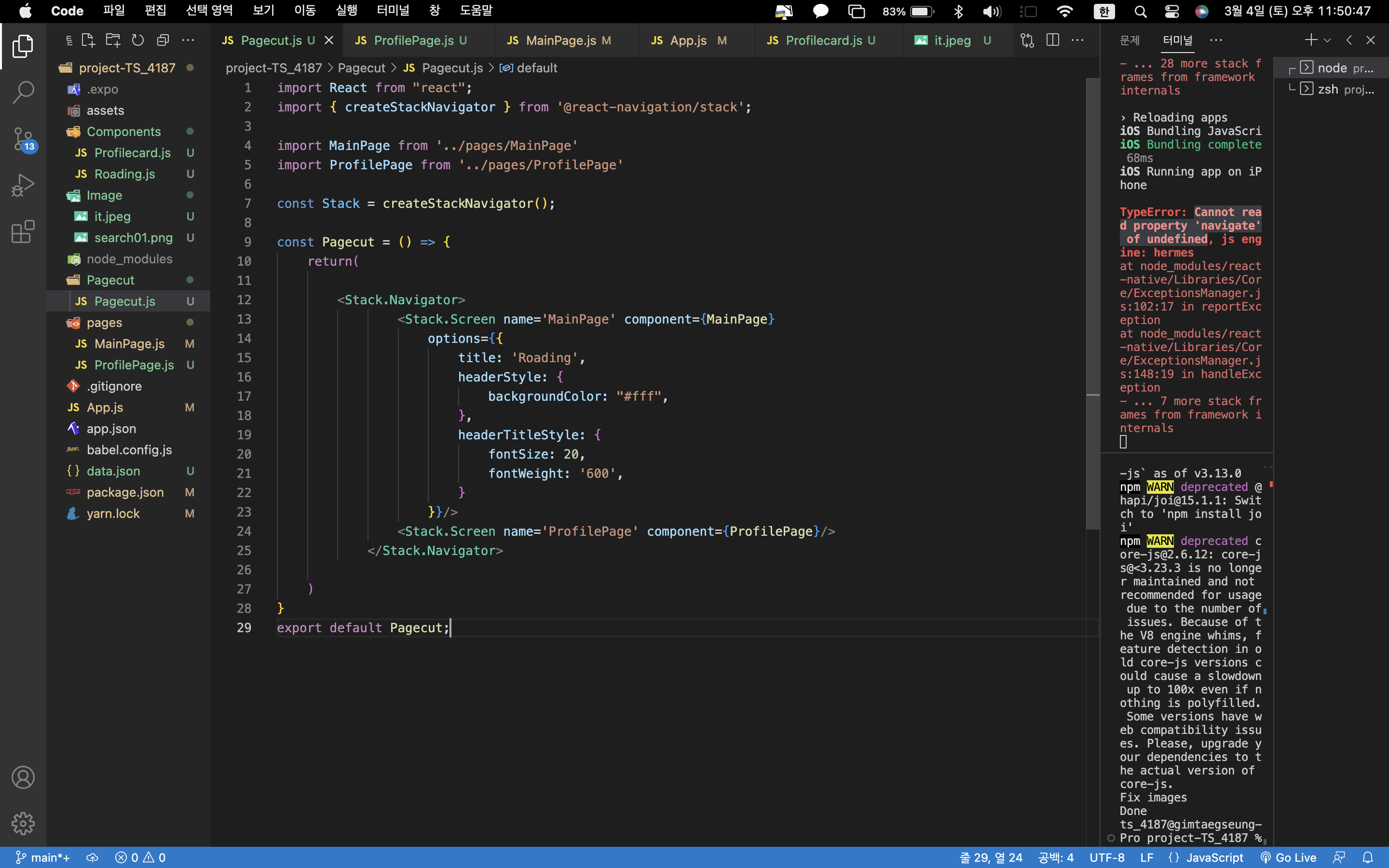
import React from "react";
import { createStackNavigator } from '@react-navigation/stack';
import MainPage from '../pages/MainPage'
import ProfilePage from '../pages/ProfilePage'
const Stack = createStackNavigator();
const Pagecut = () => {
return(
<Stack.Navigator>
<Stack.Screen name='MainPage' component={MainPage}
options={{
title: 'Roading',
headerStyle: {
backgroundColor: "#fff",
},
headerTitleStyle: {
fontSize: 20,
fontWeight: '600',
}
}}/>
<Stack.Screen name='ProfilePage' component={ProfilePage}/>
</Stack.Navigator>
)
}
export default Pagecut;


