


* 겪고 있는 문제 상황을 최대한 자세하게 작성해주세요.
* 문제 해결을 위해 어떤 시도를 해보았는지 구체적으로 함께 알려주세요.
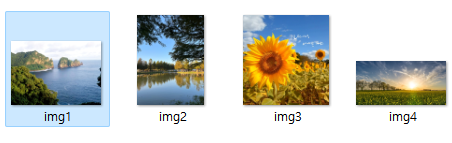
사진 삽입시 사진별 크기 동일하게 삽입이 되지 않네요 확인부탁드립니다
사진별 크기도 조정해보고 강의 내용으로도 진행해보기도 하고
말씀해주신 사이트 참고도 해보았는데 사진 크기 조절이 안되네요^^;;
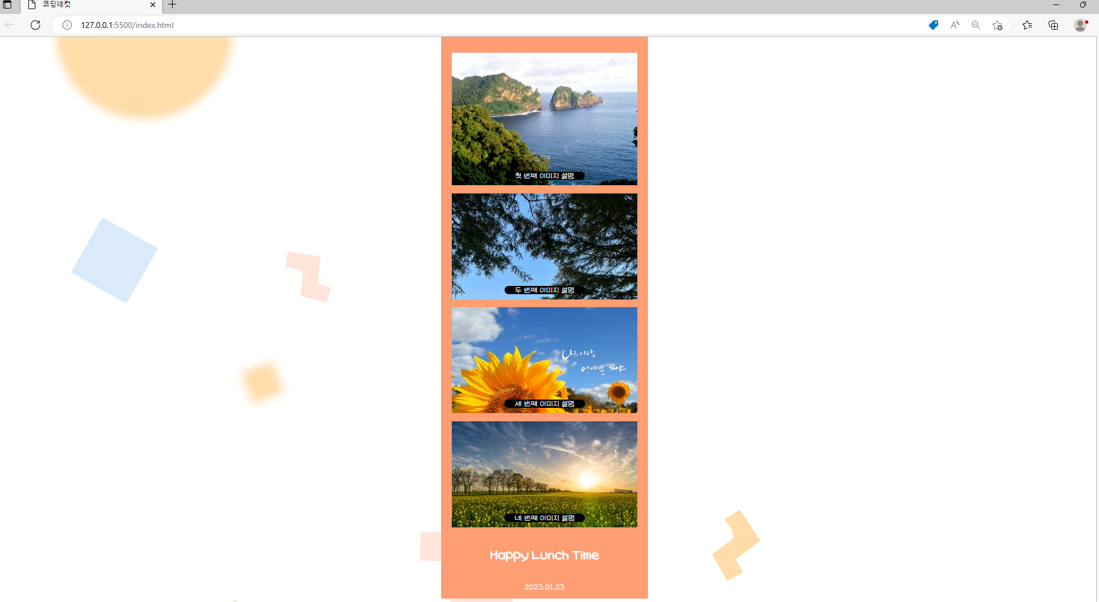
작성한 코드 및 에러 메세지
<!DOCTYPE html>
<html lang="en">
<head>
<meta charset="UTF-8" />
<meta http-equiv="X-UA-Compatible" content="IE=edge" />
<meta name="viewport" content="width=device-width, initial-scale=1.0" />
<title>코딩네컷</title>
<style>
/* 이서윤체 폰트 적용을 위한 코드 */
@font-face {
font-family: "LeeSeoyun";
src: url("https://cdn.jsdelivr.net/gh/projectnoonnu/noonfonts_2202-2@1.0/LeeSeoyun.woff") format("woff");
font-weight: normal;
font-style: normal;
}
/* body태그 자체에 css 요소 부여 */
body {
font-family: "LeeSeoyun";
margin: 0;
display: flex;
justify-content: center;
background-image: url("./background.png");
}
.container {
width: 390px;
background-color: #ff9d73;
height: 100%;
}
.photos {
margin-top: 30px;
}
.photo-frame {
background-color: white;
margin: 15px 20px;
height: 200px;
background-size: cover;
position: relative;
}
/* 하단 영역 스타일링 */
.footer {
display: flex;
flex-direction: column;
align-items: center;
}
.f-title {
font-size: 25px;
font-weight: 900;
color: white;
}
.f-date {
font-size: 15px;
font-weight: 500;
color: white;
}
#image1 {
background-image: url("./img1.png");
background-size: cover;
width: 350px;
height: 250px;
}
#image2 {
background-image: url("./img2.png");
}
#image3 {
background-image: url("./img3.png");
}
#image4 {
background-image: url("./img4.png");
}
.photo-description {
color: white;
background-color: black;
width: fit-content;
padding: 0 20px;
margin-bottom: 10px;
border-radius: 10px;
position: absolute;
bottom: 0;
transform: translate(-50%);
left: 50%;
}
</style>
</head>
<body>
<div class="container">
<div class="photos">
<div id="image1" class="photo-frame">
<span id="desc1" class="photo-description">
첫 번째 이미지 설명
</span>
</div>
<div id="image2" class="photo-frame">
<span id="desc2" class="photo-description">
두 번째 이미지 설명
</span>
</div>
<div id="image3" class="photo-frame">
<span id="desc3" class="photo-description">
세 번째 이미지 설명
</span>
</div>
<div id="image4" class="photo-frame">
<span id="desc4" class="photo-description">
네 번째 이미지 설명
</span>
</div>
</div>
<div class="footer">
<p class="f-title">Happy Lunch Time</p>
<p class="f-date">2023.01.23</p>
</div>
</div>
</body>
</html>
확인 부탁드립니다


