커뮤니티

포인트
쿠폰
내 강의실
국비 신청 내역
증명서
계정
로그아웃
학습 질문
개발 일지
나의 활동
답변 완료
Android Studio 자바 버전을 찾을 수 없다는 문구가 뜹니다.
앱개발 종합반 - 플러터 v8
1주차


정*진
댓글
1
・
추천
0
・
조회수
13
조회수
13
답변 완료
* 겪고 있는 문제 상황을 최대한 자세하게 작성해주세요.
* 문제 해결을 위해 어떤 시도를 해보았는지 구체적으로 함께 알려주세요.
Andorid Licenses 를 진행하려고 했는데 java command 가 없다는 얼럿이 뜹니다.
그래서 flutter doctor를 실행해 보니 역시 자바 버전 이용 불가하다고 뜨고,
추가로 윈도우 버전이 10 이상인 것에 대한 경고 문구도 떴습니다.
여기서 어떻게 후속 작업을 진행해야 할까요?
라이센스 추가하고자 했을때

플러터 닥터 실행했을 때
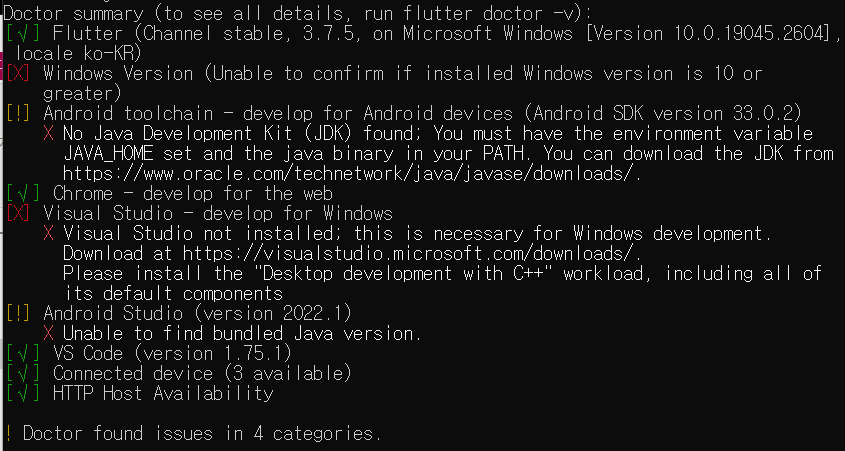
작성한 코드 및 에러 메세지
오류 발생 시, 작성한 코드 전체와 에러 메시지를 첨부해 주세요.
Microsoft Windows [Version 10.0.19045.2604]
(c) Microsoft Corporation. All rights reserved.

C:\Users\wjdth>flutter doctor
Doctor summary (to see all details, run flutter doctor -v):
[√] Flutter (Channel stable, 3.7.5, on Microsoft Windows [Version 10.0.19045.2604], locale ko-KR)
[X] Windows Version (Unable to confirm if installed Windows version is 10 or greater)
[!] Android toolchain - develop for Android devices (Android SDK version 33.0.2)
  X No Java Development Kit (JDK) found; You must have the environment variable
   JAVA_HOME set and the java binary in your PATH. You can download the JDK from
   https://www.oracle.com/technetwork/java/javase/downloads/.
[√] Chrome - develop for the web
[X] Visual Studio - develop for Windows
  X Visual Studio not installed; this is necessary for Windows development.
   Download at https://visualstudio.microsoft.com/downloads/.
   Please install the "Desktop development with C++" workload, including all of its
   default components
[!] Android Studio (version 2022.1)
  X Unable to find bundled Java version.
[√] VS Code (version 1.75.1)
[√] Connected device (3 available)
[√] HTTP Host Availability

! Doctor found issues in 4 categories.

C:\Users\wjdth>flutter doctor --android-licenses

ERROR: JAVA_HOME is not set and no 'java' command could be found in your PATH.

Please set the JAVA_HOME variable in your environment to match the
location of your Java installation.

C:\Users\wjdth>
Tip 1) </> 아이콘을 눌러 코드박스를 만들어 보세요.
Tip 2) Ctrl+A(맥의 경우 Command+A) 단축키로 코드를 한 번에 선택할 수 있어요!


댓글 알림
