


* 겪고 있쟈는 문제 상황을 최대한 자세하게 작성해주세요.
* 문제 해결을 위해 어떤 시도를 해보았는지 구체적으로 함께 알려주세요.
안녕하세요 수업 재밌게 잘 들었습니다.
궁금한 점은 동기화면에 시간, 저자, 명언은 api 불러와서 새로고침 할 때마다 자동으로 반영이 되더라구요.
제공해주신 코드로는 "오늘의 할일 (화면의 운동하기, class=todo 부분) " 이 다음날에도 동일하게 보여질 거 같은데,
이를 일별로 보여줄 수 있는 방법은 어떤것들이 있을까요?
(잘 모르겠지만, 예를 들어 구글캘린더 연동 api를 불러와서 index.js에 붙인다?_? .......? )
보고
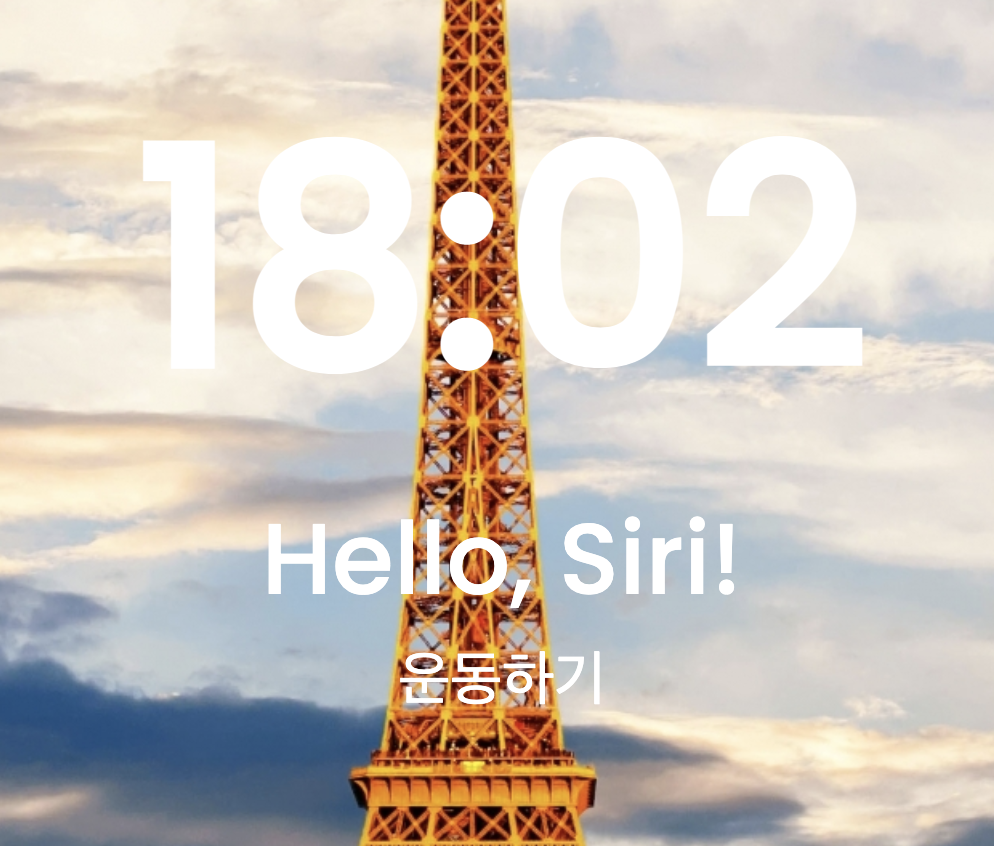
계신 화면 전체를 캡처해 주시면, 튜터님들이 빠르게 상황을 이해할 수 있어요.
작성한 코드 및 에러 메세지
<!DOCTYPE html>
<html lang="en">
<head>
<meta charset="UTF-8">
<meta http-equiv="X-UA-Compatible" content="IE=edge">
<meta name="viewport" content="width=device-width, initial-scale=1.0">
<meta http-equiv="Content-Security-Policy" content="upgrade-insecure-requests">
<script src="https://ajax.googleapis.com/ajax/libs/jquery/3.6.0/jquery.min.js"></script>
<title>나만의 동기부여 홈화면 만들기</title>
<script src="index.js"></script>
<style>
@import url('https://fonts.googleapis.com/css2?family=Poppins:wght@500&display=swap');
* {
font-family: 'Poppins', sans-serif;
}
body {
background-image: url("https://images.adsttc.com/media/images/5d44/14fa/284d/d1fd/3a00/003d/large_jpg/eiffel-tower-in-paris-151-medium.jpg?1564742900");
background-position: center;
background-size: cover;
color: white;
}
.time {
font-size: 150px;
font-weight: bold;
}
.greeting {
font-size: 50px;
}
.todo {
font-size: 30px;
}
.author {
font-size: 25px;
font-style: italic;
/* 기울임꼴 */
}
.main {
/* 화면을 꽉 차게 사용하는 코드 vw. 화면의 80%는 남겨둬야 함 */
width: 100vw;
height: 80vh;
display: flex;
flex-direction: column;
align-items: center;
justify-content: center;
}
.quote {
width: 100vw;
height: 20vh;
display: flex;
flex-direction: column;
align-items: center;
justify-content: center;
}
</style>
<script>
</script>
</head>
<body>
<div class="main">
<div id="time" class="time"> 12:34 </div>
<div class="greeting"> Hello, Siri! </div>
<div class="todo"> 운동하기 </div>
</div>
<div class="quote">
<div id ="author" class="author"> -명언의저자- </div>
<div id="content" class="content"> "명언의 내용" </div>
</div>
</body>
</html>
오류 발생 시, 작성한 코드 전체와 에러 메시지를 첨부해 주세요.
Tip 1) </> 아이콘을 눌러 코드박스를 만들어 보세요.
Tip 2) Ctrl+A(맥의 경우 Command+A) 단축키로 코드를 한 번에 선택할 수 있어요!


