커뮤니티

포인트
쿠폰
내 강의실
국비 신청 내역
증명서
계정
로그아웃
학습 질문
개발 일지
나의 활동
답변 완료
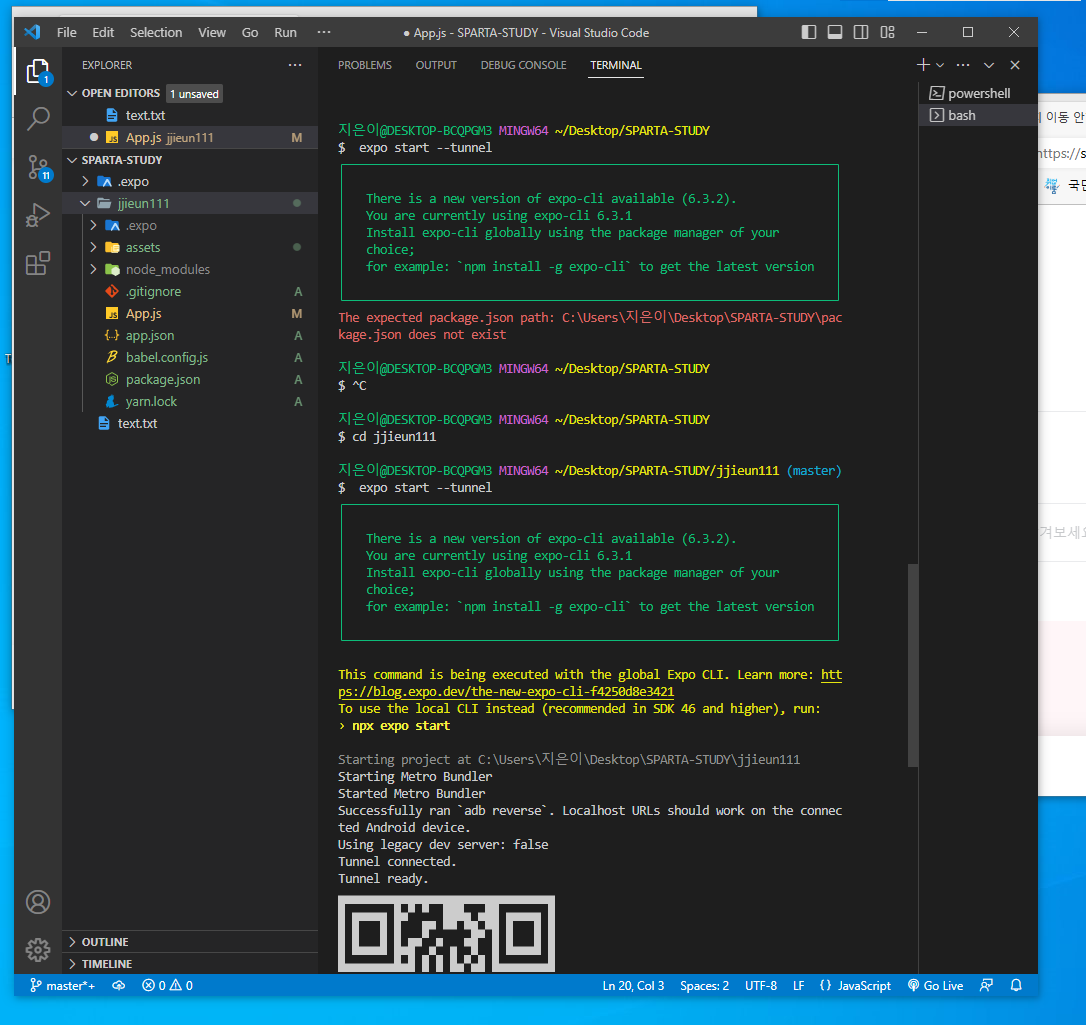
2-3 폴더 위치 이동 안하고 QR생성해서 다시 이동 후 QR생성했는데요
[왕초보] 나만의 수익성 앱, 앱개발 종합반 v5
2주차


박*은
댓글
5
・
추천
0
・
조회수
6
조회수
6
답변 완료
* 겪고 있는 문제 상황을 최대한 자세하게 작성해주세요.
* 문제 해결을 위해 어떤 시도를 해보았는지 구체적으로 함께 알려주세요.
지은이@DESKTOP-BCQPGM3 MINGW64 ~/Desktop/SPARTA-STUDY
$  expo start --tunnel
┌──────────────────────────────────────────────────────────────────────┐│                                                                      ││   There is a new version of expo-cli available (6.3.2).              ││   You are currently using expo-cli 6.3.1                             ││   Install expo-cli globally using the package manager of your        ││   choice;                                                            ││   for example: `npm install -g expo-cli` to get the latest version   ││                                                                      │└──────────────────────────────────────────────────────────────────────┘The expected package.json path: C:\Users\지은이\Desktop\SPARTA-STUDY\package.json does not exist


지은이@DESKTOP-BCQPGM3 MINGW64 ~/Desktop/SPARTA-STUDY
$ ^C


지은이@DESKTOP-BCQPGM3 MINGW64 ~/Desktop/SPARTA-STUDY
$ cd jjieun111


지은이@DESKTOP-BCQPGM3 MINGW64 ~/Desktop/SPARTA-STUDY/jjieun111 (master)$  expo start --tunnel
┌──────────────────────────────────────────────────────────────────────┐│                                                                      ││   There is a new version of expo-cli available (6.3.2).              ││   You are currently using expo-cli 6.3.1                             ││   Install expo-cli globally using the package manager of your        ││   choice;                                                            ││   for example: `npm install -g expo-cli` to get the latest version   ││                                                                      │└──────────────────────────────────────────────────────────────────────┘
This command is being executed with the global Expo CLI. Learn more: https://blog.expo.dev/the-new-expo-cli-f4250d8e3421
To use the local CLI instead (recommended in SDK 46 and higher), run:
› npx expo start


Starting project at C:\Users\지은이\Desktop\SPARTA-STUDY\jjieun111
Starting Metro Bundler
Started Metro Bundler
Successfully ran `adb reverse`. Localhost URLs should work on the connected Android device.
Using legacy dev server: false
Tunnel connected.
Tunnel ready.
▄▄▄▄▄▄▄▄▄▄▄▄▄▄▄▄▄▄▄▄▄▄▄▄▄▄▄▄▄▄▄
█ ▄▄▄▄▄ █▄▀ ▀  ███▄ ▄██ ▄▄▄▄▄ █
█ █   █ █   █▀ ▀▀ ▀█▄▀█ █   █ █
█ █▄▄▄█ █▄█▀ ▄▀ ▄ ▀█  █ █▄▄▄█ █
█▄▄▄▄▄▄▄█▄█ █ █ █▄▀▄█ █▄▄▄▄▄▄▄█
█▄▄ ▄▀▀▄▀ █ ▄ ▀▄▄▀   ▄ ▀█ ▄ █ █
████▀▄█▄▀▄  ▄▄▀ █▄██▀█▄▄█▀▀██▀█
█▄█  █▀▄█▄▄▄▀ ▄▄ ▀▄█▀ █▀██▀▄ ▀█
█ ▄█ ▀▄▄█ █▄ ████ ██ ▀▀▀ ▀█▄ ▄█
██▄▄▄▀▄▄█▀█▀██ █ ▀█▄▄ ▄█▀▄█▀▀▄█
█▄█▄▀█▄▄▀   ▀▄█▄▄▄▀▀█▄▄ █▄▄ ▀██
██▄██▄█▄█ ▄ ▀ █▄██▄▄  ▄▄▄ ▀▄  █
█ ▄▄▄▄▄ ██▀█▄█  █ ▄ ▄ █▄█ ▄█▄██
█ █   █ █▀██▄█▄▄ ▄▄█▀  ▄  ▀ █ █
█ █▄▄▄█ █ ▀▀▀▀▄▄▀█▄ █▀▀▀ ▀█▄▀▄█
█▄▄▄▄▄▄▄█▄███▄▄▄█▄██▄▄▄██▄██▄██


› Metro waiting on exp://7g-dui.jjieun111.jjieun111.exp.direct:80
› Scan the QR code above with Expo Go (Android) or the Camera app (iOS)


› Press a │ open Android
› Press w │ open web


› Press r │ reload app
› Press m │ toggle menu


› Press ? │ show all commands


Logs for your project will appear below. Press Ctrl+C to exit.
폴더 이동 안하고 그냥 SPARTA-STUDY 폴더에서 QR생성을 해서 ctrl+c 누르고
cd jjieun111 (폴더명) 해서 이동 후 다시 QR생성 했는데요 잘못한건가요?
저기 초록색 박스에 뜨는 글 괜찮은건가요?


댓글 알림
