


* 겪고 있는 문제 상황을 최대한 자세하게 작성해주세요.
* 문제 해결을 위해 어떤 시도를 해보았는지 구체적으로 함께 알려주세요.
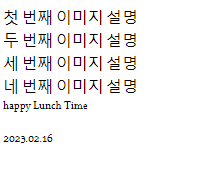
- 이서윤체를 적용을 했는데 p태그란 입력사항이 적용이 않 되어요.
그리고 선생님처럼 한 칸 띄워지지가 않았어요.
- 라이브서버 실시간 적용이 않 되어요. 매번 우클릭해서 open with live server를 눌러줘야만 해요ㅠㅠ
보고 계
신
화면 전체를 캡처해 주시면, 튜터님들이 빠르게 상황을 이해할 수 있어요.
=> 오류메세지는 않 떴어욤..
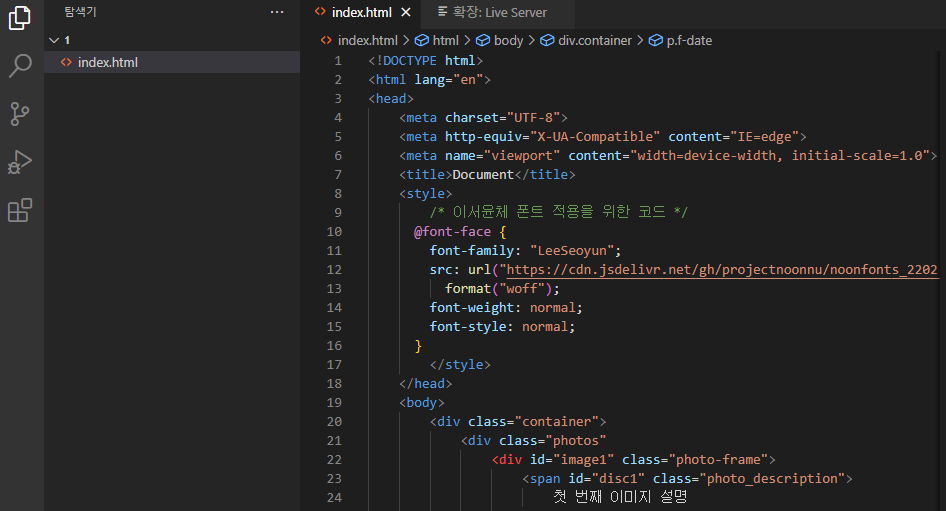
<!DOCTYPE html>
<html lang="en">
<head>
<meta charset="UTF-8">
<meta http-equiv="X-UA-Compatible" content="IE=edge">
<meta name="viewport" content="width=device-width, initial-scale=1.0">
<title>Document</title>
<style>
/* 이서윤체 폰트 적용을 위한 코드 */
@font-face {
font-family: "LeeSeoyun";
src: url("https://cdn.jsdelivr.net/gh/projectnoonnu/noonfonts_2202-2@1.0/LeeSeoyun.woff")
format("woff");
font-weight: normal;
font-style: normal;
}
</style>
</head>
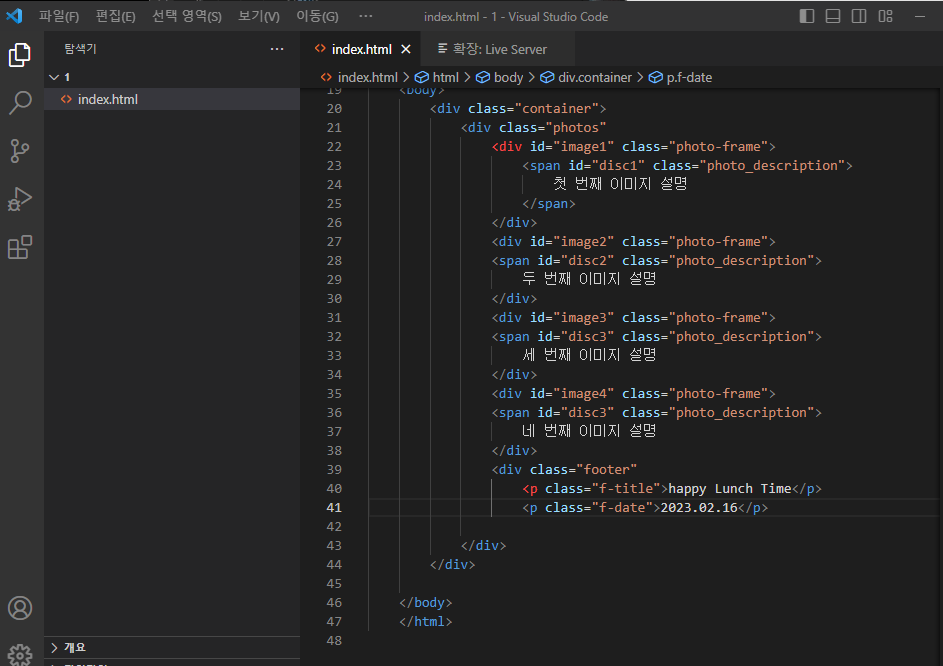
<body>
<div class="container">
<div class="photos"
<div id="image1" class="photo-frame">
<span id="disc1" class="photo_description">
첫 번째 이미지 설명
</span>
</div>
<div id="image2" class="photo-frame">
<span id="disc2" class="photo_description">
두 번째 이미지 설명
</div>
<div id="image3" class="photo-frame">
<span id="disc3" class="photo_description">
세 번째 이미지 설명
</div>
<div id="image4" class="photo-frame">
<span id="disc3" class="photo_description">
네 번째 이미지 설명
</div>
<div class="footer"
<p class="f-title">happy Lunch Time</p>
<p class="f-date">2023.02.16</p>
</div>
</div>
</body>
</html>


