커뮤니티

포인트
쿠폰
내 강의실
국비 신청 내역
증명서
계정
로그아웃
학습 질문
개발 일지
나의 활동
답변 완료
배경화면 및 git허브 이미지 안뜨는 문제..
인생사진 쏙쏙 코딩네컷 v0
1주차


김*이
댓글
5
・
추천
0
・
조회수
19
조회수
19
답변 완료
* 겪고 있는 문제 상황을 최대한 자세하게 작성해주세요.
* 문제 해결을 위해 어떤 시도를 해보았는지 구체적으로 함께 알려주세요.
안녕하세요. 처음에 소스 따라할땐 잘되고 있었던 것 같은데
마지막 코드까지 다 치고 git gub에 올리고 나니 안되는게 있어 질문 올려봅니다.
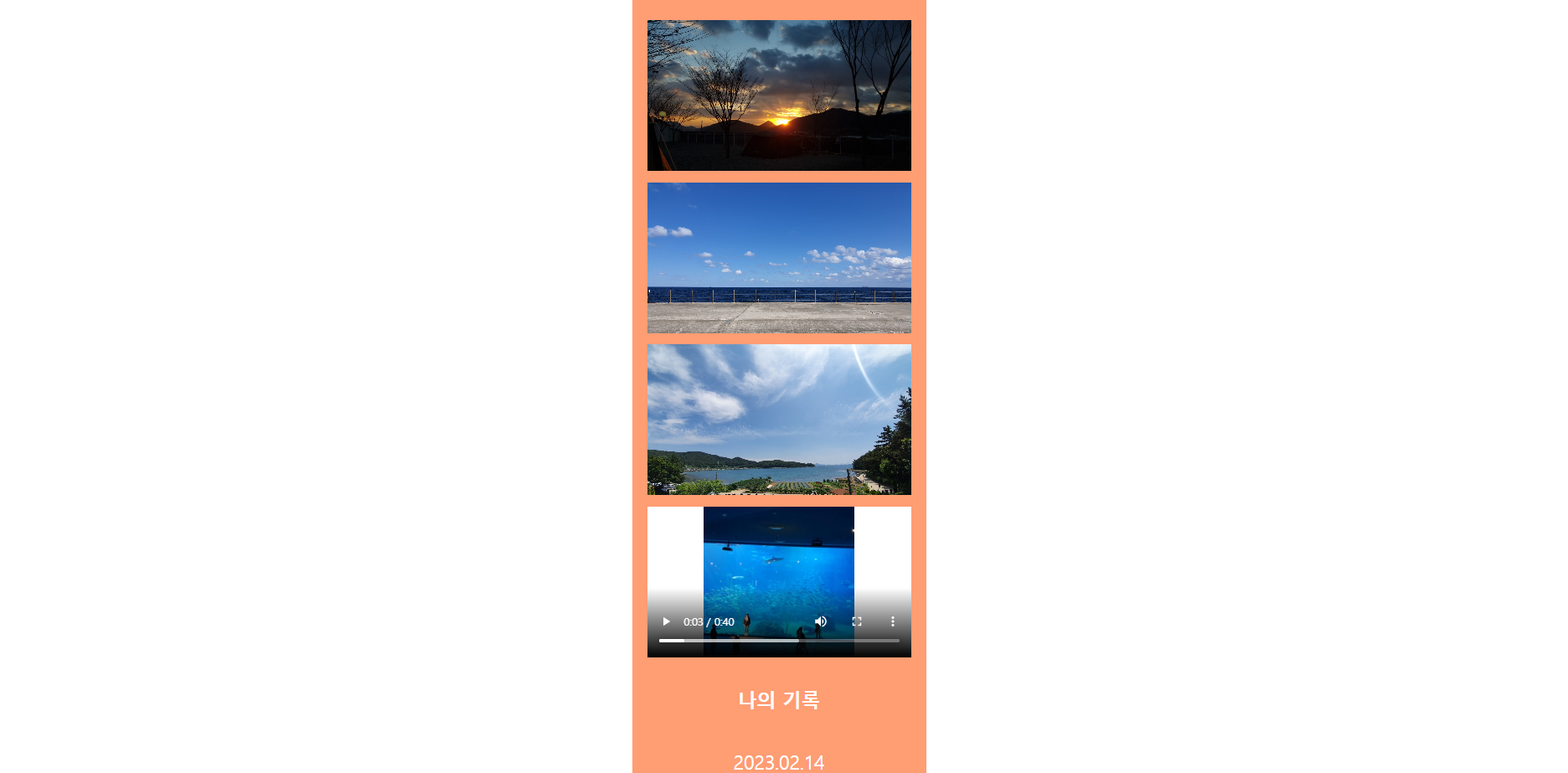
문제1. VSC에서 live server로 켰을 때 배경화면이 안뜨는 문제
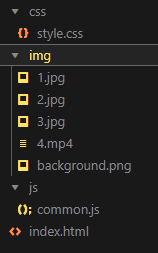
(정리한다고 img랑 css, javascript는 각 폴더에 넣어 놨습니다.)
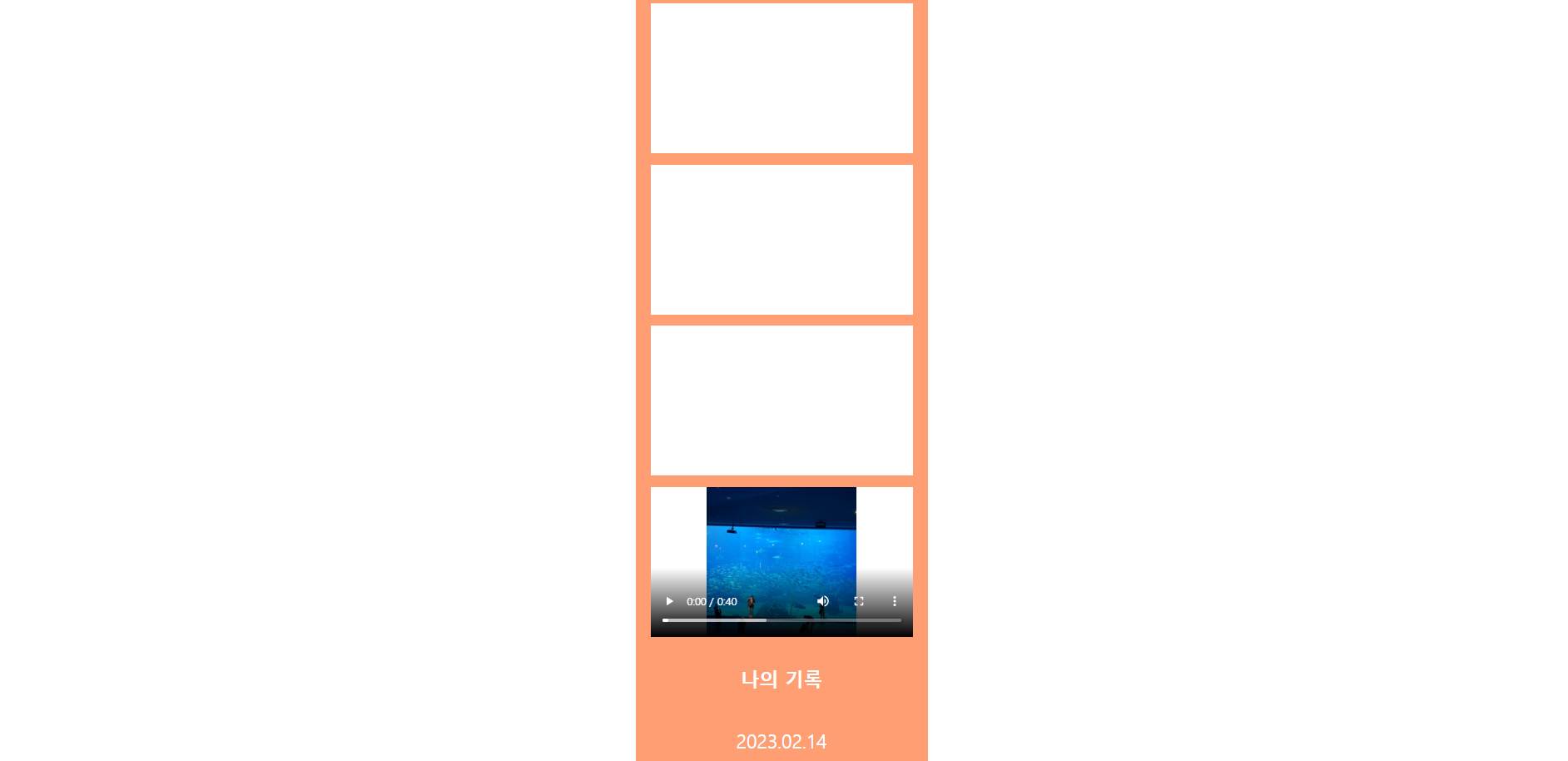
문제2. github에 커밋 후에 사이트에 들어가니 동영상은 정상적으로 출력되는데 이미지가 뜨질 않네요.
(동영상은 html에서 src 메타에 바로 넣었고, 이미지는 css에서 백그라운드로 잡혀있는데 css에 문제가 있는걸까요 ㅜㅜ)
live server
git 연동 주소로 들어갔을 때
작성한 코드 및 에러 메세지
먼저..위에서 말씀드린것 처럼 파일이 각 세부 폴더에 들어있습니다.
● index.html
<!DOCTYPE html>
<html lang="ko">


<head>
    <meta charset="UTF-8" />
    <meta http-equiv="X-UA-Compatible" content="IE=edge" />
    <meta name="viewport" content="width=device-width, initial-scale=1.0" />
    <link rel="stylesheet" href="./css/style.css" />
    <script src="./js/common.js"></script>
    <title>코딩네컷</title>
    <style>

    </style>
</head>


<body>
    <div class="container">
        <div class="photos">
            <div id="image1" class="photo-frame"
            onmouseover="hideText(1)"
            onmouseout="showText(1)"
            onclick="alertText(1)">
                <span id="desc1" class="photo_description">노을을 바라보며 :)</span>
            </div>
            <div id="image2" class="photo-frame"
            onmouseover="hideText(2)"
            onmouseout="showText(2)"
            onclick="alertText(2)">
                <span id="desc2" class="photo_description">그림처럼 이뻤던 바닷가</span>
            </div>
            <div id="image3" class="photo-frame"
            onmouseover="hideText(3)"
            onmouseout="showText(3)"
            onclick="alertText(3)">
                <span id="desc3" class="photo_description">멋진 구름 + 물멍 = 힐링!!</span>
            </div>
            <div class="photo-frame video-frame">
                <video class="video" controls>
                    <source src="./img/4.mp4" type="video/mp4">
                </video>
            </div>
        </div>
        <div class="footer">
            <p class="f-title">나의 기록</p>
            <p class="f-date">2023.02.14</p>
        </div>
    </div>
</body>


</html>


● style.css
@charset "UTF-8";
@font-face {
    font-family: "LeeSeoyun";
    src: url("https://cdn.jsdelivr.net/gh/projectnoonnu/noonfonts_2022-2@1.0/LeeSeoyun.woff") format("woff");
    font-weight: normal;
    font-style: normal;
}


body {
    font-family: "LeeSeoyun";
    margin: 0;
    display: flex;
    justify-content: center;
    background-image: url("./img/background.png");
}


.container {
    width: 390px;
    background-color: #ff9d73;
    height: 100%;
}


.photos {
    margin-top: 30px;
}


.photo-frame {
    background-color: white;
    margin: 15px 20px;
    height: 200px;
    background-size: cover;
    position: relative;
    cursor: pointer;
}


.photo_description {
    color: white;
    background-color: black;
    width: fit-content;
    /* fit-content : 안에 있는 글자 개수에 맞는 너비를 가짐 */
    padding: 0 20px;
    margin-bottom: 10px;
    border-radius: 10px;
    position: absolute;
    bottom: 0;
    transform: translate(-50%);
    left: 50%;
    opacity: 0;
}


#image1 {
    background-image: url('/img/1.jpg');
}
#image2 {
    background-image: url('/img/2.jpg');
}
#image3 {
    background-image: url('/img/3.jpg');
}


.video {
    width: 100%;
    height: 100%;
}


.showText {
    opacity: 0;
}
.hideText {
    opacity: 1;
    transition: opacity 0.5s linear;
}


.footer {
    display : flex;
    flex-direction: column;
    align-items: center;
}


.f-title {
    color: white;
    font-size: 25px;
    font-weight: 900;
}


.f-date {
    color: white;
    font-size: 25px;
    font-weight: 500;
}


댓글 알림
