


* 겪고 있는 문제 상황을 최대한 자세하게 작성해주세요.
* 문제 해결을 위해 어떤 시도를 해보았는지 구체적으로 함께 알려주세요.
어떻게 해야 하나요???
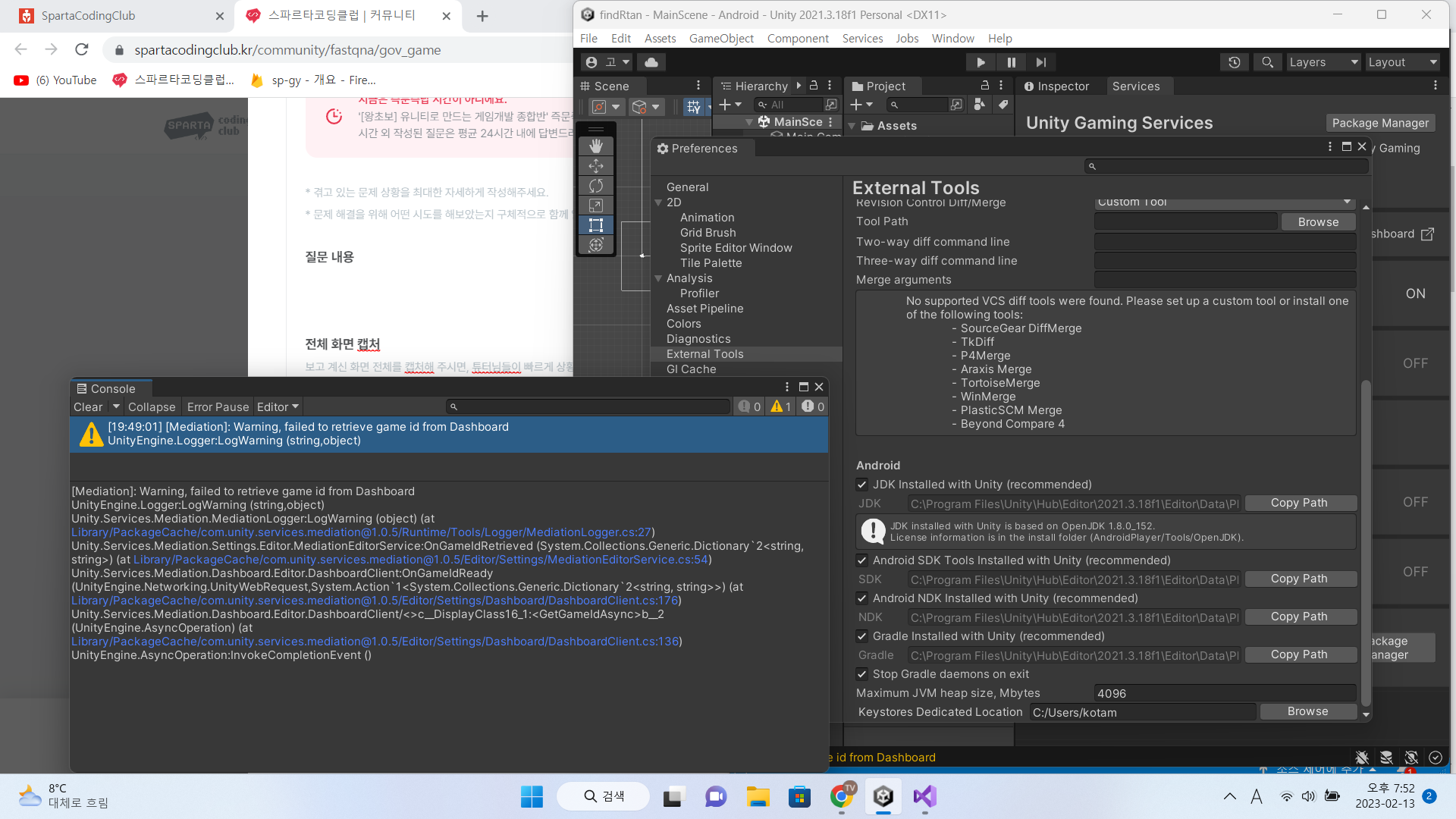
작성한 코드 및 에러 메세지
using Unity.Services.Core.Editor;
using UnityEditor;
using UnityEngine;
using Unity.Services.Mediation.Dashboard.Editor;
using System.Collections.Generic;
using UnityEditor.Advertisements;
namespace Unity.Services.Mediation.Settings.Editor
{
class MediationEditorService : IEditorGameService
{
public string Name => Identifier.GetKey();
const string k_DashboardUrl = @"https://dashboard.unity3d.com/organizations/{0}/projects/{1}/monetization/placements";
const string k_FailedToRetrieveGameId = "Warning, failed to retrieve game id from Dashboard";
public IEditorGameServiceIdentifier Identifier { get; } = new MediationServiceIdentifier();
public bool RequiresCoppaCompliance => true;
public bool HasDashboard => true;
static bool s_RefreshingGameId = false;
public string GetFormattedDashboardUrl()
{
#if ENABLE_EDITOR_GAME_SERVICES
return string.Format(k_DashboardUrl, CloudProjectSettings.organizationKey, CloudProjectSettings.projectId);
#else
var orgID = Core.Editor.OrganizationHandler.OrganizationProvider.Organization.Key;
if (string.IsNullOrWhiteSpace(orgID))
{
return null;
}
else
{
return string.Format(k_DashboardUrl, orgID, CloudProjectSettings.projectId);
}
#endif
}
internal static void RefreshGameId()
{
if (!s_RefreshingGameId)
{
s_RefreshingGameId = true;
DashboardClient.GetGameIdAsyncOrWait(OnGameIdRetrieved);
}
}
static void OnGameIdRetrieved(Dictionary<string, string> gameIdPerPlatform)
{
s_RefreshingGameId = false;
if (gameIdPerPlatform == null)
{
MediationLogger.LogWarning(k_FailedToRetrieveGameId);
return;
}
string gameId;
if (gameIdPerPlatform.TryGetValue("IOS", out gameId))
{
AdvertisementSettings.SetGameId(RuntimePlatform.IPhonePlayer, gameId);
}
if (gameIdPerPlatform.TryGetValue("ANDROID", out gameId))
{
AdvertisementSettings.SetGameId(RuntimePlatform.Android, gameId);
}
}
public IEditorGameServiceEnabler Enabler { get; } = null;
}
}
오류 발생 시, 작성한 코드 전체와 에러 메시지를 첨부해 주세요.
Tip 1) </> 아이콘을 눌러 코드박스를 만들어 보세요.
Tip 2) Ctrl+A(맥의 경우 Command+A) 단축키로 코드를 한 번에 선택할 수 있어요!


