커뮤니티

포인트
쿠폰
내 강의실
국비 신청 내역
증명서
계정
로그아웃
학습 질문
개발 일지
나의 활동
답변 완료
4주차 숙제 - 찜해제 기능 오류
앱개발 종합반 - 리액트 네이티브 v7
4주차


권*정
댓글
5
・
추천
0
・
조회수
26
조회수
26
답변 완료
* 겪고 있는 문제 상황을 최대한 자세하게 작성해주세요.
* 문제 해결을 위해 어떤 시도를 해보았는지 구체적으로 함께 알려주세요.
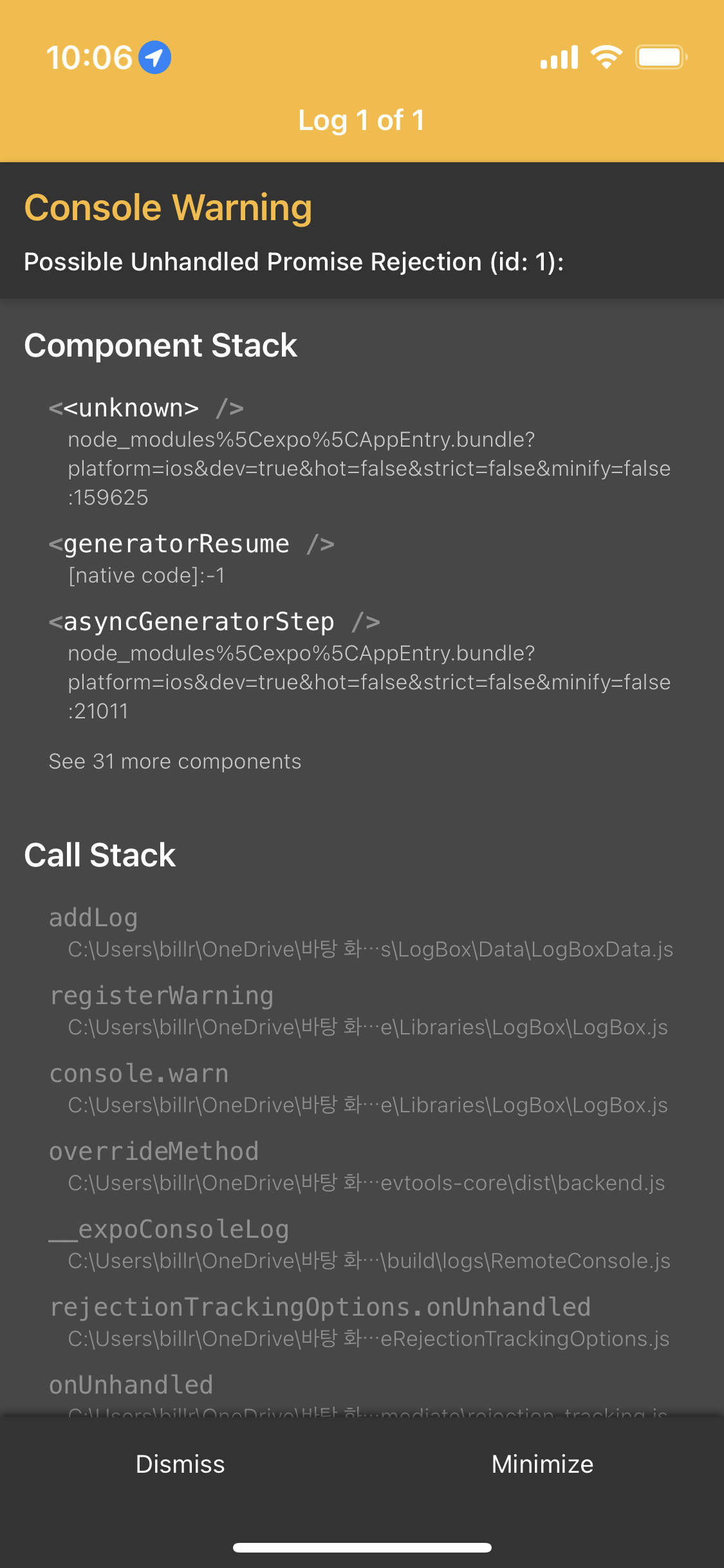
따라 해서 썼는데 다음과 같은 오류가 떠요
likecard.js
import React from 'react';
import {View, Image, Text, StyleSheet,TouchableOpacity} from 'react-native'


//MainPage로 부터 navigation 속성을 전달받아 Card 컴포넌트 안에서 사용
export default function LikeCard({content,navigation,tip, setTip}){


    const detail = () => {
        navigation.navigate('DetailPage',{idx:content.idx})
    }


    const remove = async (cidx) => {
      if(isIOS){
        let iosId = await Application.getIosIdForVendorAsync();
            userUniqueId = iosId
        }else{
            userUniqueId = await Application.androidId
        }


      console.log(userUniqueId)
      firebase_db.ref('/like/'+userUniqueId+'/'+cidx).remove().then(function(){
        Alert.alert("찜 해제!");
        let result = tip.filter((data,i)=>{
          return data.idx !== cidx
        })
        console.log(result)
        setTip(result)
      })
    }


    return(
        //카드 자체가 버튼역할로써 누르게되면 상세페이지로 넘어가게끔 TouchableOpacity를 사용
        <View style={styles.card}>
            <Image style={styles.cardImage} source={{uri:content.image}}/>
            <View style={styles.cardText}>
                <Text style={styles.cardTitle} numberOfLines={1}>{content.title}</Text>
                <Text style={styles.cardDesc} numberOfLines={3}>{content.desc}</Text>
                <Text style={styles.cardDate}>{content.date}</Text>

                <View style={styles.buttonGroup}>
                    <TouchableOpacity style={styles.button} onPress={()=>detail()}><Text style={styles.buttonText}>자세히보기</Text></TouchableOpacity>
                    <TouchableOpacity style={styles.button} onPress={()=>remove(content.idx)}><Text style={styles.buttonText}>찜 해제</Text></TouchableOpacity>

                </View>
            </View>
        </View>
    )
}


const styles = StyleSheet.create({

    card:{
      flex:1,
      flexDirection:"row",
      margin:10,
      borderBottomWidth:0.5,
      borderBottomColor:"#eee",
      paddingBottom:10
    },
    cardImage: {
      flex:1,
      width:100,
      height:100,
      borderRadius:10,
    },
    cardText: {
      flex:2,
      flexDirection:"column",
      marginLeft:10,
    },
    cardTitle: {
      fontSize:20,
      fontWeight:"700"
    },
    cardDesc: {
      fontSize:15
    },
    cardDate: {
      fontSize:10,
      color:"#A6A6A6",
    },
    buttonGroup: {
        flexDirection:"row",
    },
    button:{
        width:90,
        marginTop:20,
        marginRight:10,
        marginLeft:10,
        padding:10,
        borderWidth:1,
        borderColor:'deeppink',
        borderRadius:7
    },
    buttonText:{
        color:'deeppink',
        textAlign:'center'
    }
});
likepage.js
import React,{useState, useEffect} from 'react';
import {ScrollView, Text, StyleSheet,Platform} from 'react-native';
import LikeCard from '../components/LikeCard';
import Loading from '../components/Loading';
import * as Application from 'expo-application';
const isIOS = Platform.OS === 'ios';
import {firebase_db} from "../firebaseConfig"


export default function LikePage({navigation,route}){

    const [tip, setTip] = useState([])
    const [ready,setReady] = useState(true)


    useEffect(()=>{
        navigation.setOptions({
            title:'꿀팁 찜'
        })
        getLike()
    },[])


    const getLike = async () => {
        let userUniqueId;
        if(isIOS){
        let iosId = await Application.getIosIdForVendorAsync();
            userUniqueId = iosId
        }else{
            userUniqueId = await Application.androidId
        }


        console.log(userUniqueId)
        firebase_db.ref('/like/'+userUniqueId).once('value').then((snapshot) => {
            console.log("파이어베이스에서 데이터 가져왔습니다!!")
            let tip = snapshot.val();
            let tip_list = Object.values(tip)
            if(tip_list && tip_list.length > 0){
                setTip(tip_list)
                setReady(false)
            }

        })
    }


    return (
        <ScrollView style={styles.container}>
           {
               tip.map((content,i)=>{
                   // LikeCard에서 꿀팀 상태 데이터(==tip)과 꿀팁 상태 데이터를 변경하기 위한
                   // 상태 변경 함수(== setTip)을 건네준다.
                   //즉 자기 자신이 아닌, 자식 컴포넌트에서도 부모의 상태를 변경할 수 있다.
                   return(<LikeCard key={i} content={content} navigation={navigation} tip={tip} setTip={setTip}/>)
               })
           }
        </ScrollView>
    )
}


const styles = StyleSheet.create({
    container:{
        backgroundColor:"#fff"
    }
})


댓글 알림
