* 문제 상황을 최대한 자세하게 작성해주세요.
* 문제 해결을 위해 어떤 시도를 해보았는지 구체적으로 함께 알려주세요.
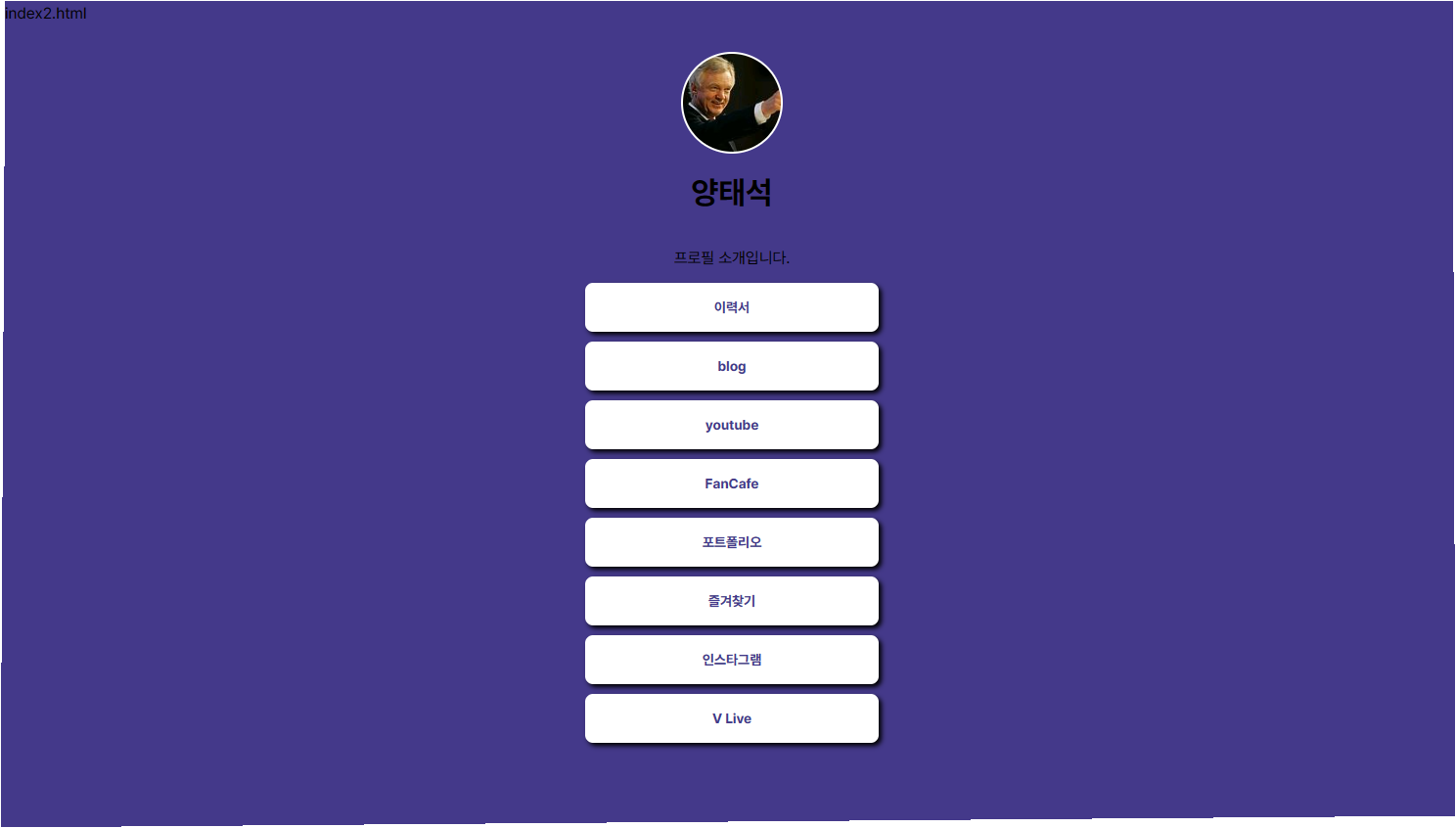
아래 VScode같이 작성하여 "Open with live server"에서는 의도한대로 결과 화면이 나타 나는데
github>설정>page> site방문하기 에서는" 404" 에러로 나타 납니다..
sparta directory 관리는
계정 1개에 (계정명:yangtaseok 202301 )
repository " page1" 에 "index.html "(나의 버켓리스트)가 있는 상태에서
동일 계정에
repository " page2"를 만들어" index2.html"(나의 프로필) 을 만들었습니다.
보고 index2.html
</html>
<!DOCTYPE html>
<head>
<meta property="og:title" content="르탄이 - 프로필 링크" />
<meta property="og:description" content="프로필 소개입니다" />
<meta property="og:image" content="사진.jpg " />
<title>양태석</title>
<style>
@import url('https://cdn.jsdelivr.net/gh/orioncactus/pretendard/dist/web/static/pretendard.css');
* {
font-family: "Pretendard", serif;
}
body {
background-color: #44398a;
}
.profile {
width: 100px;
height: 100px;
border-radius: 100%;
border: 2px solid white;
background-image: url('사진.jpg');
background-position: center;
background-size: cover;
}
.main {
color: white;
font-size: 20px;
position: center
}
.sub {
color: white;
font-size: 14px;
position: center
}
.wrap {
width: 350px;
margin: 30px auto 0px auto;
display: flex;
flex-direction: column;
justify-content: center;
align-items: center;
}
.wrap>a {
font-size: 14px;
font-weight: bold;
color: #44398A;
background-color: white;
border-radius: 8px;
box-shadow: 3px 3px 5px 0px black;
width: 300px;
height: 50px;
display: flex;
flex-direction: column;
justify-content: center;
align-items: center;
margin-bottom: 10px;
text-decoration: none;
}
.wrap>a:hover {
background-color: #d2d2d2;
font-size: 20px;
}
</style>
</head>
<body>
<div class="wrap">
<div class="profile"></div>
<h1>양태석</h1>
<p>프로필 소개입니다.</p>
<a target="_blank" href="https://spartacodingclub.kr/">이력서</a>
<a target="_blank" href="https://hanghae99.spartacodingclub.kr/">blog</a>
<a target="_blank" href="https://chang.spartacodingclub.kr/">youtube</a>
<a target="_blank" href="https://ddingdong.spartacodingclub.kr/">FanCafe</a>
<a target="_blank" href="https://ddingdong.spartacodingclub.kr/">포트폴리오</a>
<a target="_blank" href="https://ddingdong.spartacodingclub.kr/">즐겨찾기</a>
<a target="_blank" href="https://ddingdong.spartacodingclub.kr/">인스타그램</a>
<a target="_blank" href="https://ddingdong.spartacodingclub.kr/">V Live</a>
</div>
</html>계신 화면 전체를 캡처해 주시면, 튜터님들이 빠르게 상황을 이해할 수 있어요.