커뮤니티

포인트
쿠폰
내 강의실
국비 신청 내역
증명서
계정
로그아웃
학습 질문
개발 일지
나의 활동
답변 완료
배경화면 사이즈 자동 줄이기 문의
undefined주차


조*우
댓글
8
・
추천
0
・
조회수
19
조회수
19
답변 완료
* 겪고 있는 문제 상황을 최대한 자세하게 작성해주세요.
* 문제 해결을 위해 어떤 시도를 해보았는지 구체적으로 함께 알려주세요.
홈화면 수업을 마치고 배경화면 만들기를 하는중 사진 사이즈가 모바일 화면에 맞게 조절이 되지 않아 문의드립니다.
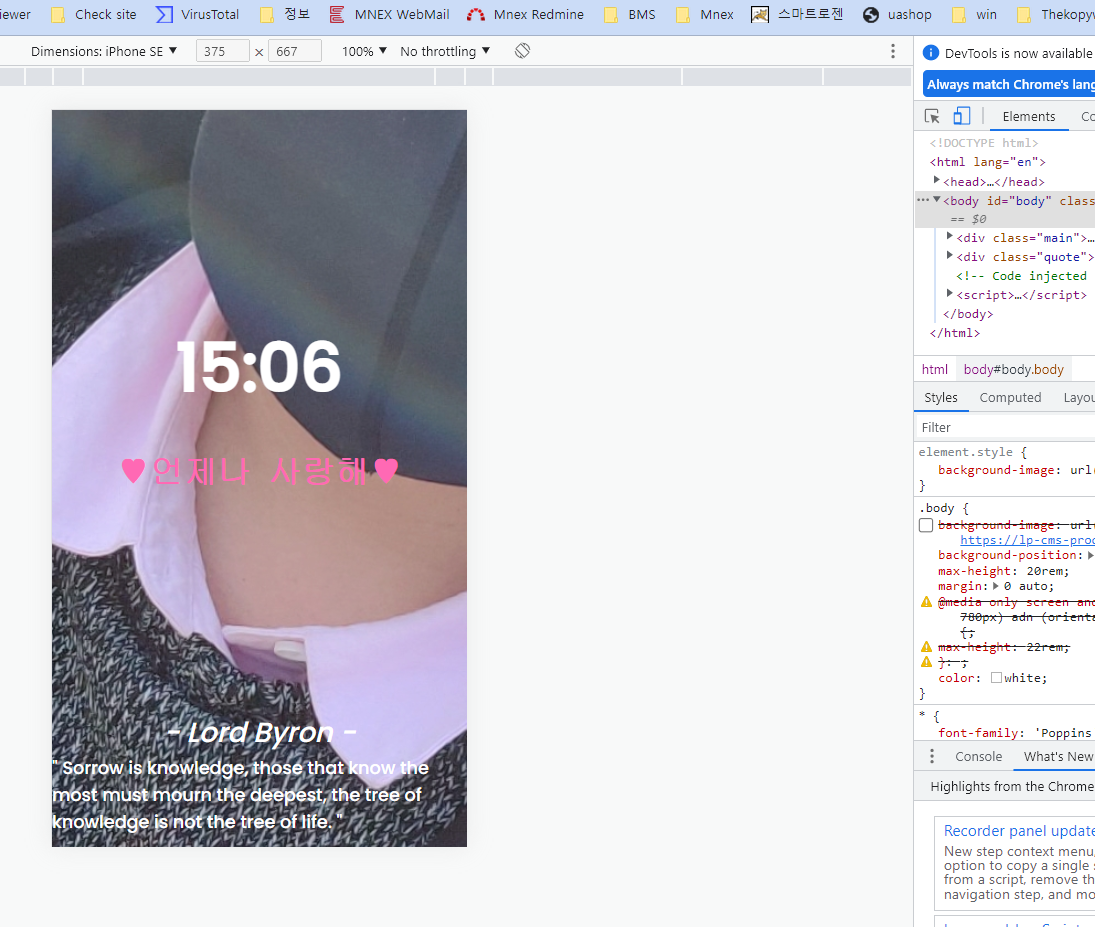
작성한 코드 및 에러 메세지
오류 발생 시, 작성한 코드 전체와 에러 메시지를 첨부해 주세요.
<!DOCTYPE html>
<html lang="en">


<head>
    <meta charset="UTF-8">
    <meta http-equiv="X-UA-Compatible" content="IE=edge">
    <meta name="viewport" content="width=device-width, initial-scale=1.0">
    <meta http-equiv="Content-Security-Policy" content="upgrade-insecure-requests">
    <script src="https://ajax.googleapis.com/ajax/libs/jquery/3.6.0/jquery.min.js"></script>
    <title> 시작 화면 </title>


    <script src="index.js"></script>
    <style>
        @import url('https://fonts.googleapis.com/css2?family=Poppins:wght@500&display=swap');


        * {
            font-family: 'Poppins', sans-serif;
        }


        .body {
            /*background-image: url("https://lp-cms-production.imgix.net/2021-03/500pxRF_77415821.jpg?auto=format&q=75&w=1920"); */
            background-position: center;
            max-height: 20rem;
            margin: 0 auto;

            @media only screen and( min-device-width : 360px) and ( max-device-width : 780px) adn (orientation : portrait) and ( -webkit-device-pixel-ratio: 3) {
                max-height: 22rem;
            }


            color:white;
        }


        .time {
            font-size: 60px;
            font-weight: bold;
        }


        .greeting {
            font-size: 30px;
            font-family:monospace;
            font-weight: bold;
            color: hotpink;
        }

      /*   .todo {
            font-size: 30px;
            font-family:monospace;
            font-weight: bold;
            color:dimgrey;
        } */

        .author {
            font-size: 25px;
            font-style: italic;
        }


        .main {
            width: 100vw;
            height: 80vh;


            display: flex;
            flex-direction: column;
            align-items: center;
            justify-content: center;


        }

        .quote {
            width: 100vw;
            height: 20vh;


            display: flex;
            flex-direction: column;
            align-items: center;
            justify-content: center;
        }


       /*  @media ( min-width: 470px) {
            .time {
                font-size: 30px;
            }
        } */
    </style>


    <script>
    </script>
</head>


<body id="body" class="body">
    <div class="main">
        <div id="currentTime" class="time">연우♥연주</div>
        <p></p>
        <div class="greeting">♥언제나 사랑해♥</div>
        <!-- <p></p>
        <div class="todo">스트레스 받지 말기</div> -->
    </div>
    <div class="quote">
        <div id="quoteAuthor" class="author">- 명언의 저자 -</div>
        <div id="quoteContent" class="content">" 명언의 내용 "</div>
    </div>


</body>


</html>
Tip 2) Ctrl+A(맥의 경우 Command+A) 단축키로 코드를 한 번에 선택할 수 있어요!
/* $(document).ready(function () {
    renderCurrentTime();
    renderQuote();
});


function renderCurrentTime() {
let url = `https://worldtimeapi.org/api/timezone/Asia/Seoul`;
fetch(url)
.then(res => res.json()).then((data) => {
    let datetime = data['datetime'].substr(11,5);
    $('#time').text(datetime);
});
}


function renderQuote() {
    let url = `https://api.quotable.io/random`;
    fetch(url)
        .then(res => res.json()).then((data) => {
            let content = `" ${data['content']} "`;
            let author = `- ${data['author']} -`;
            $('#content').text(content);
            $('#author').text(author);
        });
} */
$(document).ready(function () {
    renderbody();
    renderCurrentTime();
    renderQuote();
    renderRandomImage();
});


function renderbody() {
    let renderbody = `" ${data["renderbody"]} "`;
    $("#body").text(renderbody);
};


//현재 시간
function renderCurrentTime() {
    let url = `https://worldtimeapi.org/api/timezone/Asia/Seoul`;
    fetch(url)
        .then((res) => res.json())
        .then((data) => {
            let datetime = data["datetime"].substr(11, 5);
            // let datetime = data['datetime']
            // console.log(datetime)
            $("#currentTime").text(datetime);
        });
}


// 명언
function renderQuote() {
    let url = `https://api.quotable.io/random`;
    fetch(url)
        .then((res) => res.json())
        .then((data) => {
            let content = `" ${data["content"]} "`;
            let author = `- ${data["author"]} -`;
            $("#quoteContent").text(content);
            $("#quoteAuthor").text(author);
        });
}


// 랜덤 사진 꾸미기
function renderRandomImage() {
    let imageList = [];
    // 이미지 개수를 변경하려면 i=5의 값을 이미지 개수만큼 바꿔주세요!
    for (i = 0; i < 33; i++) {
        imageList.push(i);
    }
    let imageListLength = imageList.length;
    let randomImage = Math.floor(Math.random() * (imageListLength)) + 1
    randomImage = `images/${randomImage}.jpg`
    $(document.body).css("background-image", `url(${randomImage})`);
}


댓글 알림
