커뮤니티

포인트
쿠폰
내 강의실
국비 신청 내역
증명서
계정
로그아웃
학습 질문
개발 일지
나의 활동
답변 완료
광고 배너가 안떠요.
[왕초보] 나만의 수익성 앱, 앱개발 종합반 v5
5주차


정*재
댓글
76
・
추천
0
・
조회수
194
조회수
194
답변 완료
* 겪고 있는 문제 상황을 최대한 자세하게 작성해주세요.
* 문제 해결을 위해 어떤 시도를 해보았는지 구체적으로 함께 알려주세요.
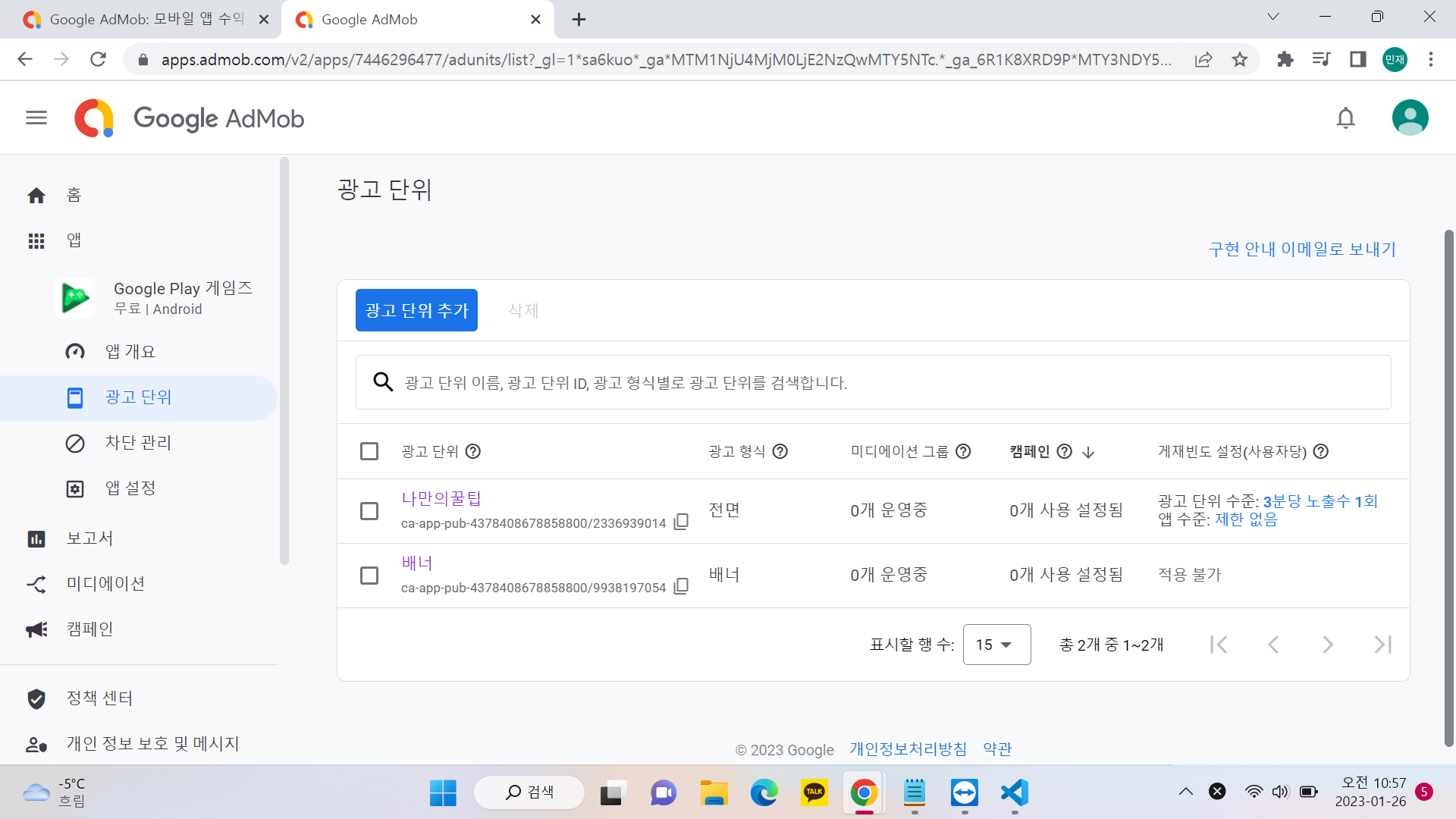
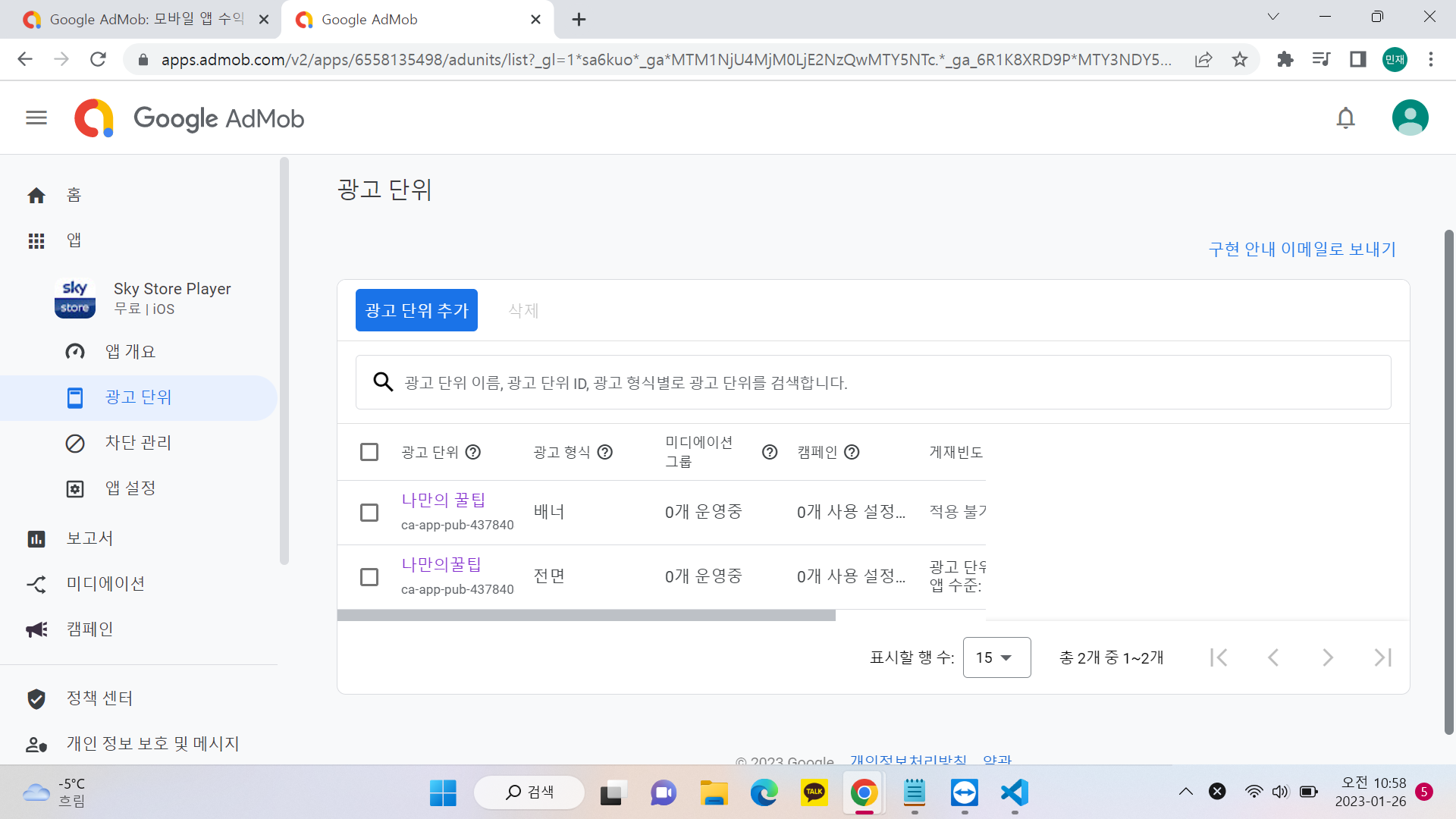
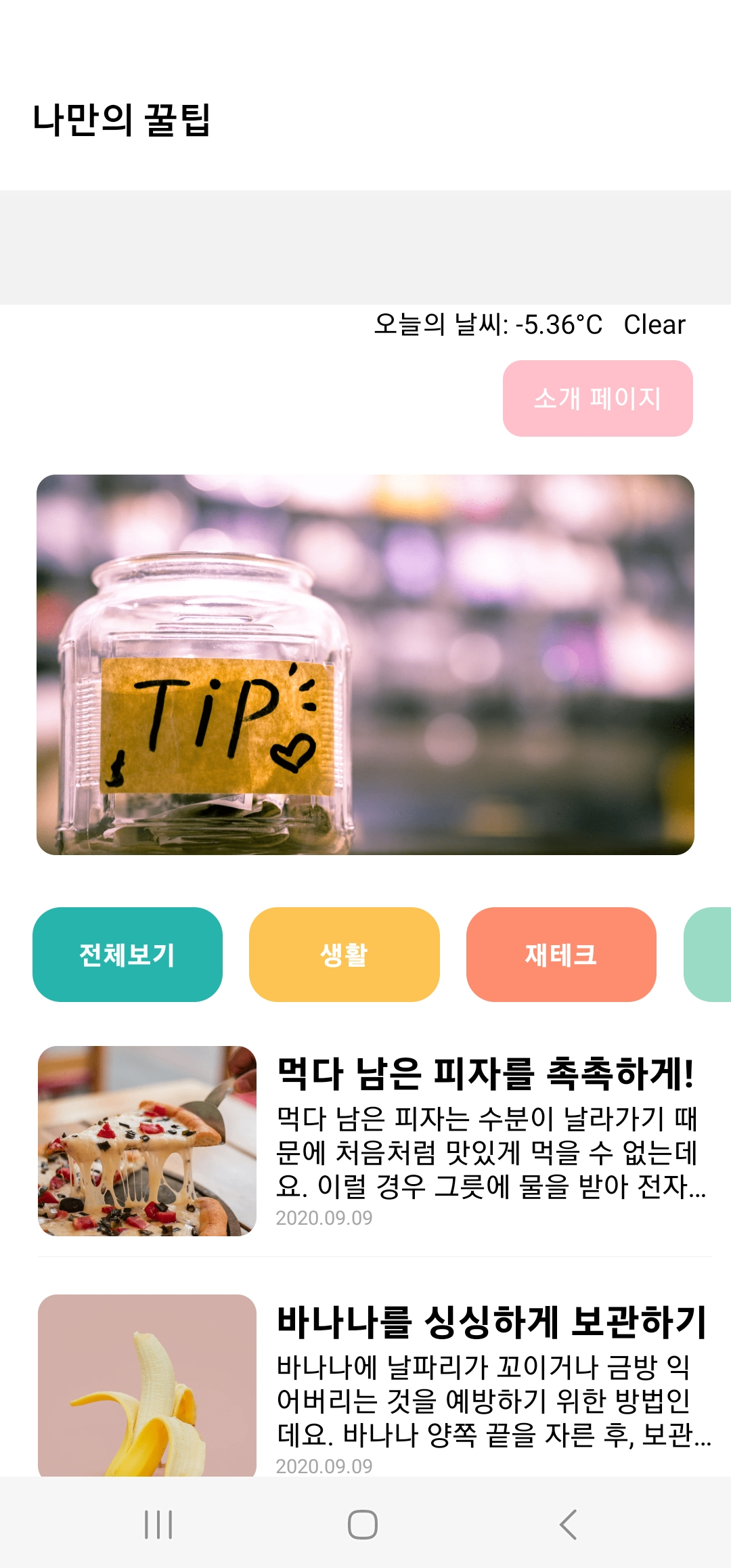
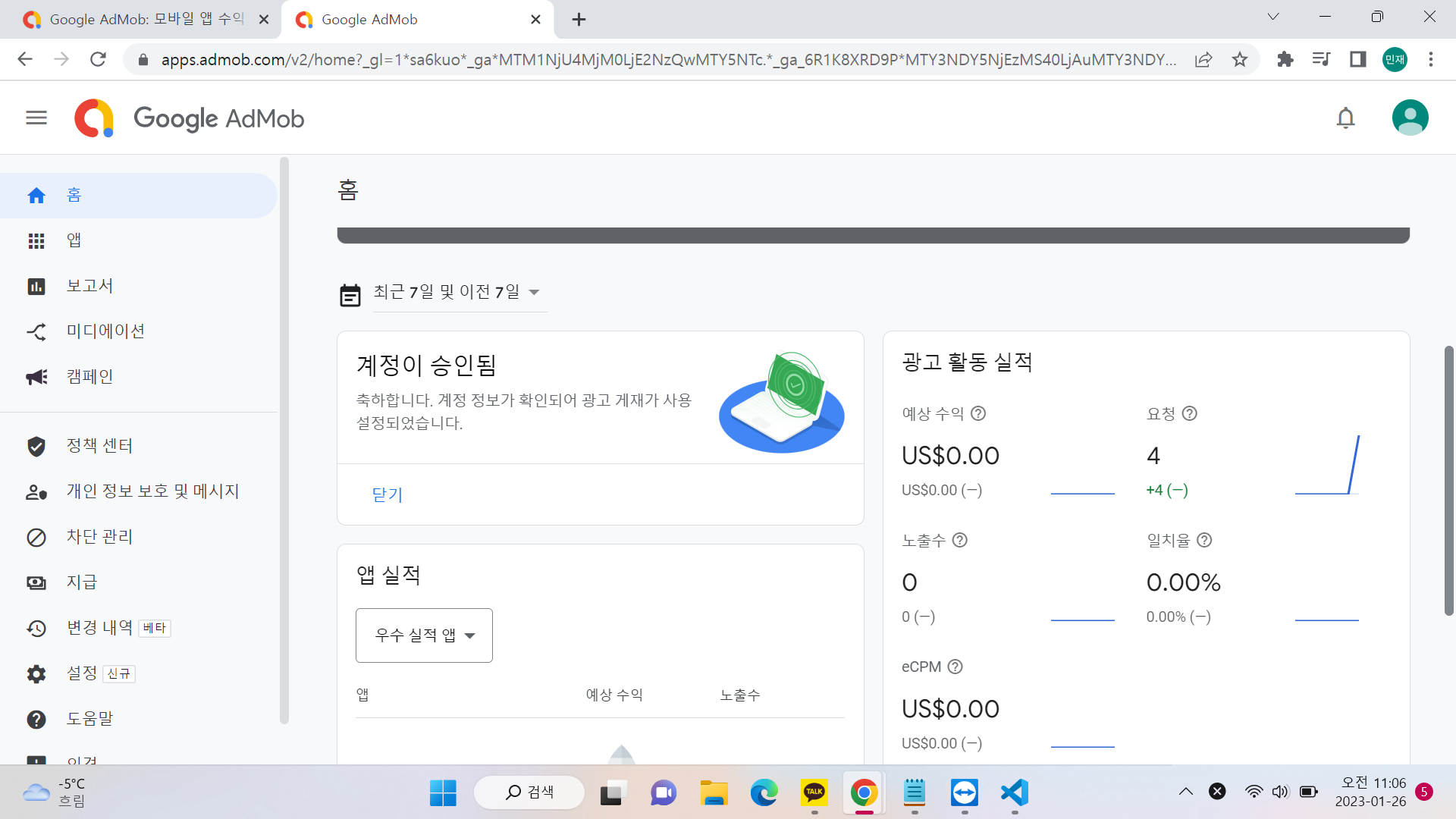
AdCard.js
import React from "react";
import { View, Image, Text, StyleSheet, TouchableOpacity } from "react-native";
import { TestIds, useInterstitialAd } from "react-native-google-mobile-ads";
const adUnitId = __DEV__
  ? TestIds.INTERSTITIAL
  : "ca-app-pub-4378408678858800/2336939014";
//MainPage로 부터 navigation 속성을 전달받아 Card 컴포넌트 안에서 사용
export default function AdCard({ content, navigation }) {
  const { isLoaded, isClosed, load, show } = useInterstitialAd(
    TestIds.INTERSTITIAL,
    {
      requestNonPersonalizedAdsOnly: true,
    }
  );
  useEffect(() => {
    // 카드에 광고를 미리 준비해놓습니다
    load();
  }, [load]);


  useEffect(() => {
    if (isClosed) {
      // 광고가 끝나면, 또는 광고를 끄면, 다음 목적지로 이동시킵니다.
      navigation.navigate("DetailPage", { idx: content.idx });
    }
  }, [isClosed, navigation]);


  return (
    // 다음 페이지로 이동하는 카드를 누를때, 광고를 시작합니다.
    <TouchableOpacity
      style={styles.card}
      onPress={() => {
        if (isLoaded) {
          show();
        } else {
          // No advert ready to show yet
          navigation.navigate("DetailPage", { idx: content.idx });
        }
      }}
    >
      //카드 자체가 버튼역할로써 누르게되면 상세페이지로 넘어가게끔
      TouchableOpacity를 사용
      <Image style={styles.cardImage} source={{ uri: content.image }} />
      <View style={styles.cardText}>
        <Text style={styles.cardTitle} numberOfLines={1}>
          {content.title}
        </Text>
        <Text style={styles.cardDesc} numberOfLines={3}>
          {content.desc}
        </Text>
        <Text style={styles.cardDate}>{content.date}</Text>
      </View>
    </TouchableOpacity>
  );
}


const styles = StyleSheet.create({
  card: {
    flex: 1,
    flexDirection: "row",
    margin: 10,
    borderBottomWidth: 0.5,
    borderBottomColor: "#eee",
    paddingBottom: 10,
  },
  cardImage: {
    flex: 1,
    width: 100,
    height: 100,
    borderRadius: 10,
  },
  cardText: {
    flex: 2,
    flexDirection: "column",
    marginLeft: 10,
  },
  cardTitle: {
    fontSize: 20,
    fontWeight: "700",
  },
  cardDesc: {
    fontSize: 15,
  },
  cardDate: {
    fontSize: 10,
    color: "#A6A6A6",
  },
});
eas.json
{
  "cli": {
    "version": ">= 2.4.1"
  },
  "build": {
    "development": {
      "distribution": "internal",
      "android": {
        "buildType": "apk"
      }
    },
    "preview": {
      "distribution": "internal"
    },
    "production": {}
  },
  "submit": {
    "production": {}
  }
}
app.json
{
  "expo": {
    "name": "sparta-study",
    "slug": "sparta-study",
    "version": "1.0.0",
    "orientation": "portrait",
    "icon": "./assets/icon.png",
    "userInterfaceStyle": "light",
    "splash": {
      "image": "./assets/splash.png",
      "resizeMode": "contain",
      "backgroundColor": "#ffffff"
    },
    "updates": {
      "fallbackToCacheTimeout": 0
    },
    "assetBundlePatterns": [
      "**/*"
    ],
    "ios": {
      "supportsTablet": true,
      "buildNumber": "1.0.0",
      "bundleIdentifier": "com.myhoneytip.gun",
      "config": {
        "googleMobileAdsAppId": ""
      }
    },
    "android": {
      "adaptiveIcon": {
        "foregroundImage": "./assets/adaptive-icon.png",
        "backgroundColor": "#FFFFFF"

      },
    "package": "com.myhoneytip.gun",
              "versionCode": 1,
              "config": {
                "googleMobileAdsAppId": "ca-app-pub-4378408678858800~7446296477"

          }
    },
    "web": {
      "favicon": "./assets/favicon.png"
    },

    "extra": {
      "eas": {
        "projectId": "d88ef855-745a-46bf-8fad-d15e1f66a7ec"
      }
    },
    "plugins": [
      "expo-build-properties"

    ]
  },
  "react-native-google-mobile-ads":{
    "android_app_id":"ca-app-pub-4378408678858800~7446296477",
    "ios_app_id":"ca-app-pub-4378408678858800~6558135498"
  }
}
App.js
import React, { useEffect } from "react";
//이제 모든 페이지 컴포넌트들이 끼워져있는 책갈피를 메인에 둘예정이므로
//컴포넌트를 더이상 불러오지 않아도 됩니다.
// import MainPage from './pages/MainPage';
// import DetailPage from './pages/DetailPage';
import { StatusBar } from "expo-status-bar";


//메인에 세팅할 네비게이션 도구들을 가져옵니다.
import { NavigationContainer } from "@react-navigation/native";
import StackNavigator from "./navigation/StackNavigator";
import mobileAds from "react-native-google-mobile-ads";


export default function App() {
  console.disableYellowBox = true;
  useEffect(() => {
    //구글 애드몹은 실제 빌드된 앱에서만 가능하기 때문에! 조건부 처리!
    if (!__DEV__) {
      mobileAds()
        .initialize()
        .then((adapterStatuses) => {
          // Initialization complete!
        });
    }
  }, []);


  return (
    <NavigationContainer>
      <StatusBar style="black" />
      <StackNavigator />
    </NavigationContainer>
  );
}


댓글 알림
