


`eas prebuild 해보기`에서 npx expo prebuild 후에 what would you like your android package name to be? 엔터 후에
ios관련 메시지는 뜨지 않았고, 설치 후에 ios폴더도 생성이 되지 않았습니다. 뭐가 잘 못된 걸까요?
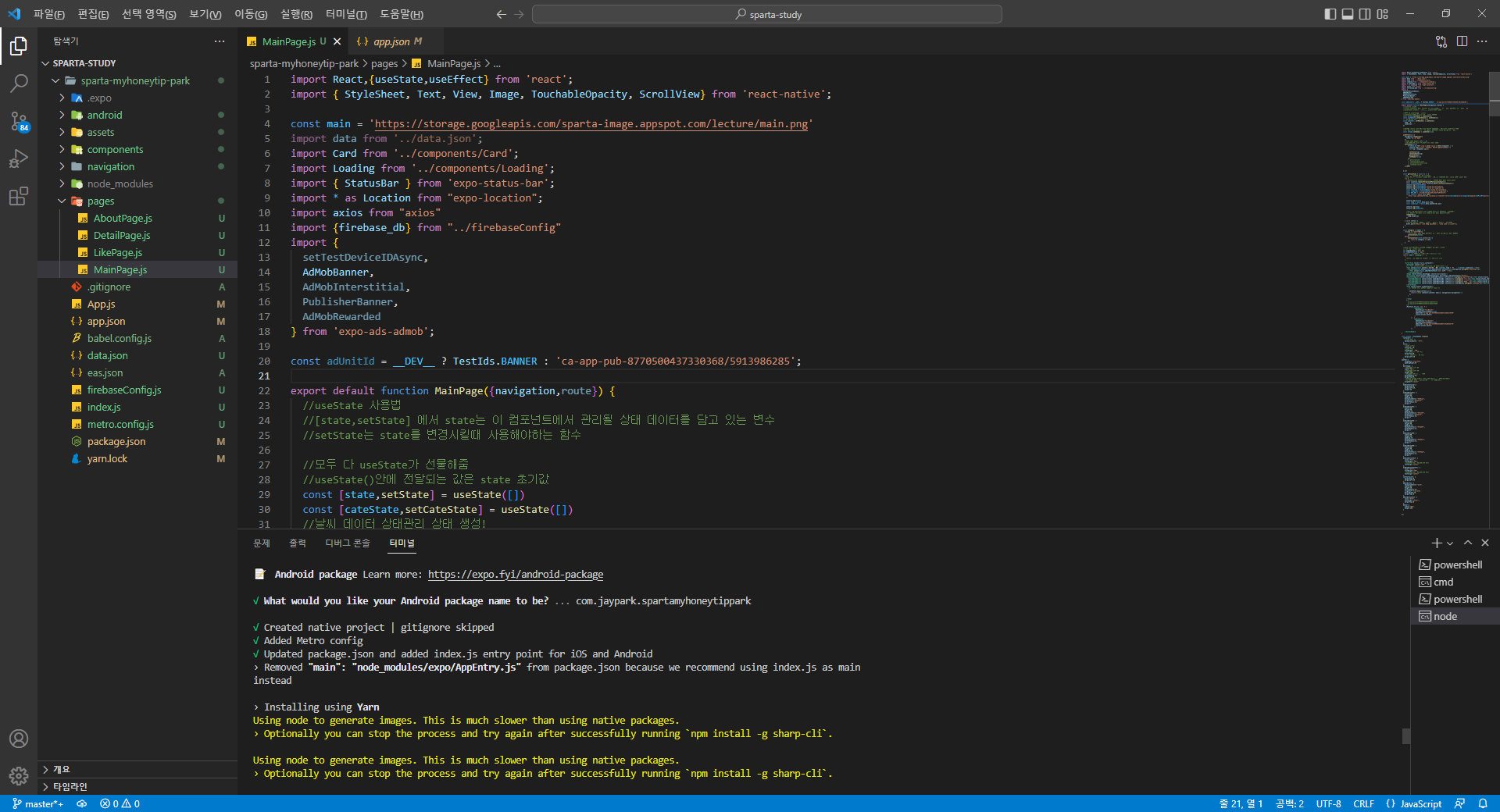
작성한 코드 및 에러 메세지
C:\Users\PC\Desktop\sparta-study\sparta-myhoneytip-park>npx expo prebuild
npm WARN config global `--global`, `--local` are deprecated. Use `--location=global` instead.
📝 Android package Learn more: https://expo.fyi/android-package
√ What would you like your Android package name to be? ... com.jaypark.spartamyhoneytippark
√ Created native project | gitignore skipped
√ Added Metro config
√ Updated package.json and added index.js entry point for iOS and Android
› Removed "main": "node_modules/expo/AppEntry.js" from package.json because we recommend using index.js as main
instead
› Installing using Yarn
Using node to generate images. This is much slower than using native packages.
› Optionally you can stop the process and try again after successfully running `npm install -g sharp-cli`.
Using node to generate images. This is much slower than using native packages.
› Optionally you can stop the process and try again after successfully running `npm install -g sharp-cli`.
Using node to generate images. This is much slower than using native packages.
› Optionally you can stop the process and try again after successfully running `npm install -g sharp-cli`.
Using node to generate images. This is much slower than using native packages.
› Optionally you can stop the process and try again after successfully running `npm install -g sharp-cli`.
» android: userInterfaceStyle: Install expo-system-ui in your project to enable this feature.
√ Config synced


