커뮤니티

포인트
쿠폰
내 강의실
국비 신청 내역
증명서
계정
로그아웃
학습 질문
개발 일지
나의 활동
답변 완료
4-4 본격api만들기
undefined주차


여*중
댓글
11
・
추천
0
・
조회수
11
조회수
11
답변 완료
* 겪고 있는 문제 상황을 최대한 자세하게 작성해주세요.
* 문제 해결을 위해 어떤 시도를 해보았는지 구체적으로 함께 알려주세요.
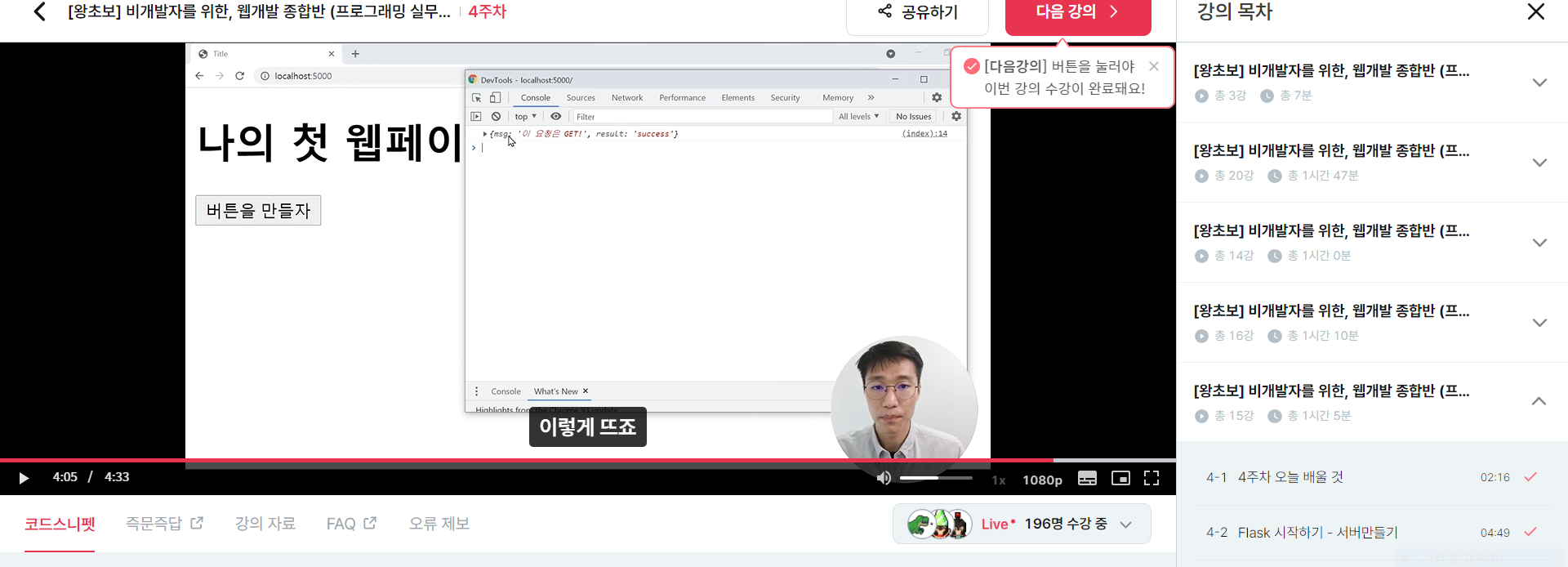
4-4 본격api만들기에서 버튼을 만들자를 클릭하면 콘솔창에
켑쳐사진처럼 한줄이 떠야되는데 제건 안뜨는데 이유를 모르겠네요?
작성한 코드 및 에러 메세지
오류 발생 시, 작성한 코드 전체와 에러 메시지를 첨부해 주세요.
<app.py>

Tipfrom flask import Flask, render_template, request, jsonify
app = Flask(__name__)

@app.route('/')
def home():
   return render_template('index.html')

@app.route('/test', methods=['GET'])
def test_get():
   title_receive = request.args.get('title_give')
   print(title_receive)
   return jsonify({'result':'success', 'msg': '이 요청은 GET!'})

if __name__ == '__main__':
   app.run('0.0.0.0',port=5000,debug=True) 1)


<index.html>

<!DOCTYPE html>
<html lang="en">
<head>
    <meta charset="UTF-8">
    <title>Title</title>
    <script src="https://ajax.googleapis.com/ajax/libs/jquery/3.5.1/jquery.min.js"></script>
    <script>
        function hey() {
            $.ajax({
                type: "GET",
                url: "/test?title_give=봄날은간다",
                data: {},
                success: function (response) {
                    console.log(response)
                }
            })
        }
    </script>
</head>
<body>
    <h1>나의 첫 웹페이지!</h1>
    <button>버튼을 만들자</button>
</body>
</html>
Tip 2) Ctrl+A(맥의 경우 Command+A) 단축키로 코드를 한 번에 선택할 수 있어요!


댓글 알림
