커뮤니티

포인트
쿠폰
내 강의실
국비 신청 내역
증명서
계정
로그아웃
학습 질문
개발 일지
나의 활동
답변 완료
크롤링 숙제 문의
undefined주차


염*현
댓글
3
・
추천
0
・
조회수
5
조회수
5
답변 완료
* 겪고 있는 문제 상황을 최대한 자세하게 작성해주세요.
* 문제 해결을 위해 어떤 시도를 해보았는지 구체적으로 함께 알려주세요.
song = soup.select('body-content > div.newest-list > div > table > tbody > tr')
> soup이라는 변수에서 select 해서 song이라는 변수에 넣어줘
title = song.select_one('td.info > a.title.ellipsis')
>song이라는 변수에서 select_one으로 'td.info > a.title.ellipsis'를 찾아서 title이라는 변수에 넣어줘
>print(title)로 출력해줘로 해석할 수 있지 않을까요?
body-content부터 타고 하면 결국 tr 아래 'td.info > a.title.ellipsis'를 찾아서 출력해주는게 아닌가 싶은데,,, 출력이 안되네요.
for문을 이용하면 되는거 같은데요....
Q. 선생님께서는 for문으로 전체 랭크를 찾으셨는데, 저는 타이틀을 먼저 확인해보고 거기에서 text만 먼저 확인해보고 싶은데 어떻게해야하는지 궁금합니다.
title은 onclick으로 <a herf , class=, onclick > 바라만본다 <a> 되어 있어서 a만 잡으면 안나오고 해서요...
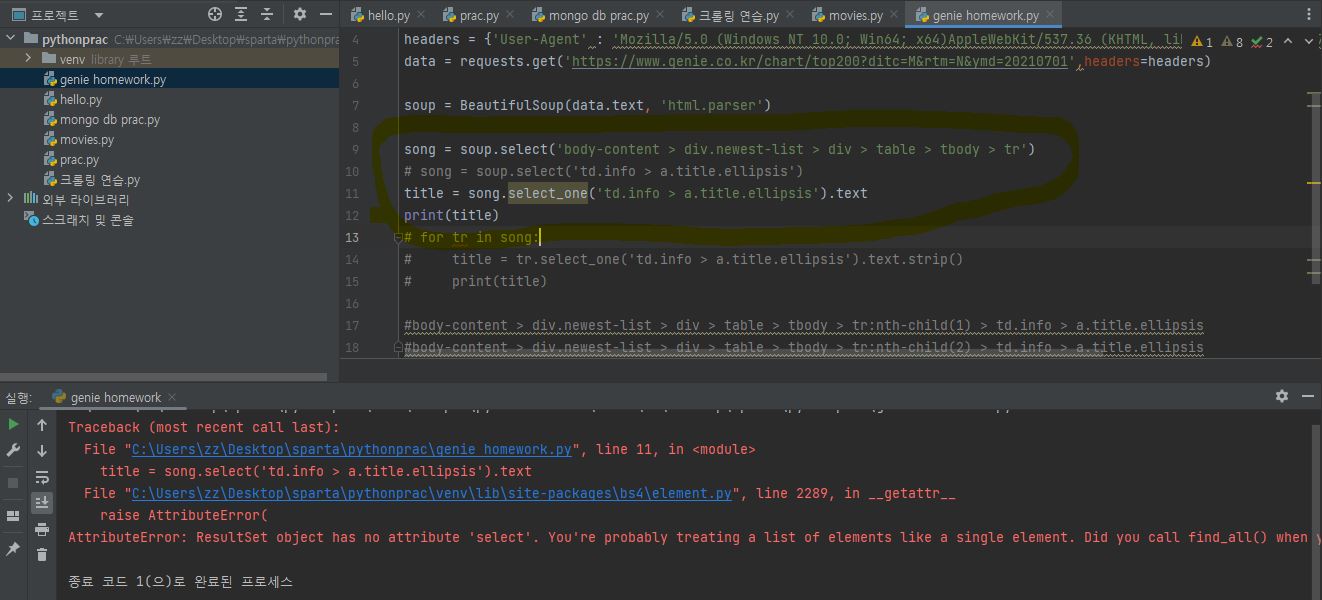
작성한 코드 및 에러 메세지
import requests
from bs4 import BeautifulSoup

headers = {'User-Agent' : 'Mozilla/5.0 (Windows NT 10.0; Win64; x64)AppleWebKit/537.36 (KHTML, like Gecko) Chrome/73.0.3683.86 Safari/537.36'}
data = requests.get('https://www.genie.co.kr/chart/top200?ditc=M&rtm=N&ymd=20210701',headers=headers)

soup = BeautifulSoup(data.text, 'html.parser')

song = soup.select('body-content > div.newest-list > div > table > tbody > tr')
# song = soup.select('td.info > a.title.ellipsis')
title = song.select_one('td.info > a.title.ellipsis').text
print(title)
# for tr in song:
#     title = tr.select_one('td.info > a.title.ellipsis').text.strip()
#     print(title)

#body-content > div.newest-list > div > table > tbody > tr:nth-child(1) > td.info > a.title.ellipsis
#body-content > div.newest-list > div > table > tbody > tr:nth-child(2) > td.info > a.title.ellipsis
오류 발생 시, 작성한 코드 전체와 에러 메시지를 첨부해 주세요.
Tip 1) </> 아이콘을 눌러 코드박스를 만들어 보세요.
Tip 2) Ctrl+A(맥의 경우 Command+A) 단축키로 코드를 한 번에 선택할 수 있어요!


댓글 알림
