


Jquery 임포트 및 Get 요청 API 코드 붙이고 파아썬에서 index.html과 app.py에서 시키는 데로 복붙 했는데 실행 누르면 Host페이지에서는 버튼을 눌러도 console창에서 아무런 메세지가 안뜨고 반응이 없습니다..시키는 데로 했는데 뭐가 문제인지 모르겠네요. 한번 봐주세요.
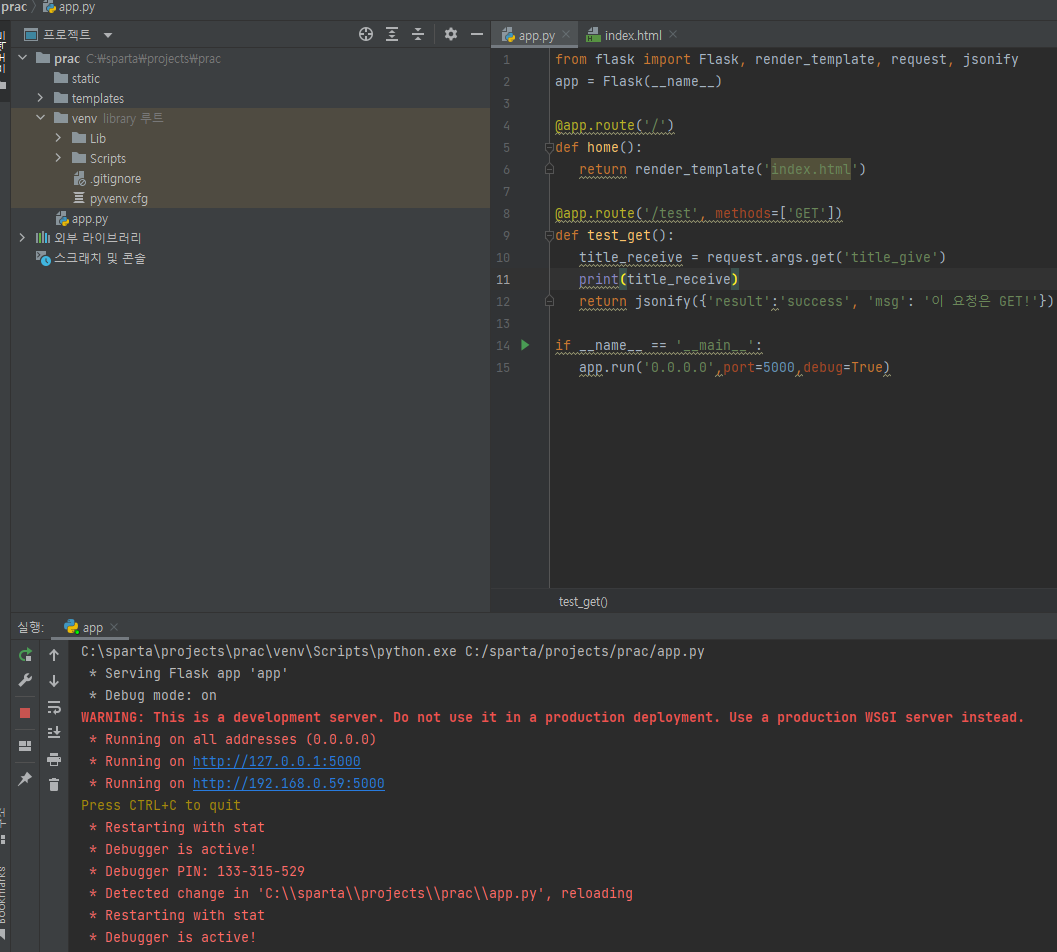
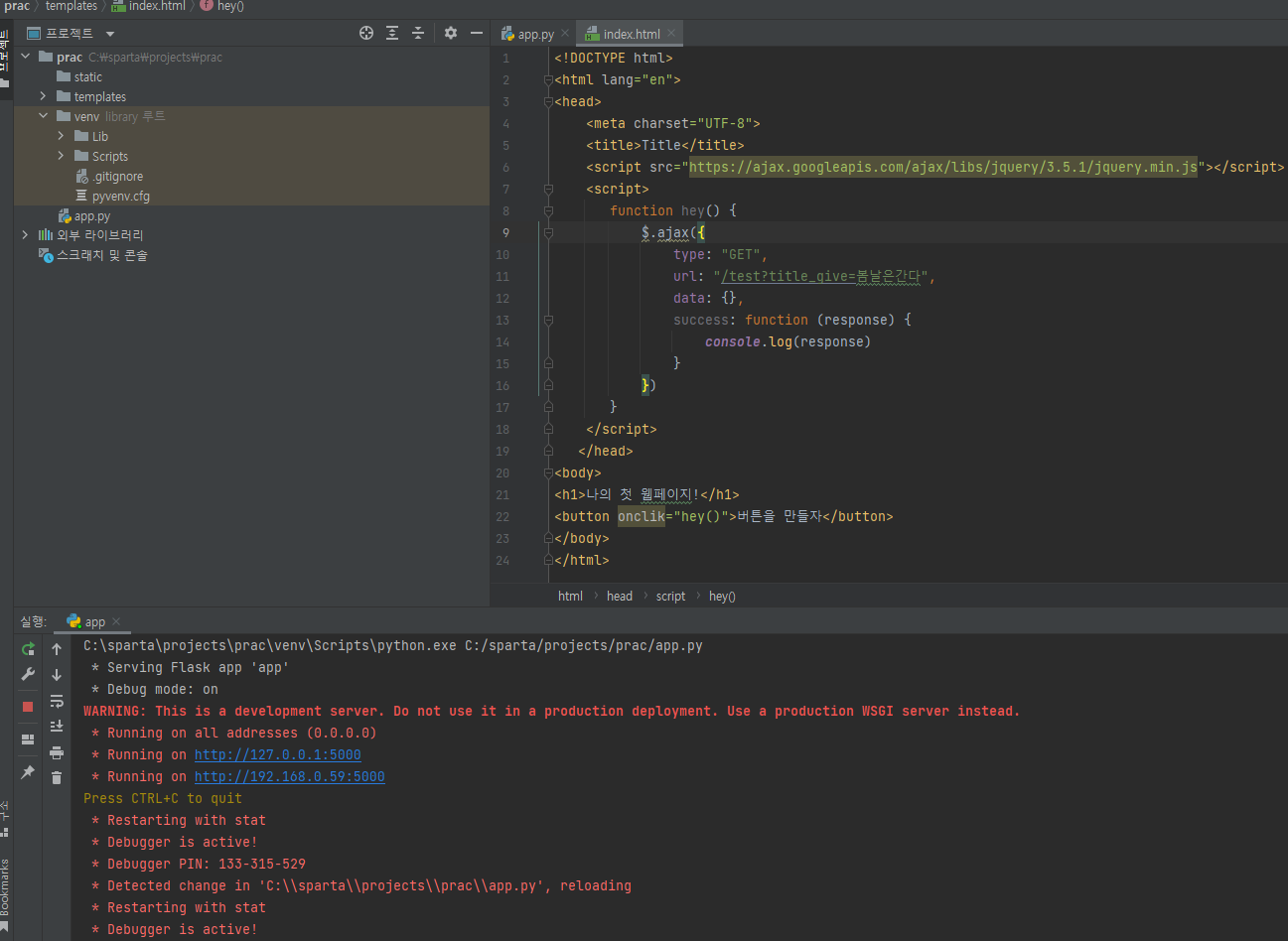
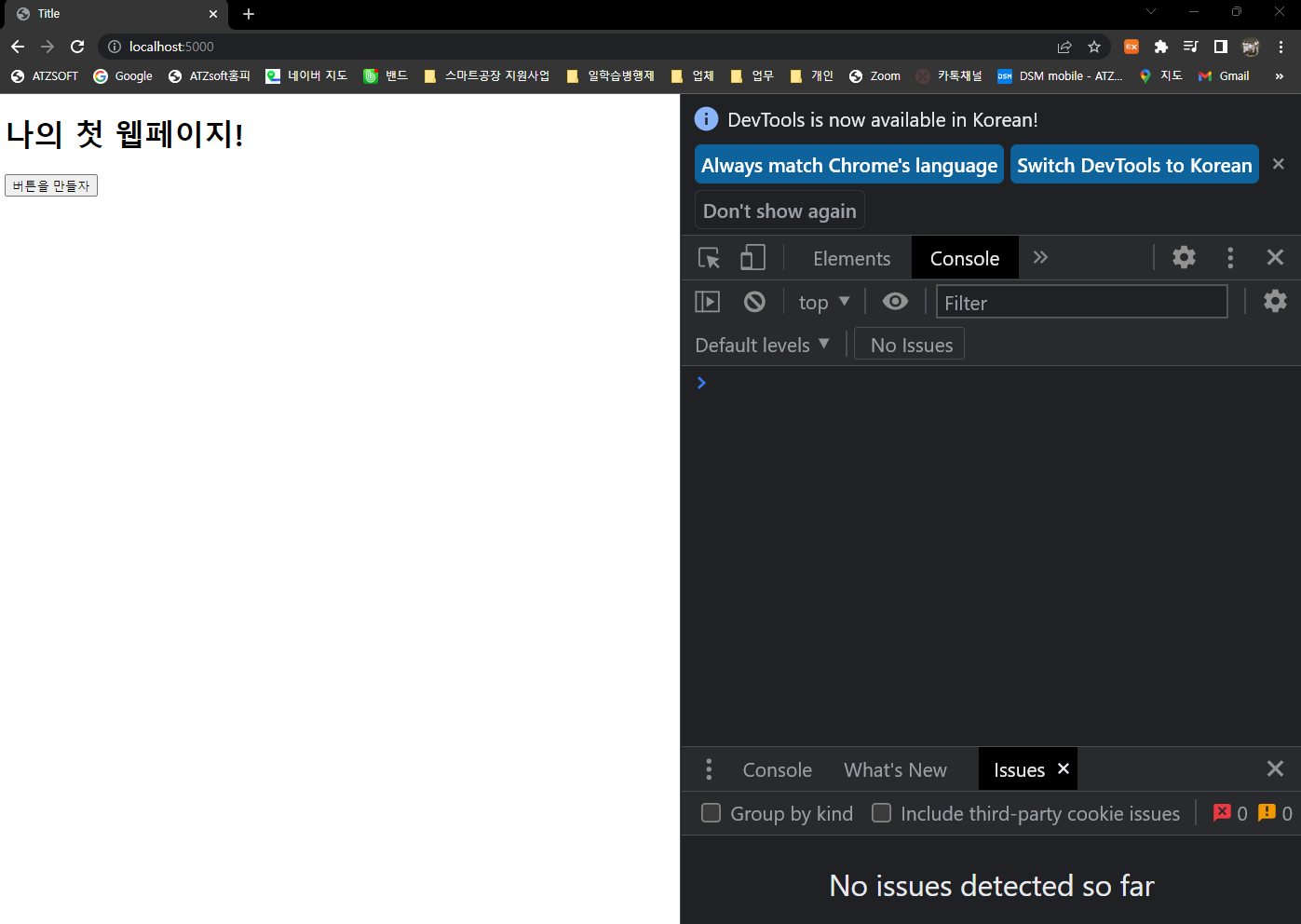
작성한 코드 및 에러 메세지
app.py 코드
from flask import Flask, render_template, request, jsonify
app = Flask(__name__)

@app.route('/')
def home():
   return render_template('index.html')

@app.route('/test', methods=['GET'])
def test_get():
   title_receive = request.args.get('title_give')
   print(title_receive)
   return jsonify({'result':'success', 'msg': '이 요청은 GET!'})

if __name__ == '__main__':
   app.run('0.0.0.0',port=5000,debug=True)
index.html 코드
<!DOCTYPE html>
<html lang="en">
<head><meta charset="UTF-8"><title>Title</title><script src="https://ajax.googleapis.com/ajax/libs/jquery/3.5.1/jquery.min.js"></script><script>function hey() {
            $.ajax({
                type: "GET",
                url: "/test?title_give=봄날은간다",
                data: {},
                success: function (response) {
                    console.log(response)
                }
            })
    </script>
</head>
<body>
<h1>나의 첫 웹페이지!</h1>
<button onclik="hey()">버튼을 만들자</button>
</body>
</html>
실행 후 Error코드
C:\sparta\projects\prac\venv\Scripts\python.exe C:/sparta/projects/prac/app.py
* Serving Flask app 'app'
* Debug mode: on
WARNING: This is a development server. Do not use it in a production deployment. Use a production WSGI server instead.
* Running on all addresses (0.0.0.0)
* Running on http://127.0.0.1:5000
* Running on http://192.168.0.59:5000
Press CTRL+C to quit
* Restarting with stat
* Debugger is active!
* Debugger PIN: 133-315-529
* Detected change in 'C:\\sparta\\projects\\prac\\app.py', reloading
* Restarting with stat
* Debugger is active!
* Debugger PIN: 133-315-529
127.0.0.1 - - [17/Jan/2023 08:34:41] "GET / HTTP/1.1" 200 -
127.0.0.1 - - [17/Jan/2023 08:36:13] "GET / HTTP/1.1" 200 -
127.0.0.1 - - [17/Jan/2023 08:36:21] "GET / HTTP/1.1" 200 -


