


* 겪고 있는 문제 상황을 최대한 자세하게 작성해주세요.
* 문제 해결을 위해 어떤 시도를 해보았는지 구체적으로 함께 알려주세요.
정확히 뭘 설치하고나서부터 에러인지는 모르겠습니다
5주차 강의 중 이런저런 설치 진행 후 에러가 뜨네요
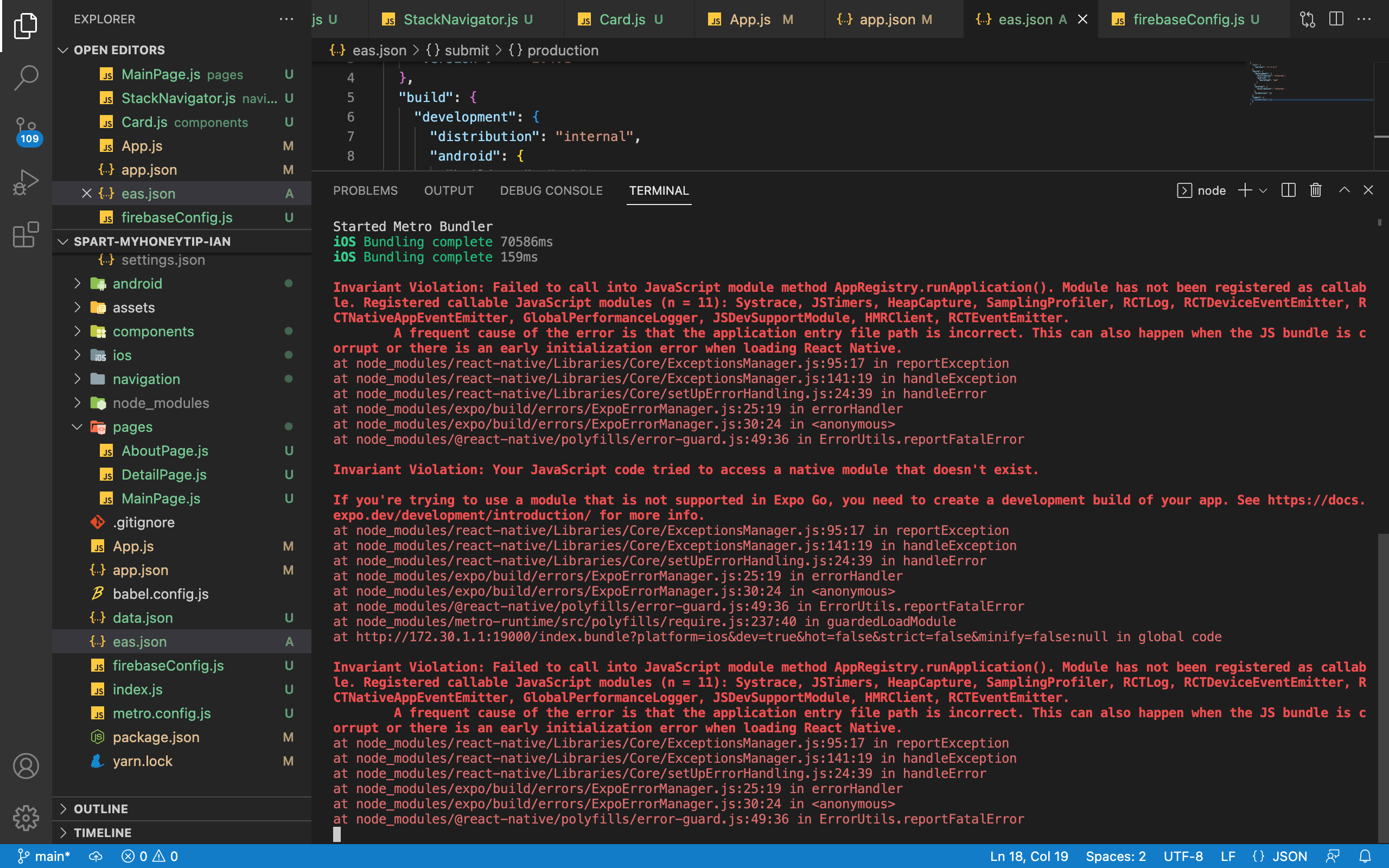
작성한 코드 및 에러 메세지
Invariant Violation: Failed to call into JavaScript module method AppRegistry.runApplication(). Module has not been registered as callable. Registered callable JavaScript modules (n = 11): Systrace, JSTimers, HeapCapture, SamplingProfiler, RCTLog, RCTDeviceEventEmitter, RCTNativeAppEventEmitter, GlobalPerformanceLogger, JSDevSupportModule, HMRClient, RCTEventEmitter.
A frequent cause of the error is that the application entry file path is incorrect. This can also happen when the JS bundle is corrupt or there is an early initialization error when loading React Native.
at node_modules/react-native/Libraries/Core/ExceptionsManager.js:95:17 in reportException
at node_modules/react-native/Libraries/Core/ExceptionsManager.js:141:19 in handleException
at node_modules/react-native/Libraries/Core/setUpErrorHandling.js:24:39 in handleError
at node_modules/expo/build/errors/ExpoErrorManager.js:25:19 in errorHandler
at node_modules/expo/build/errors/ExpoErrorManager.js:30:24 in <anonymous>
at node_modules/@react-native/polyfills/error-guard.js:49:36 in ErrorUtils.reportFatalError
Invariant Violation: Your JavaScript code tried to access a native module that doesn't exist.
If you're trying to use a module that is not supported in Expo Go, you need to create a development build of your app. See https://docs.expo.dev/development/introduction/ for more info.
at node_modules/react-native/Libraries/Core/ExceptionsManager.js:95:17 in reportException
at node_modules/react-native/Libraries/Core/ExceptionsManager.js:141:19 in handleException
at node_modules/react-native/Libraries/Core/setUpErrorHandling.js:24:39 in handleError
at node_modules/expo/build/errors/ExpoErrorManager.js:25:19 in errorHandler
at node_modules/expo/build/errors/ExpoErrorManager.js:30:24 in <anonymous>
at node_modules/@react-native/polyfills/error-guard.js:49:36 in ErrorUtils.reportFatalError
at node_modules/metro-runtime/src/polyfills/require.js:237:40 in guardedLoadModule
at http://172.30.1.1:19000/index.bundle?platform=ios&dev=true&hot=false&strict=false&minify=false:null in global code
Invariant Violation: Failed to call into JavaScript module method AppRegistry.runApplication(). Module has not been registered as callable. Registered callable JavaScript modules (n = 11): Systrace, JSTimers, HeapCapture, SamplingProfiler, RCTLog, RCTDeviceEventEmitter, RCTNativeAppEventEmitter, GlobalPerformanceLogger, JSDevSupportModule, HMRClient, RCTEventEmitter.
A frequent cause of the error is that the application entry file path is incorrect. This can also happen when the JS bundle is corrupt or there is an early initialization error when loading React Native.
at node_modules/react-native/Libraries/Core/ExceptionsManager.js:95:17 in reportException
at node_modules/react-native/Libraries/Core/ExceptionsManager.js:141:19 in handleException
at node_modules/react-native/Libraries/Core/setUpErrorHandling.js:24:39 in handleError
at node_modules/expo/build/errors/ExpoErrorManager.js:25:19 in errorHandler
at node_modules/expo/build/errors/ExpoErrorManager.js:30:24 in <anonymous>
at node_modules/@react-native/polyfills/error-guard.js:49:36 in ErrorUtils.reportFatalError
오류 발생 시, 작성한 코드 전체와 에러 메시지를 첨부해 주세요.
Tip 1) </> 아이콘을 눌러 코드박스를 만들어 보세요.
Tip 2) Ctrl+A(맥의 경우 Command+A) 단축키로 코드를 한 번에 선택할 수 있어요!


