커뮤니티

포인트
쿠폰
내 강의실
국비 신청 내역
증명서
계정
로그아웃
학습 질문
개발 일지
나의 활동
답변 완료
시뮬레이터 설치 후 expo go 실행이 안됩니다.
[왕초보] 나만의 수익성 앱, 앱개발 종합반 v5
2주차


박*하
댓글
13
・
추천
0
・
조회수
39
조회수
39
답변 완료
아이폰과 연결하여 expo go를 사용하고 있던 중 외부에서 수업을 들어야할 필요가 있어서 외부 공용네트워크를 사용하여 expo go를 실행시켜보았습니다.
폰과는 연결이 안되길래, 가이드대로 시뮬레이터를 설치하였구요. 그런데 expo go --android(시뮬레이터는 안드로이드로 설치)를 쳐도 자동으로는 화면이 뜨지 않아 수동으로 시뮬레이터 화면을 켠 후에 실행시켜보았는데도 화면이 아래와 같이 뜨면서 안나오네요.
집에 돌아와서 expo start를 했음에도 폰에서도 이제 연동이 안되면서 아래와 같은 화면이 뜹니다.
환경변수 상태도 함께 올려드리오니 확인부탁드립니다.
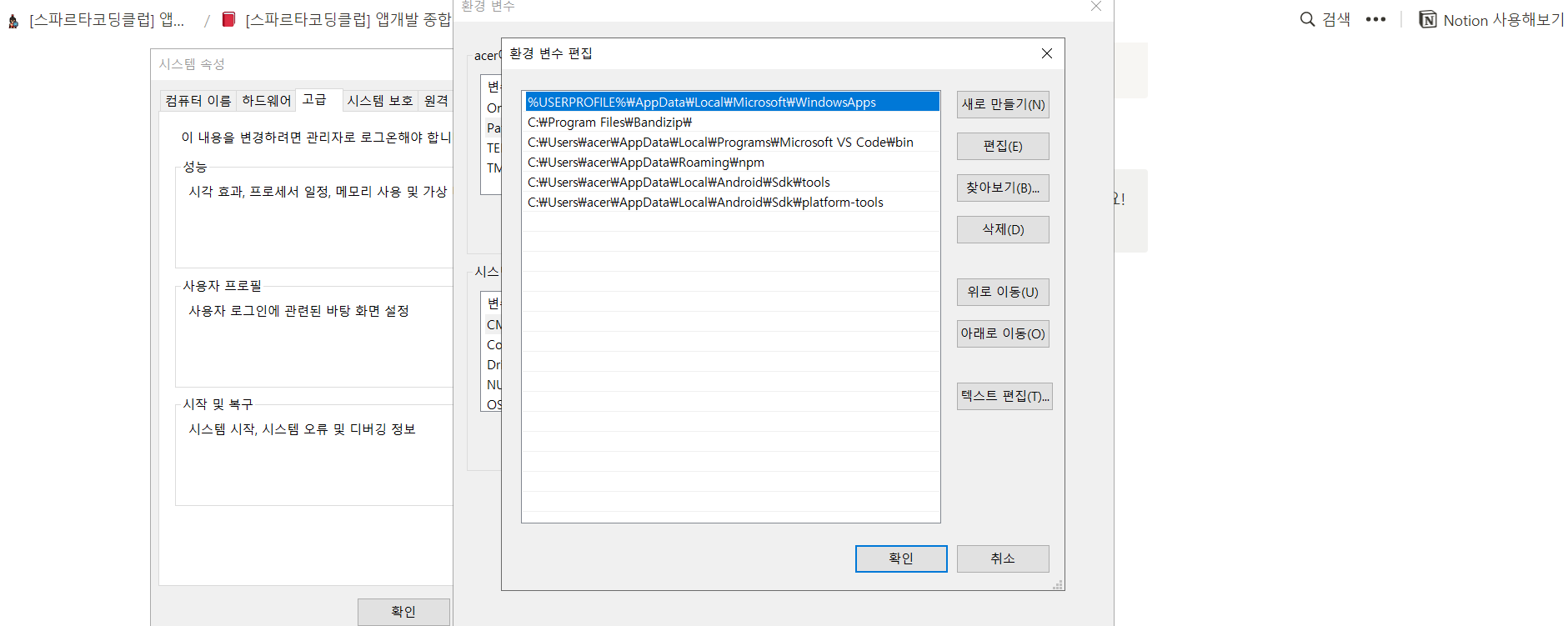
환경변수 상태입니다.
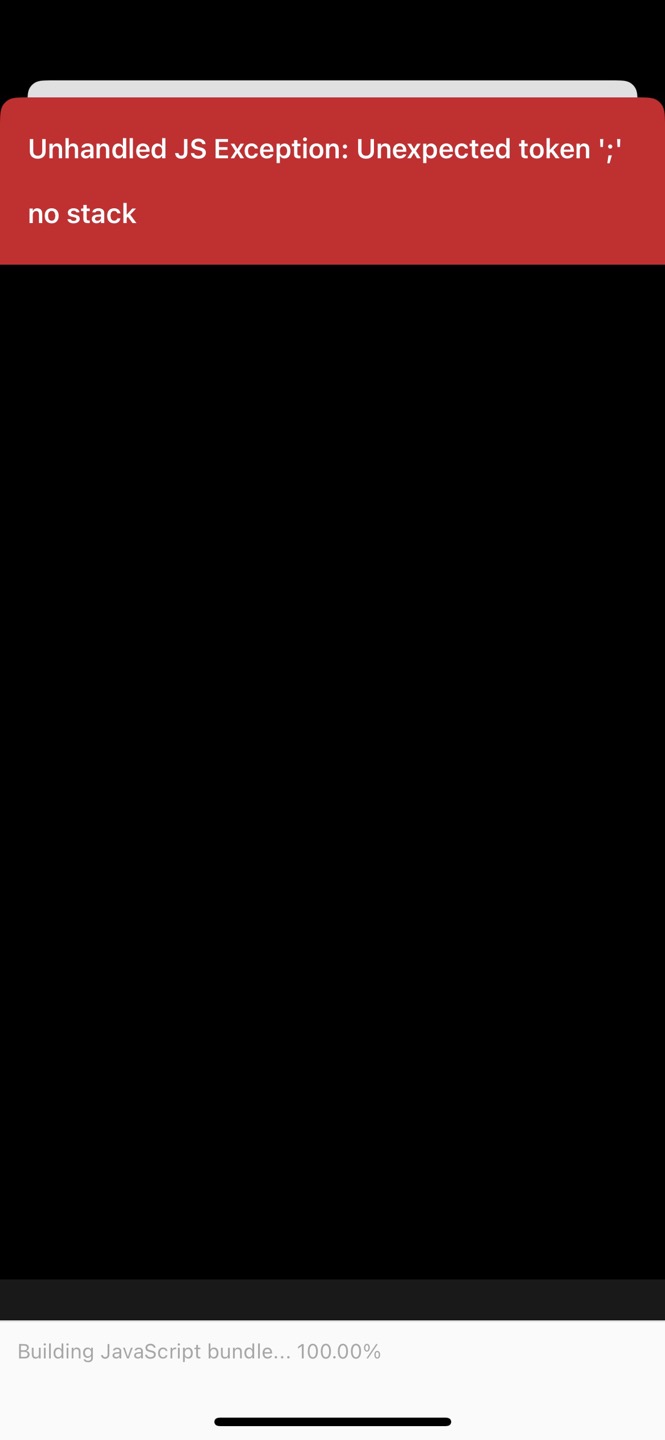
아이폰 상태이구요.
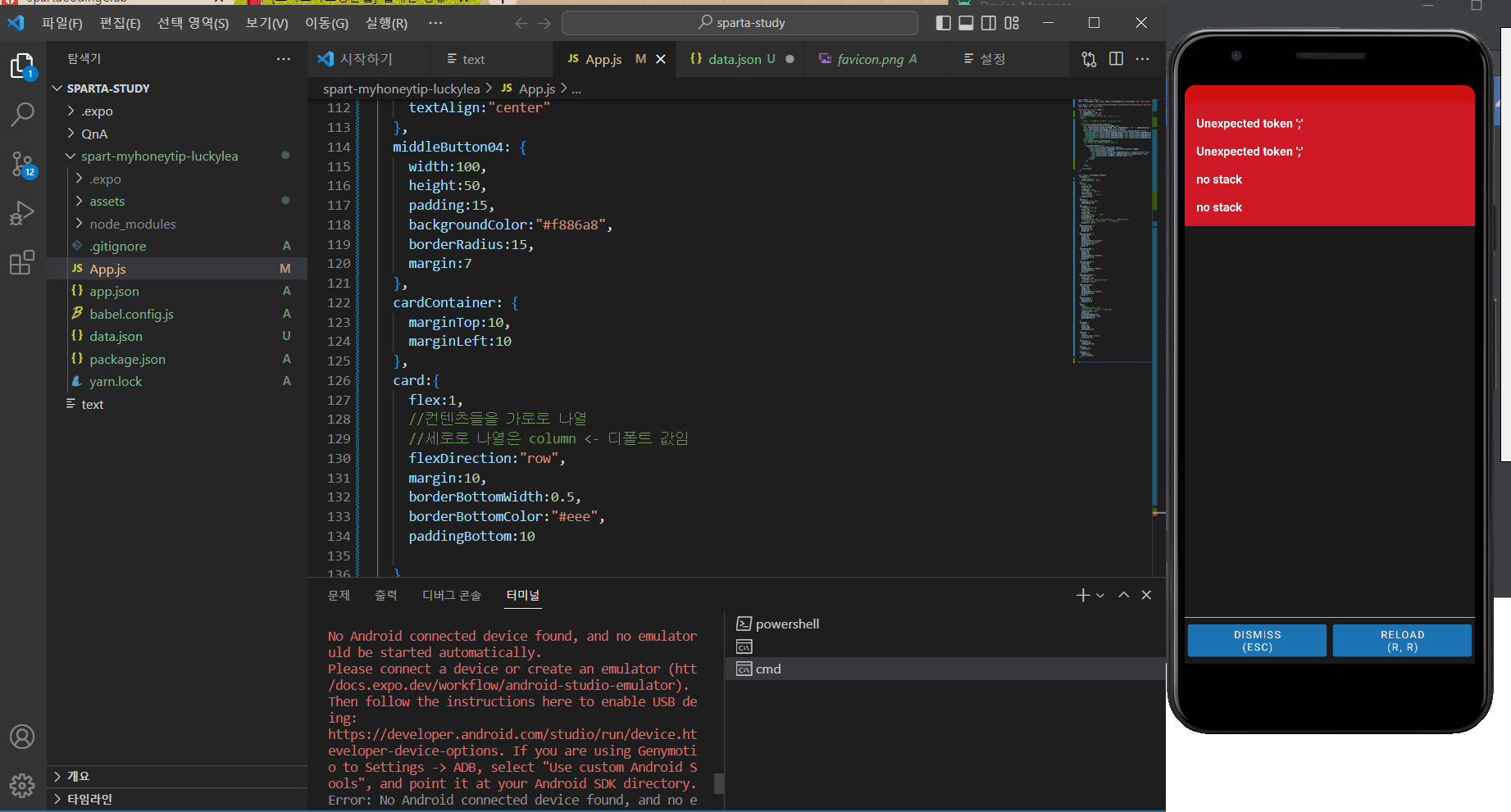
수동으로 시뮬레이터를 켜기전에 화면이고 오른쪽은 이후에 나온 시뮬레이터 입니다.
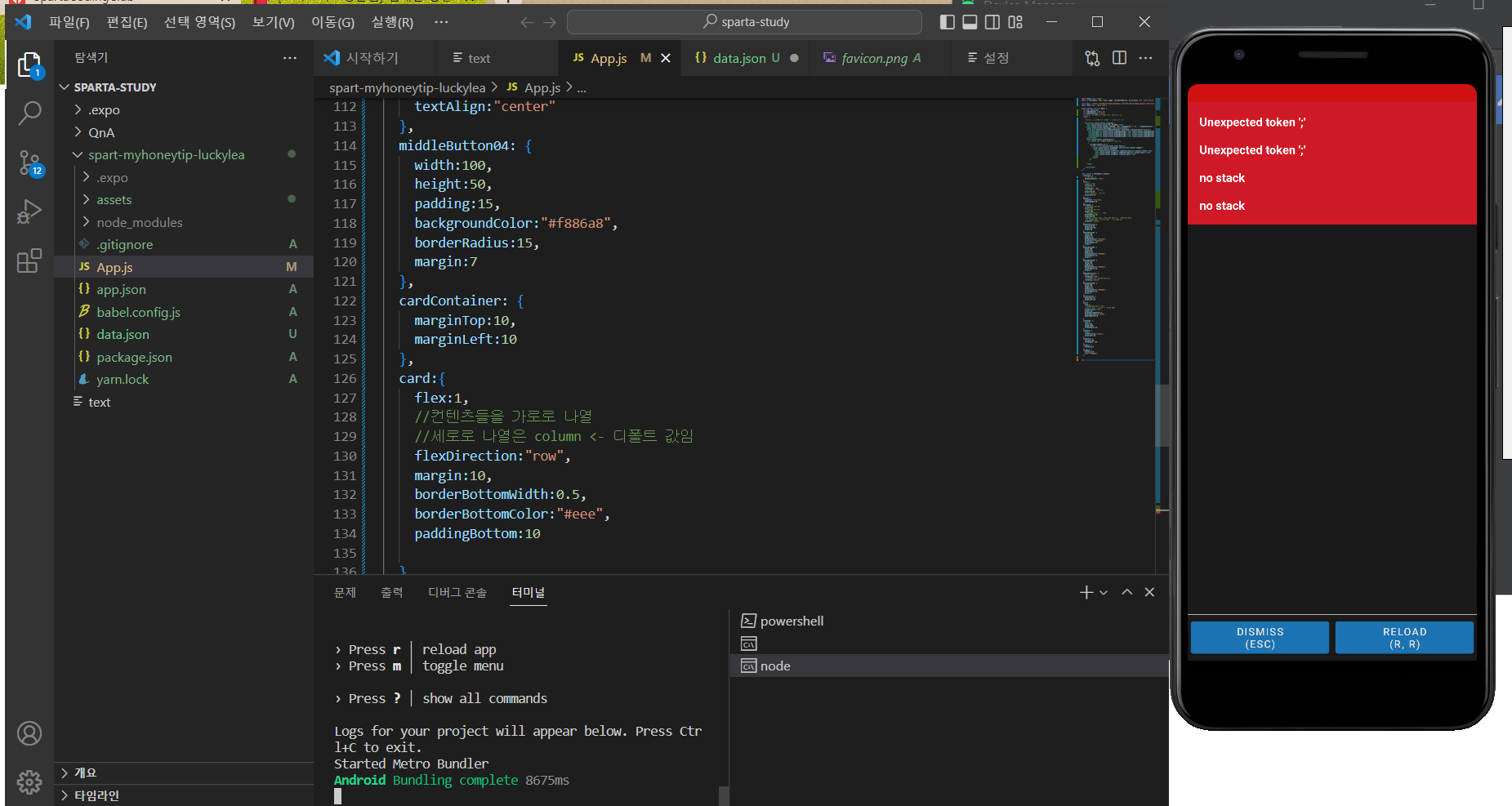
작성한 코드 및 에러 메세지
Starting project at C:\Users\acer\Desktop\sparta-s\spart-myhoneytip-luckylea
Starting Metro Bundler
No Android connected device found, and no emulatoruld be started automatically.
Please connect a device or create an emulator (htt/docs.expo.dev/workflow/android-studio-emulator).
Then follow the instructions here to enable USB deing:
https://developer.android.com/studio/run/device.hteveloper-device-options. If you are using Genymotio to Settings -> ADB, select "Use custom Android Sools", and point it at your Android SDK directory.
Error: No Android connected device found, and no etors could be started automatically.
Please connect a device or create an emulator (htt/docs.expo.dev/workflow/android-studio-emulator).
Then follow the instructions here to enable USB deing:
https://developer.android.com/studio/run/device.hteveloper-device-options. If you are using Genymotio to Settings -> ADB, select "Use custom Android Sools", and point it at your Android SDK directory.
    at getAllAvailableDevicesAsync (C:\Users\acer\ata\Roaming\npm\node_modules\expo-cli\node_modules\src\Android.ts:118:11)
    at processTicksAndRejections (node:internal/prs/task_queues:95:5)
    at Object.openProjectAsync (C:\Users\acer\AppD    at async Promise.all (index 0)
    at handleMobileOptsAsync (C:\Users\acer\AppData\Roaming\npm\node_modules\expo-cli\src\commands\utils\urlOpts.ts:105:19)


C:\Users\acer\Desktop\sparta-study\spart-myhoneytip-luckylea>expo start --android


댓글 알림
