


* 겪고 있는 문제 상황을 최대한 자세하게 작성해주세요.
* 문제 해결을 위해 어떤 시도를 해보았는지 구체적으로 함께 알려주세요.
안녕하세요 튜터님
현재 기초반에서 협업 하고있는데
vscode 라이브 쉐어 협업하는데 다른분들은 이미지와 폰트 최적화가 되었는데
제가 한게 사진업로드가 안되서 질문 드립니다.>
개인으로 했던 결과물입니다.
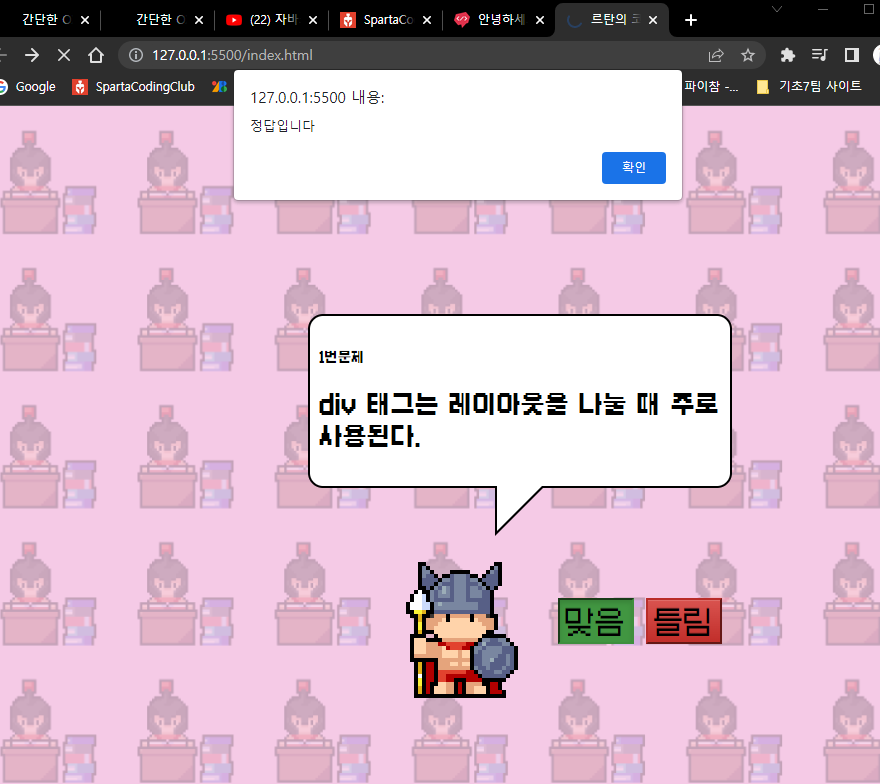
현재 협업하는데
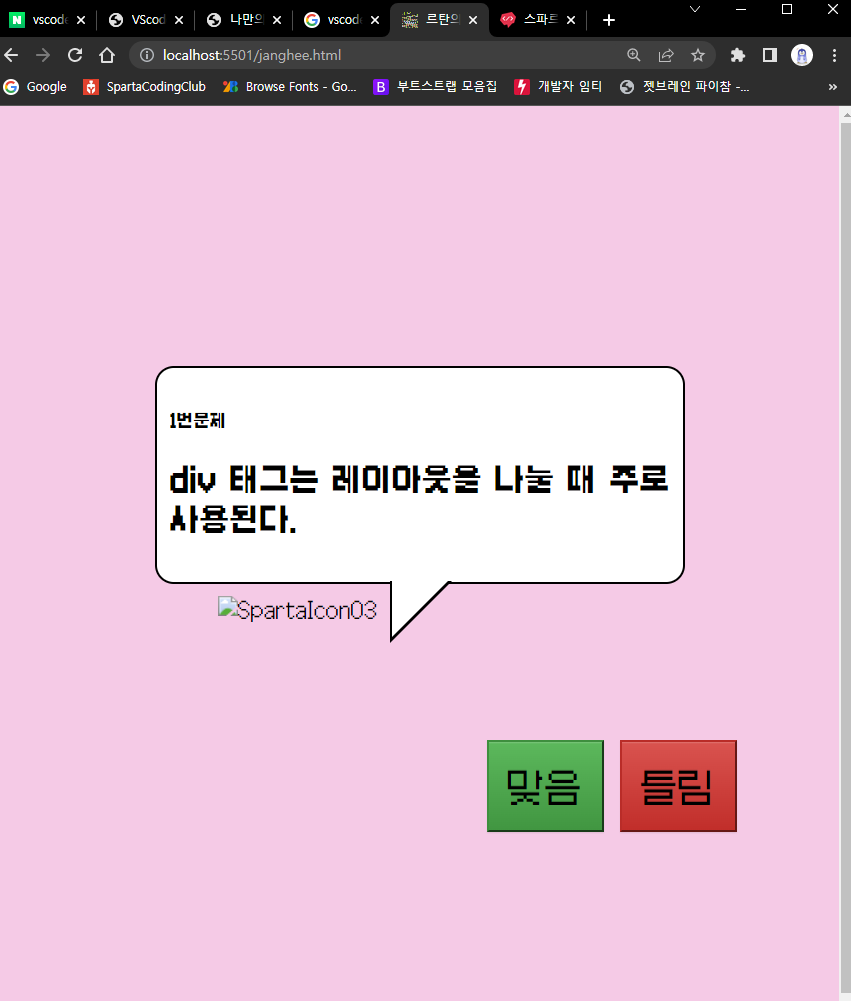
파비콘도 깨져서 질문드립니다.
잘 부탁드리겠습니다!
<!DOCTYPE html>
<html lang="ko">
<head>
<meta charset="UTF-8">
<meta http-equiv="X-UA-Compatible" content="IE=edge">
<meta name="viewport" content="width=device-width, initial-scale=1.0">
<title>르탄의 코딩테스트</title>
<link rel="stylesheet" href="https://cdn.jsdelivr.net/npm/galmuri@latest/dist/galmuri.css">
<link rel="stylesheet" href="style.css">
<link rel="stylesheet" href="https://maxcdn.bootstrapcdn.com/bootstrap/3.3.2/css/bootstrap-theme.min.css">
<link rel="icon" href="./images/SpartaIcon01.png" type="image/x-icon" sizes="16x16">
<link rel="icon" href="./images/파비콘/favicon.ico" type="image/x-icon">
<script>
function bt1() {
location.href = "index2.html";
alert('정답입니다')
}
function bt2() {
location.href = "index2.html";
}
</script>
<style>
* {
font-family: 'Galmuri11';
}
.bgimage {
width:100%;
height: 100%;
position: absolute;
z-index: 1;
}
.bgimage::after {
content: "";
width: 100%;
height: 100%;
background: url("./images/SpartaIcon01.png");
background-size: 120px;
background-repeat: space;
position: absolute;
top: 0;
left: 0;
z-index: -1;
opacity: 0.2;
}
.title {
background-color: rgb(255, 255, 255);
width: 400px;
height: 150px;
padding: 10px;
position:relative;
margin: 50px;
border: 2px solid;
border-radius: 15px;
}
.title:after {
content: '';
position: absolute;
bottom: 0;
left: 50%;
width: 0;
height: 0;
border: 45px solid transparent;
border-top-color: rgb(255, 255, 255);
border-bottom: 0;
border-left: 0;
margin-left: -22.5px;
margin-bottom: -45px;
}
.title:before {
content: '';
position: absolute;
bottom: 0;
left: 208px;
width: 0;
height: 0;
border: 50px solid transparent;
border-top-color: black;
border-bottom: 0;
border-left: 0;
margin-left: -22.5px;
margin-bottom: -50px;
}
.wrap {
width: 400px;
height: 100px;
margin: auto;
padding-top: 150px;
padding-right: 130px;
}
.img1 {
width: 200px;
height: 200px;
margin-left: 100px;
margin-top: -10%;
background-size: cover;
background-position: center;
}
.btn {
padding: 15px;
position: relative;
left: 150px;
bottom: 100%;
font-size: 30px;
}
</style>
</head>
<body bgcolor="#f5cae6">
<div class="bgimage">
<div class="wrap">
<div class="title">
<h5>1번문제</h5>
<h2>div 태그는 레이아웃을 나눌 때 주로 사용된다.</h2>
</div>
<div class="img1">
<img src=".//images/SpartaIcon03.png" alt="SpartaIcon03" width="200" height="200">
</div>
<div class="btn">
<button type="button" class="btn btn-success" onclick="bt1()">맞음</button>
<button type="button" class="btn btn-danger" onclick="bt2()">틀림</button>
</div>
</div>
</div>
</body>
</html>


