


* 겪고 있는 문제 상황을 최대한 자세하게 작성해주세요.
* 문제 해결을 위해 어떤 시도를 해보았는지 구체적으로 함께 알려주세요.
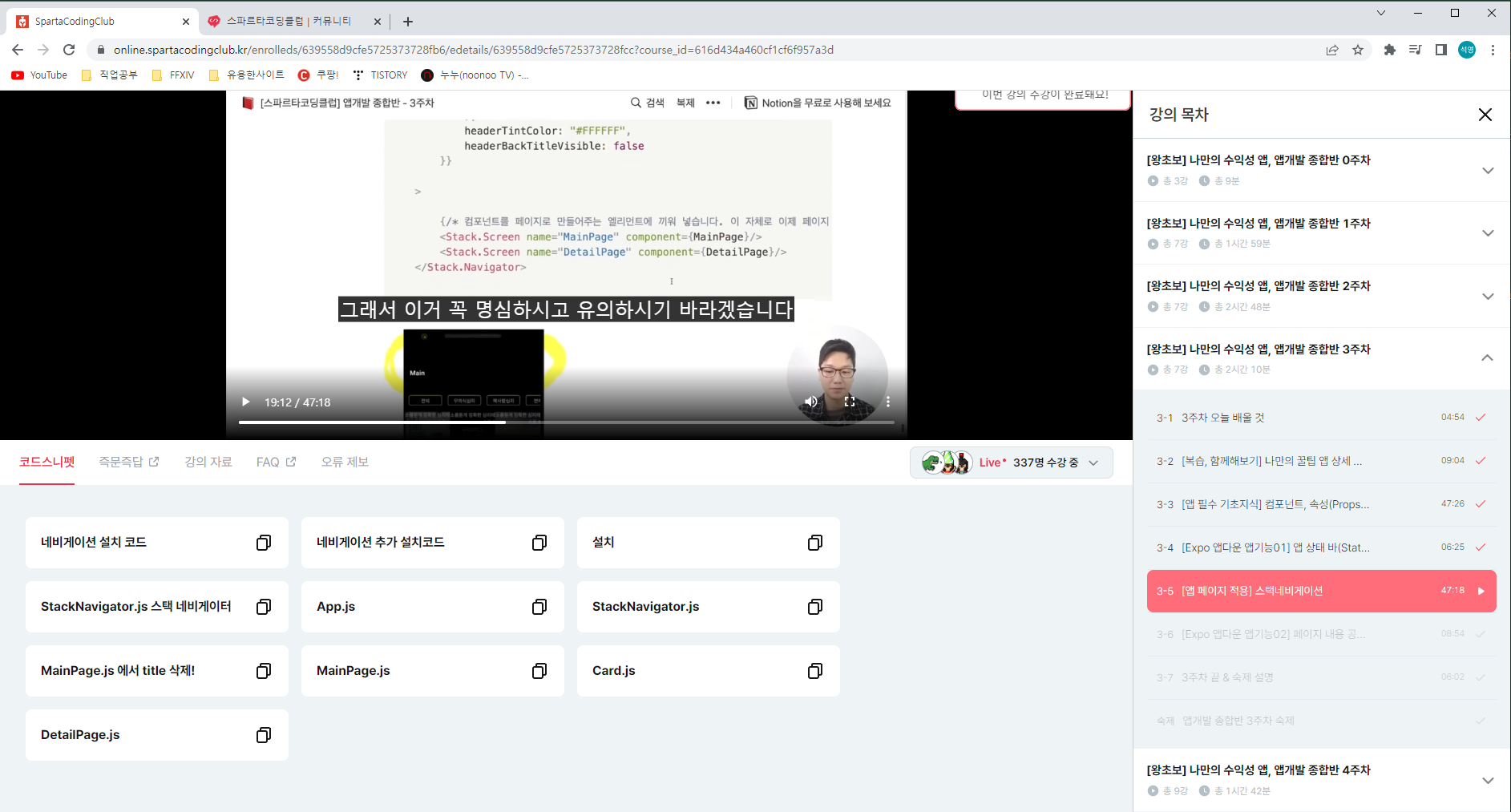
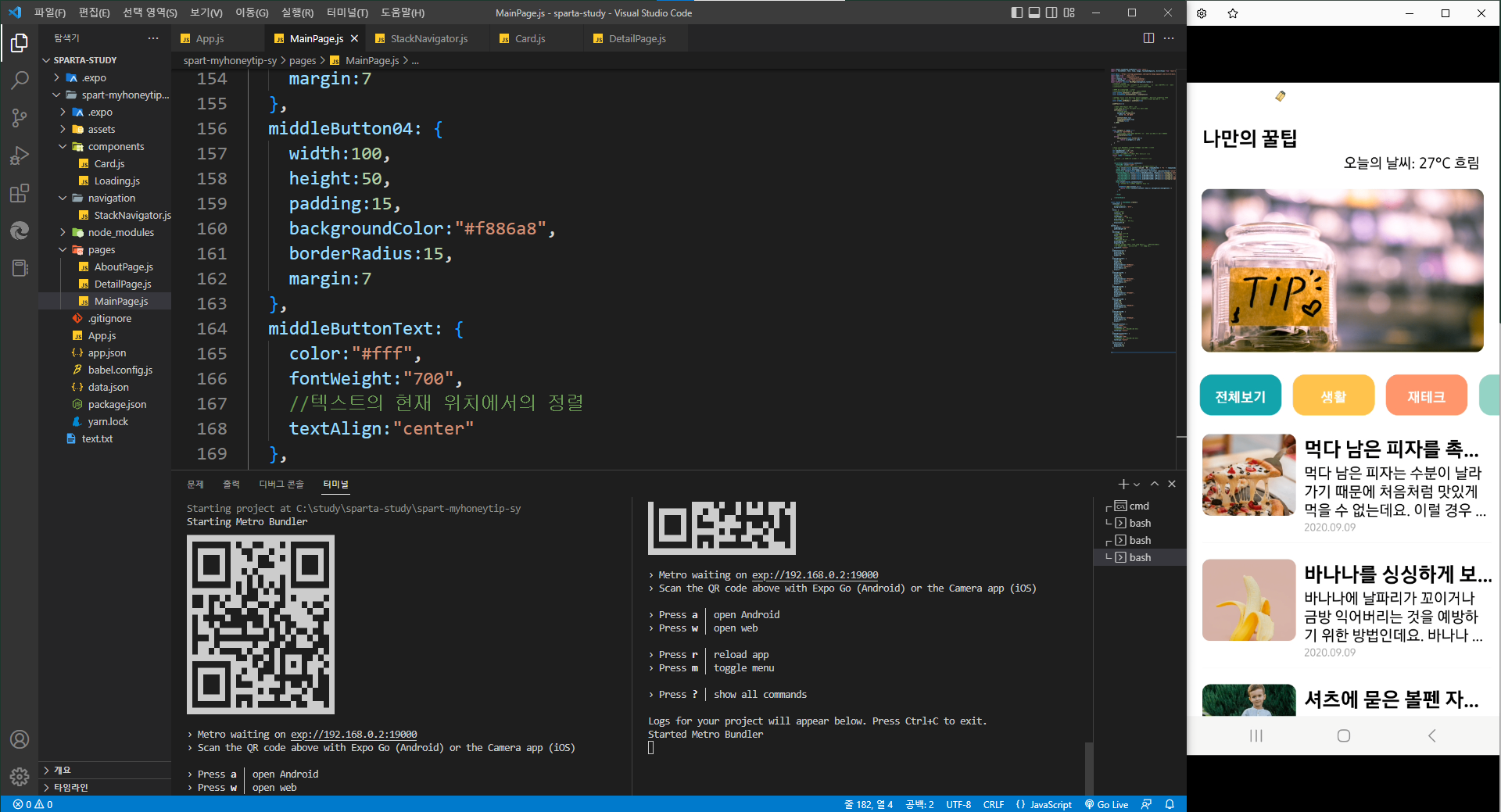
첨부사진에 있는 코드스니펫에 있는 것들을 모두 설치하고 붙여넣었는데 카드(먹다 남은 피자...)가 버튼으로써 동작하지 않습니다. (눌러도 반응이 없습니다.)
위의 전체보기, 생활, 재테크 버튼들은 다 작동합니다.
작성한 코드 및 에러 메세지
페이지가 많아 어떤 코드를 붙여넣어야될지 모르겠네요.. 터미널 붙여넣었습니다.
집@DESKTOP-F6BKQN2 MINGW64 /c/study/sparta-study
$ cd spart-myhoneytip-sy
집@DESKTOP-F6BKQN2 MINGW64 /c/study/sparta-study/spart-myhoneytip-sy
$ yarn add @react-navigation/stack
yarn add v1.22.19
[1/4] Resolving packages...
[2/4] Fetching packages...
[3/4] Linking dependencies...
warning "react-native > react-native-codegen > jscodeshift@0.13.1" has unmet peer dependency "@babel/preset-env@^7.1.6".
[4/4] Building fresh packages...
success Saved 1 new dependency.
info Direct dependencies
└─ @react-navigation/stack@6.3.10
info All dependencies
└─ @react-navigation/stack@6.3.10
Done in 8.26s.
집@DESKTOP-F6BKQN2 MINGW64 /c/study/sparta-study/spart-myhoneytip-sy
$ yarn add @react-navigation/native
yarn add v1.22.19
[1/4] Resolving packages...
[2/4] Fetching packages...
[3/4] Linking dependencies...
warning "react-native > react-native-codegen > jscodeshift@0.13.1" has unmet peer dependency "@babel/preset-env@^7.1.6".
[4/4] Building fresh packages...
success Saved 1 new dependency.
info Direct dependencies
└─ @react-navigation/native@6.1.1
info All dependencies
└─ @react-navigation/native@6.1.1
Done in 6.88s.
집@DESKTOP-F6BKQN2 MINGW64 /c/study/sparta-study/spart-myhoneytip-sy
$ expo install react-native-gesture-handler react-native-reanimated react-native-screens react-native-safe-area-context @react-native-community/masked-view
┌─────────────────────────────────────────────────────────────────────────┐
│ │
│ There is a new version of expo-cli available (6.1.0). │
│ You are currently using expo-cli 6.0.8 │
│ Install expo-cli globally using the package manager of your choice; │
│ for example: `npm install -g expo-cli` to get the latest version │
│ │
└─────────────────────────────────────────────────────────────────────────┘
This command is being executed with the global Expo CLI. Learn more: https://blog.expo.dev/the-new-expo-cli-f4250d8e3421
To use the local CLI instead (recommended in SDK 46 and higher), run:
› npx expo install
Installing 4 SDK 47.0.0 compatible native modules and 1 other package using Yarn.
> yarn add react-native-gesture-handler@~2.8.0 react-native-reanimated@~2.12.0 react-native-screens@~3.18.0 react-native-safe-area-context@4.4.1 @react-native-community/masked-view
yarn add v1.22.19
[1/4] Resolving packages...
warning @react-native-community/masked-view@0.1.11: Repository was moved to @react-native-masked-view/masked-view
[2/4] Fetching packages...
[3/4] Linking dependencies...
[4/4] Building fresh packages...
success Saved 1 new dependency.
info Direct dependencies
└─ @react-native-community/masked-view@0.1.11
info All dependencies
└─ @react-native-community/masked-view@0.1.11
Done in 6.49s.
집@DESKTOP-F6BKQN2 MINGW64 /c/study/sparta-study/spart-myhoneytip-sy
$ expo start
┌─────────────────────────────────────────────────────────────────────────┐
│ │
│ There is a new version of expo-cli available (6.1.0). │
│ You are currently using expo-cli 6.0.8 │
│ Install expo-cli globally using the package manager of your choice; │
│ for example: `npm install -g expo-cli` to get the latest version │
│ │
└─────────────────────────────────────────────────────────────────────────┘
This command is being executed with the global Expo CLI. Learn more: https://blog.expo.dev/the-new-expo-cli-f4250d8e3421
To use the local CLI instead (recommended in SDK 46 and higher), run:
› npx expo start
Starting project at C:\study\sparta-study\spart-myhoneytip-sy
Starting Metro Bundler
▄▄▄▄▄▄▄▄▄▄▄▄▄▄▄▄▄▄▄▄▄▄▄▄▄▄▄
█ ▄▄▄▄▄ █▄▀▀▄▄█▀█▄█ ▄▄▄▄▄ █
█ █ █ ███▄█ ▀█▄█ █ █ █
█ █▄▄▄█ ██▄▀▄▀███▀█ █▄▄▄█ █
█▄▄▄▄▄▄▄█ █ ▀▄▀▄▀ █▄▄▄▄▄▄▄█
█ █ ▄▀▄██ ▄▄▀▀█▀ █▄█▀█▀▀▄█
█▀█▀ ▀▀▄ ▀ ▀█ ▄▀▀███▄▀▀ █
█ ██▄▀▄▄▄▄ █▄▄▀▄ █ ▄▀▀█▀ ██
█ ▄▄█ ▄▄▄▄▄▄ ▄▄▀ ▄▀ ██▄▀ █
█▄██▄█▄▄▄ ▀▄▀▀▄ █ ▄▄▄ ▄▀▄█
█ ▄▄▄▄▄ ██▀█▄▀ █ █▄█ ██▀▄█
█ █ █ █ ▀▀█▄██▄ ▄ ▄ █ █
█ █▄▄▄█ █▀▀▀█▄█▄ ▄█▀▀▄█ █
█▄▄▄▄▄▄▄█▄█▄█▄▄▄▄▄▄█▄▄███▄█
› Metro waiting on exp://192.168.0.2:19000
› Scan the QR code above with Expo Go (Android) or the Camera app (iOS)
› Press a │ open Android
› Press w │ open web
› Press r │ reload app
› Press m │ toggle menu
› Press ? │ show all commands
Logs for your project will appear below. Press Ctrl+C to exit.
Started Metro Bundler


