커뮤니티

포인트
쿠폰
내 강의실
국비 신청 내역
증명서
계정
로그아웃
학습 질문
개발 일지
나의 활동
답변 완료
숙제
undefined주차


노*지
댓글
1
・
추천
0
・
조회수
6
조회수
6
답변 완료
강의 숙제 영상을 보는데 mypost 안 닉네임 박스를 부트스트랩에서 그대로 가져와서 써서 type='email' id='floatinginput' 되어 있는데
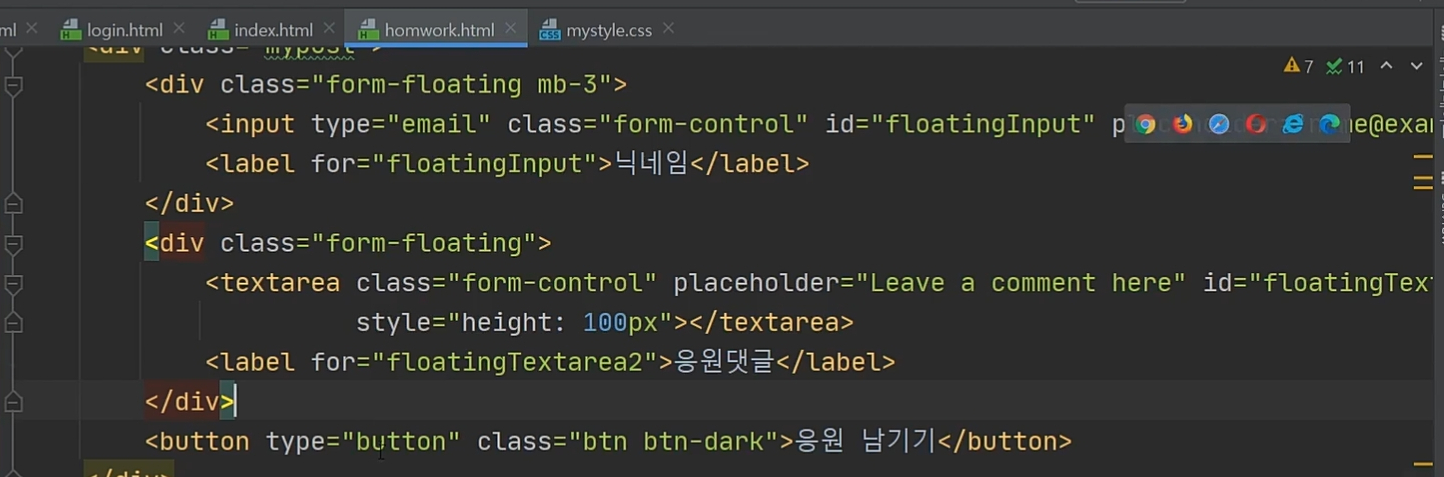
노션 자료에서는 type='text' id='name' 이렇게 되어있습니다. 결과가 달라지는 것은 없던데 왜 같게 나오나요? 의미하는 바가 무엇인가요?
응원댓글 박스에서도 id='comment'
또 style='height:100px'는 박스 세로길이를 100px로 고정하겠다 이런 의미인가요?
버튼에서는 onclick='save_comment()' 은 무엇을 의미하나요? 클릭하면 위에 작성한 comment를 저장하겠다 이런 의미인가요?
여기서 닉네임,응원댓글 박스들에 글을 쓰고 버튼을 눌러서 comment_list로 저장이 안되는 이유는 자바스크립트가 아직 없어서 인가요??
<div class="mypost">
    <div class="form-floating mb-3">
        <input type="text" class="form-control" id="name" placeholder="url">
        <label for="floatingInput">닉네임</label>
    </div>
    <div class="form-floating">
        <textarea class="form-control" placeholder="Leave a comment here" id="comment" style="height: 100px"></textarea>
        <label for="floatingTextarea">응원댓글</label>
    </div>
    <button onclick="save_comment()" type="button" class="btn btn-dark">응원남기기</button>
</div>


댓글 알림
