커뮤니티

포인트
쿠폰
내 강의실
국비 신청 내역
증명서
계정
로그아웃
학습 질문
개발 일지
나의 활동
답변 완료
1주차 4) Android Licenses - 프롬프트 결과에 vs code가 빠져있는데 그냥 진행해도 되나요?
앱개발 종합반 - 플러터 v8
1주차


김*경
댓글
5
・
추천
0
・
조회수
18
조회수
18
답변 완료
* 겪고 있는 문제 상황을 최대한 자세하게 작성해주세요.
* 문제 해결을 위해 어떤 시도를 해보았는지 구체적으로 함께 알려주세요.
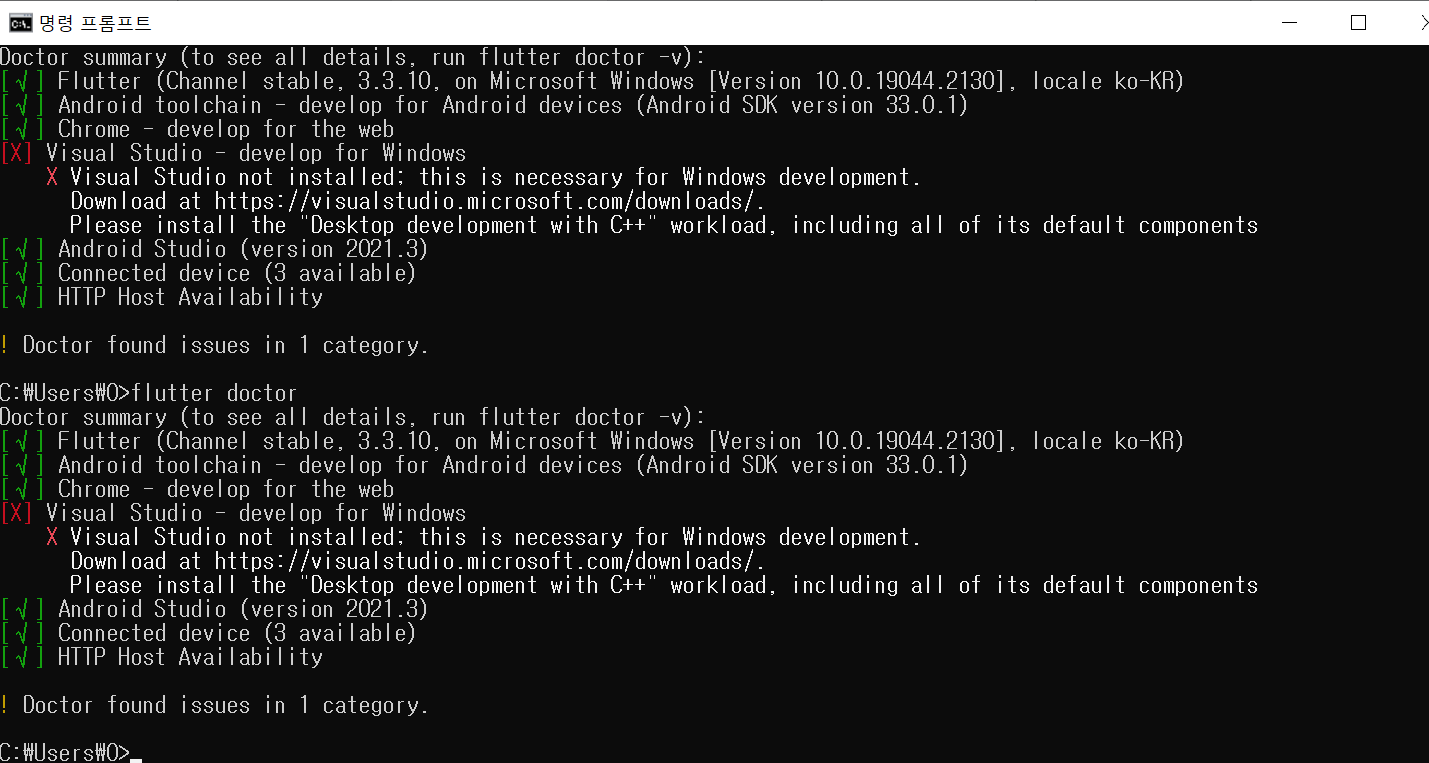
모든 설치를 완료하고 프롬프트에 flutter doctor 입력 후에
마지막 문단쪽에 한 줄이 빠진 걸 확인했는데 그냥 진행해도 괜찮은 건지
아니면 따로 조치를 취한 후에 시작해야 하나요?
빠진 한 줄은 VS Code (version 1.63.0) 입니다.
현재 제 화면입니다.
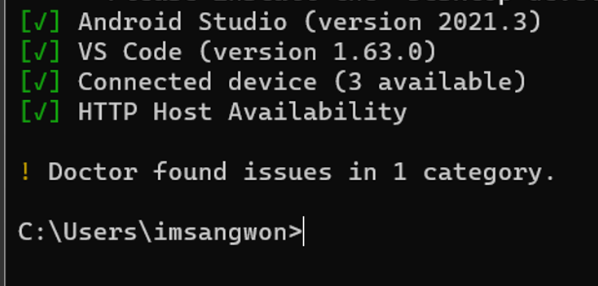
아래 사진이 원래 나와야 했던 결과 사진입니다
C:\Users\0>flutter doctor
Doctor summary (to see all details, run flutter doctor -v):
[√] Flutter (Channel stable, 3.3.10, on Microsoft Windows [Version 10.0.19044.2130], locale ko-KR)
[√] Android toolchain - develop for Android devices (Android SDK version 33.0.1)
[√] Chrome - develop for the web
[X] Visual Studio - develop for Windows
    X Visual Studio not installed; this is necessary for Windows development.
      Download at https://visualstudio.microsoft.com/downloads/.
      Please install the "Desktop development with C++" workload, including all of its default components
[√] Android Studio (version 2021.3)
[√] Connected device (3 available)
[√] HTTP Host Availability


! Doctor found issues in 1 category.


C:\Users\0>


댓글 알림
