


강의를 보고 따라하는데 결과가 계속 달라서 문의드립니다.
무슨 파일들이 들어있는지 검사하는 명령어인 것 같은데 배치파일이 아니라는 메세지만 반복되네요..
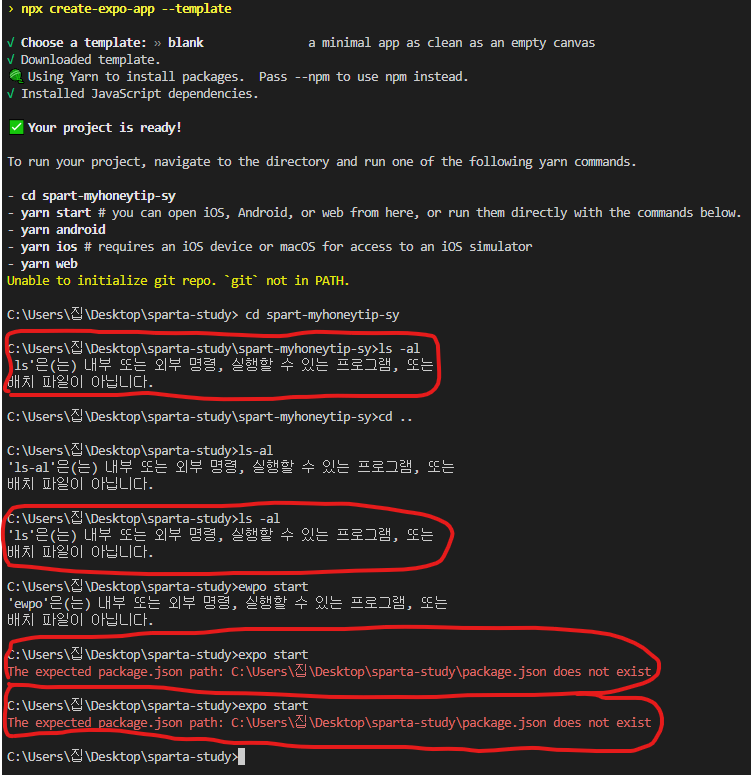
작성한 코드 및 에러 메세지
Microsoft Windows [Version 10.0.19045.2364]
(c) Microsoft Corporation. All rights reserved.
C:\Users\집\Desktop\sparta-study>expo init spart-myhoneytip-sy
Migrate to using:
› npx create-expo-app --template
√ Choose a template: » blank a minimal app as clean as an empty canvas
√ Downloaded template.
🧶 Using Yarn to install packages. Pass --npm to use npm instead.
√ Installed JavaScript dependencies.
✅ Your project is ready!
To run your project, navigate to the directory and run one of the following yarn commands.
- cd spart-myhoneytip-sy
- yarn start # you can open iOS, Android, or web from here, or run them directly with the commands below.
- yarn android
- yarn ios # requires an iOS device or macOS for access to an iOS simulator
- yarn web
Unable to initialize git repo. `git` not in PATH.
C:\Users\집\Desktop\sparta-study> cd spart-myhoneytip-sy
C:\Users\집\Desktop\sparta-study\spart-myhoneytip-sy>ls -al
'ls'은(는) 내부 또는 외부 명령, 실행할 수 있는 프로그램, 또는
배치 파일이 아닙니다.
C:\Users\집\Desktop\sparta-study\spart-myhoneytip-sy>cd ..
C:\Users\집\Desktop\sparta-study>ls-al
'ls-al'은(는) 내부 또는 외부 명령, 실행할 수 있는 프로그램, 또는
배치 파일이 아닙니다.
C:\Users\집\Desktop\sparta-study>ls -al
'ls'은(는) 내부 또는 외부 명령, 실행할 수 있는 프로그램, 또는
배치 파일이 아닙니다.
C:\Users\집\Desktop\sparta-study>ewpo start
'ewpo'은(는) 내부 또는 외부 명령, 실행할 수 있는 프로그램, 또는
배치 파일이 아닙니다.
C:\Users\집\Desktop\sparta-study>expo start
The expected package.json path: C:\Users\집\Desktop\sparta-study\package.json does not exist
C:\Users\집\Desktop\sparta-study>expo start
The expected package.json path: C:\Users\집\Desktop\sparta-study\package.json does not exist


