커뮤니티

포인트
쿠폰
내 강의실
국비 신청 내역
증명서
계정
로그아웃
학습 질문
개발 일지
나의 활동
답변 완료
프로필 사진 (이미지)이 뜨질않네요 ㅠ
undefined주차


오*석
댓글
5
・
추천
0
・
조회수
14
조회수
14
답변 완료
* 겪고 있는 문제 상황을 최대한 자세하게 작성해주세요.
* 문제 해결을 위해 어떤 시도를 해보았는지 구체적으로 함께 알려주세요.
1. 프로필 페이지 만들고 저장 후에 vscode로 열어보았을때는 프로필 사진이 잘 떴는데 깃허브 통해서 배포 후 페이지 열면 프로필 사진이 안뜹니다.ㅠ
2. 항목 중 두번째 인천 w여성병원의 링크를 접속하면 오류가 나옵니다.
https://kagoshima88.github.io/mypage/
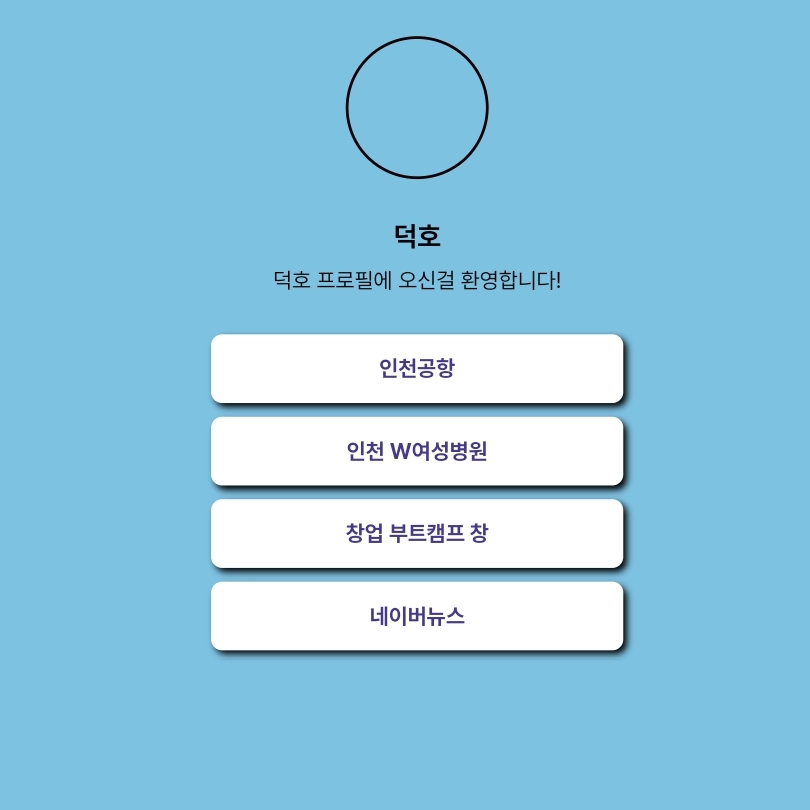
작성한 코드 및 에러 메세지
<html>


	<head>
	    <meta property="og:title" content="덕호 - 프로 링크">
	    <meta property="description" content="어서오세요 오덕호입니다!">
	    <meta property="og:image" content="main.jpg">
	    <script type="text/javascript" src=""></script>
	    <title>덕호 - 프로필 링크</title>
	    <style>
	        @import url('https://cdn.jsdelivr.net/gh/orioncactus/pretendard/dist/web/static/pretendard.css');
	        * {
	            font-family: "Pretendard",serif;
	        }
	      body {
	        background-color: #7ec2e2;
	      }
	      .profile {
	        width: 100px;
	        height: 100px;
	        border-radius: 100%;
	        border: 2px solid black;


	        background-image: url('main.jpg');
	        background-position: center;
	        background-size: cover;
	      }
	      .main {
	        color:black;
	        font-size: 20px;


	        margin-top: 30px;
	        margin-bottom: 10px;
	      }
	      .sub {
	        color:black;
	        font-size: 16px;


	        margin-top: 0px;
	        margin-bottom: 30px;
	      }
	      .wrap {
	        width: 300px;
	        margin: 30px auto 0px auto;


	        display: flex;
	        flex-direction: column;
	        justify-content: center;
	        align-items: center;
	      }
	      .wrap > a {
	        width:300px;
	        height:50px;


	        background-color: white;
	        border-radius: 8px;


	        margin-bottom: 10px;


	        font-size: 16px;
	        font-weight: bold;
	        color: #44398a;


	        display: flex;
	        flex-direction: column;
	        justify-content: center;
	        align-items: center;


	        text-decoration: none;


	        box-shadow: 3px 3px 5px 0px black;
	    }
	    .wrap a:hover{
	        color: black;
	        font-size: 20px;
	    }
	    </style>
	</head>


	<body>
	    <div class="wrap">
	        <div class="profile"></div>
	        <h1 class="main">덕호</h1>
	        <p class="sub">덕호 프로필에 오신걸 환영합니다!</p>
	        <a target="_blank" href="https://www.airport.kr/">인천공항</a>
	        <a target="_blank" href="https://www.w여성병원.com/">인천 W여성병원</a>
	        <a target="_blank" href="https://chang.spartacodingclub.kr/">창업 부트캠프 창</a>
	        <a target="_blank" href="https://news.naver.com/">네이버뉴스</a>
	    </div>

	</body>


	</html>


댓글 알림
