커뮤니티

포인트
쿠폰
내 강의실
국비 신청 내역
증명서
계정
로그아웃
학습 질문
개발 일지
나의 활동
답변 완료
배치 및 도장의 크기 문제
undefined주차


정*필
댓글
3
・
추천
0
・
조회수
19
조회수
19
답변 완료
스크린 샷과 같이 백그라운드 이미지의 배치에 간격이 없고 도장이 크게 나와서 헤매고 있습니다.
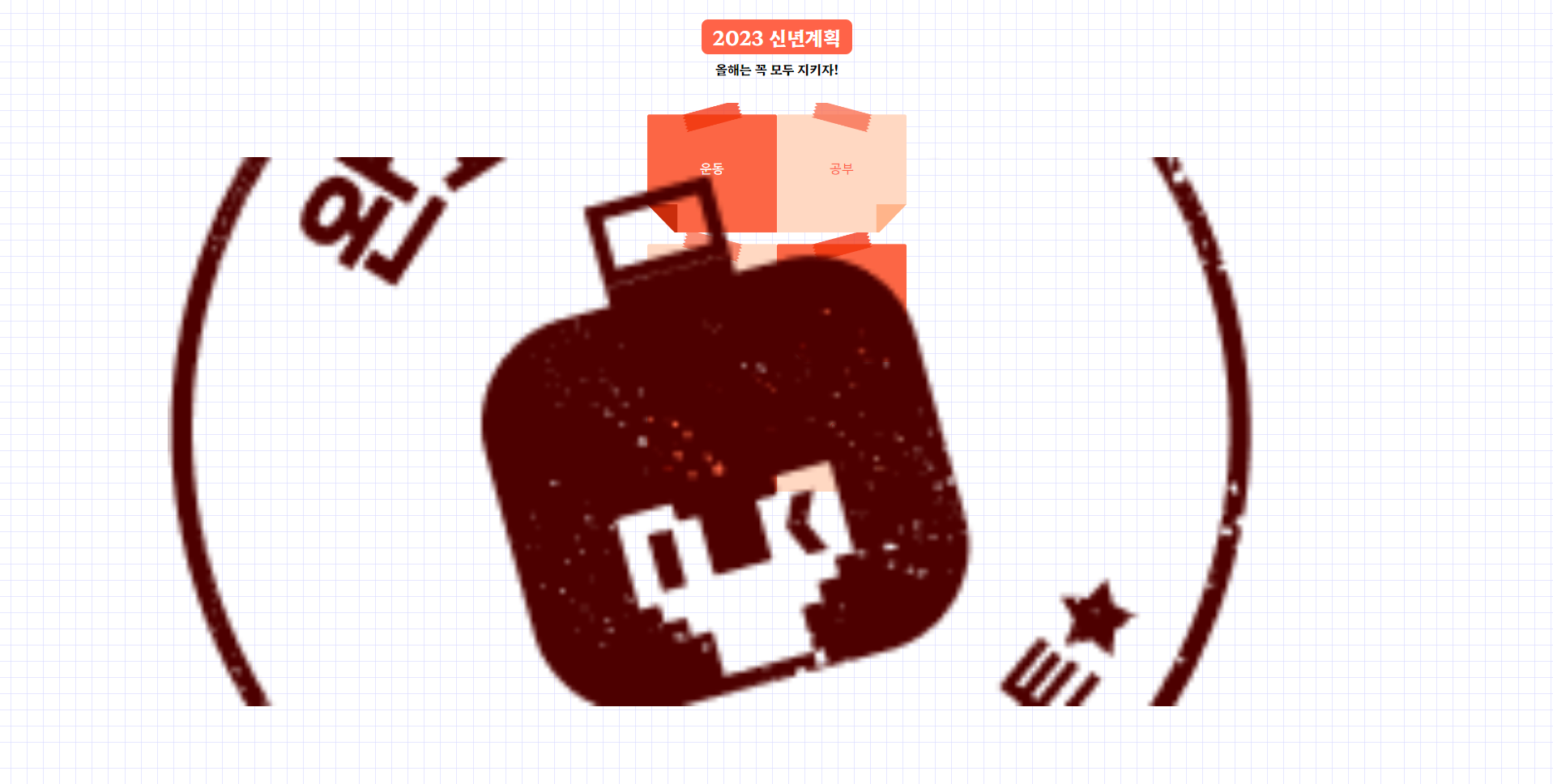
작성한 코드 및 에러 메세지
<!DOCTYPE html>
<html lang="en">


<head>
    <meta charset="UTF-8">
    <meta http-equiv="X-UA-Compatible" content="IE=edge">
    <meta name="viewport" content="width=device-width, initial-scale=1.0">
    <title>2023년 버킷리스트</title>
    <style>
        @import url('https://fonts.googleapis.com/css2?family=Hahmlet:wght@400;500;600;700&display=swap');


        * {
            font-family: 'Hahmlet', serif;
        }


        .title {
            color: white;
            background-color: tomato;
            font-size: 24px;
            padding: 4px 14px;
            border-radius: 8px;
        }


        .bg {
            width: 360px;
            background-image:
                url("https://s3.ap-northeast-2.amazonaws.com/materials.spartacodingclub.kr/bucketList/bg-grid.png");
        }


        .msg {
            font-weight: bold;
        }


        .health {
            width: 160px;
            height: 160px;
        }
        .study {
            width: 160px;
            height: 160px;
        }
        .cook {
            width: 160px;
            height: 160px;
        }
        .coding {
            width: 160px;
            height: 160px;
        }
        .photo {
            width: 160px;
            height: 160px;
        }
        .travel {
            width: 160px;
            height: 160px;
        }


        .img1 {
            background-image:
                url("https://s3.ap-northeast-2.amazonaws.com/materials.spartacodingclub.kr/bucketList/bucket-red.png");
            background-size: cover;
            background-position: center;
        }


        .img2 {
            background-image:
                url("https://s3.ap-northeast-2.amazonaws.com/materials.spartacodingclub.kr/bucketList/bucket-lightred.png");
            background-size: cover;
            background-position: center;
        }
    </style>
    <link rel="stylesheet" type="text/css" href="https://s3.ap-northeast-2.amazonaws.com/materials.spartacodingclub.kr/bucketList/sparta-bucket2.css">
</head>


<body class="bg center">
    <h1 class="title">2023 신년계획</h1>
    <p class="msg"> 올해는 꼭 모두 지키자!</p>
    <div class="row flex-row wrap">
        <div class="health img1 center done">운동</div>
        <div class="study img2 center">공부</div>
        <div class="cook img2 center">요리</div>
        <div class="coding img1 center">코딩</div>
        <div class="photo img1 center">사진</div>
        <div class="travel img2 center">여행</div>
    </div>


</body>


</html>


댓글 알림
