커뮤니티

포인트
쿠폰
내 강의실
국비 신청 내역
증명서
계정
로그아웃
학습 질문
개발 일지
나의 활동
답변 완료
Expo 에러
[왕초보] 나만의 수익성 앱, 앱개발 종합반 v5
2주차


윤*선
댓글
3
・
추천
0
・
조회수
10
조회수
10
답변 완료
* 겪고 있는 문제 상황을 최대한 자세하게 작성해주세요.
* 문제 해결을 위해 어떤 시도를 해보았는지 구체적으로 함께 알려주세요.
강사님이 쓴 코드 그대로 복붙했는데 에러가 떠요,,
expo 에 나온 오류가 아래와 같이 나옵니다.
Uncaught Error
Requiring unknown omdule "556". If you are sure the module exists, try restarting Metro. You may also want to run 'yarn' or 'npm istall'
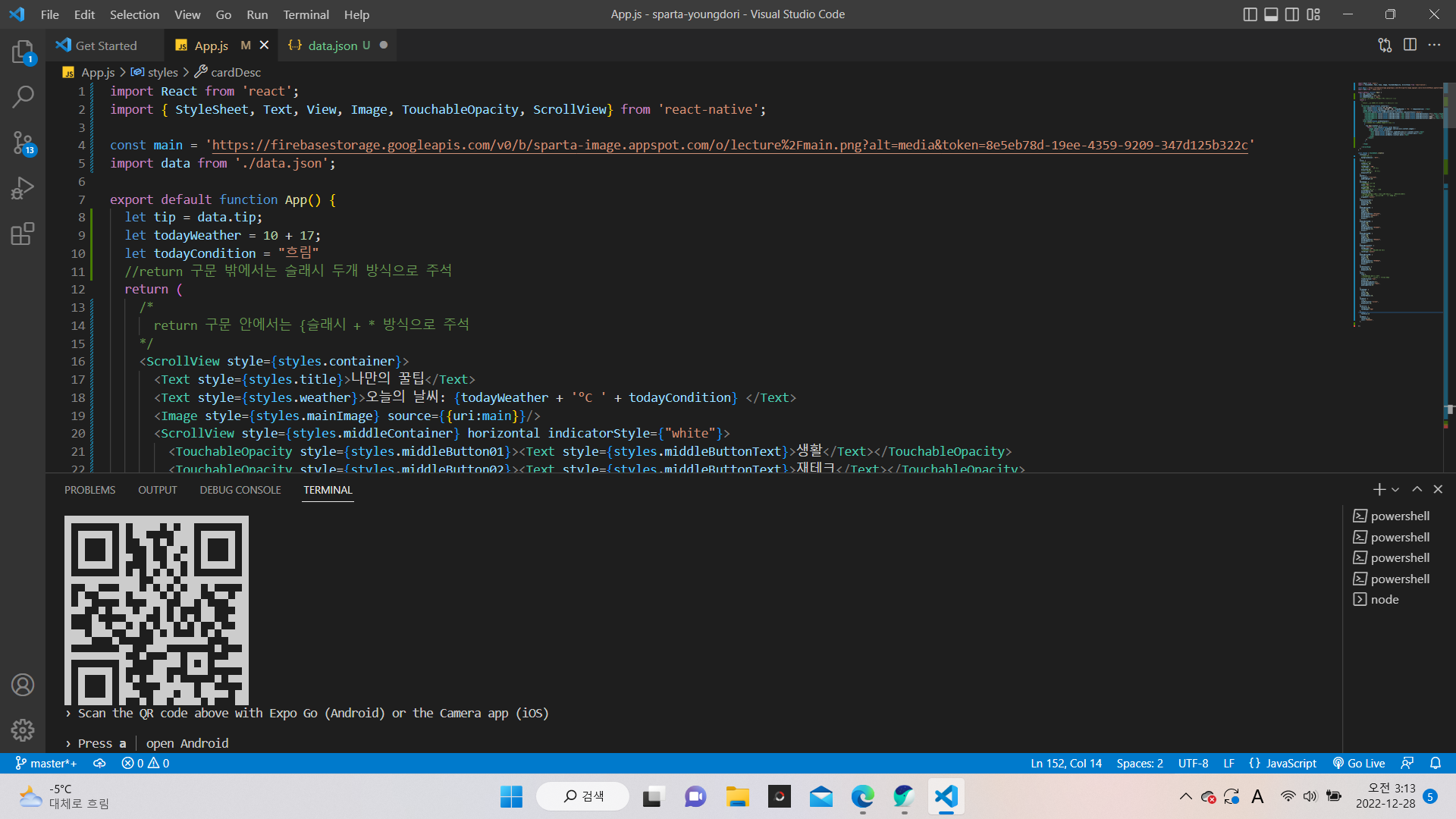
import React from 'react';
import { StyleSheet, Text, View, Image, TouchableOpacity, ScrollView} from 'react-native';


const main = 'https://firebasestorage.googleapis.com/v0/b/sparta-image.appspot.com/o/lecture%2Fmain.png?alt=media&token=8e5eb78d-19ee-4359-9209-347d125b322c'
import data from './data.json';


export default function App() {
  let tip = data.tip;
  let todayWeather = 10 + 17;
  let todayCondition = "흐림"
  //return 구문 밖에서는 슬래시 두개 방식으로 주석
  return (
    /*
      return 구문 안에서는 {슬래시 + * 방식으로 주석
    */
    <ScrollView style={styles.container}>
      <Text style={styles.title}>나만의 꿀팁</Text>
      <Text style={styles.weather}>오늘의 날씨: {todayWeather + '°C ' + todayCondition} </Text>
      <Image style={styles.mainImage} source={{uri:main}}/>
      <ScrollView style={styles.middleContainer} horizontal indicatorStyle={"white"}>
        <TouchableOpacity style={styles.middleButton01}><Text style={styles.middleButtonText}>생활</Text></TouchableOpacity>
        <TouchableOpacity style={styles.middleButton02}><Text style={styles.middleButtonText}>재테크</Text></TouchableOpacity>
        <TouchableOpacity style={styles.middleButton03}><Text style={styles.middleButtonText}>반려견</Text></TouchableOpacity>
        <TouchableOpacity style={styles.middleButton04}><Text style={styles.middleButtonText}>꿀팁 찜</Text></TouchableOpacity>
      </ScrollView>
      <View style={styles.cardContainer}>
        {/* 하나의 카드 영역을 나타내는 View */}
        {
          tip.map((content,i)=>{
            return (<View style={styles.card} key={i}>
              <Image style={styles.cardImage} source={{uri:content.image}}/>
              <View style={styles.cardText}>
                <Text style={styles.cardTitle} numberOfLines={1}>{content.title}</Text>
                <Text style={styles.cardDesc} numberOfLines={3}>{content.desc}</Text>
                <Text style={styles.cardDate}>{content.date}</Text>
              </View>
            </View>)
          })
         }

      </View>

    </ScrollView>
  );
}


const styles = StyleSheet.create({
  container: {
    //앱의 배경 색
    backgroundColor: '#fff',
  },
  title: {
    //폰트 사이즈
    fontSize: 20,
    //폰트 두께
    fontWeight: '700',
    //위 공간으로 부터 이격
    marginTop:50,
    //왼쪽 공간으로 부터 이격
    marginLeft:20
  },
  weather:{
    alignSelf:"flex-end",
    paddingRight:20
  },
  mainImage: {
    //컨텐츠의 넓이 값
    width:'90%',
    //컨텐츠의 높이 값
    height:200,
    //컨텐츠의 모서리 구부리기
    borderRadius:10,
    marginTop:20,
    //컨텐츠 자체가 앱에서 어떤 곳에 위치시킬지 결정(정렬기능)
    //각 속성의 값들은 공식문서에 고대로~ 나와 있음
    alignSelf:"center"
  },
  middleContainer:{
    marginTop:20,
    marginLeft:10,
    height:60
  },
  middleButton01: {
    width:100,
    height:50,
    padding:15,
    backgroundColor:"#fdc453",
    borderColor:"deeppink",
    borderRadius:15,
    margin:7
  },
  middleButton02: {
    width:100,
    height:50,
    padding:15,
    backgroundColor:"#fe8d6f",
    borderRadius:15,
    margin:7
  },
  middleButton03: {
    width:100,
    height:50,
    padding:15,
    backgroundColor:"#9adbc5",
    borderRadius:15,
    margin:7
  },
  middleButtonText: {
    color:"#fff",
    fontWeight:"700",
    //텍스트의 현재 위치에서의 정렬
    textAlign:"center"
  },
  middleButton04: {
    width:100,
    height:50,
    padding:15,
    backgroundColor:"#f886a8",
    borderRadius:15,
    margin:7
  },
  cardContainer: {
    marginTop:10,
    marginLeft:10
  },
  card:{
    flex:1,
    //컨텐츠들을 가로로 나열
    //세로로 나열은 column <- 디폴트 값임
    flexDirection:"row",
    margin:10,
    borderBottomWidth:0.5,
    borderBottomColor:"#eee",
    paddingBottom:10


  },
  cardImage: {
    flex:1,
    width:100,
    height:100,
    borderRadius:10,
  },
  cardText: {
    flex:2,
    flexDirection:"column",
    marginLeft:10,
  },
  cardTitle: {
    fontSize:20,
    fontWeight:"700"
  },
  cardDesc: {
    fontSize:15
  },
  cardDate: {
    fontSize:10,
    color:"#A6A6A6",
  },


});


댓글 알림
