


* 겪고 있는 문제 상황을 최대한 자세하게 작성해주세요.
* 문제 해결을 위해 어떤 시도를 해보았는지 구체적으로 함께 알려주세요.
FAQ에 나온 대로 파일이 존재하지 않는다고해서 파일을 새로 만들고 진행해보았는데
실행이 안됩니다...ㅠ 어떻게 해야할까요?
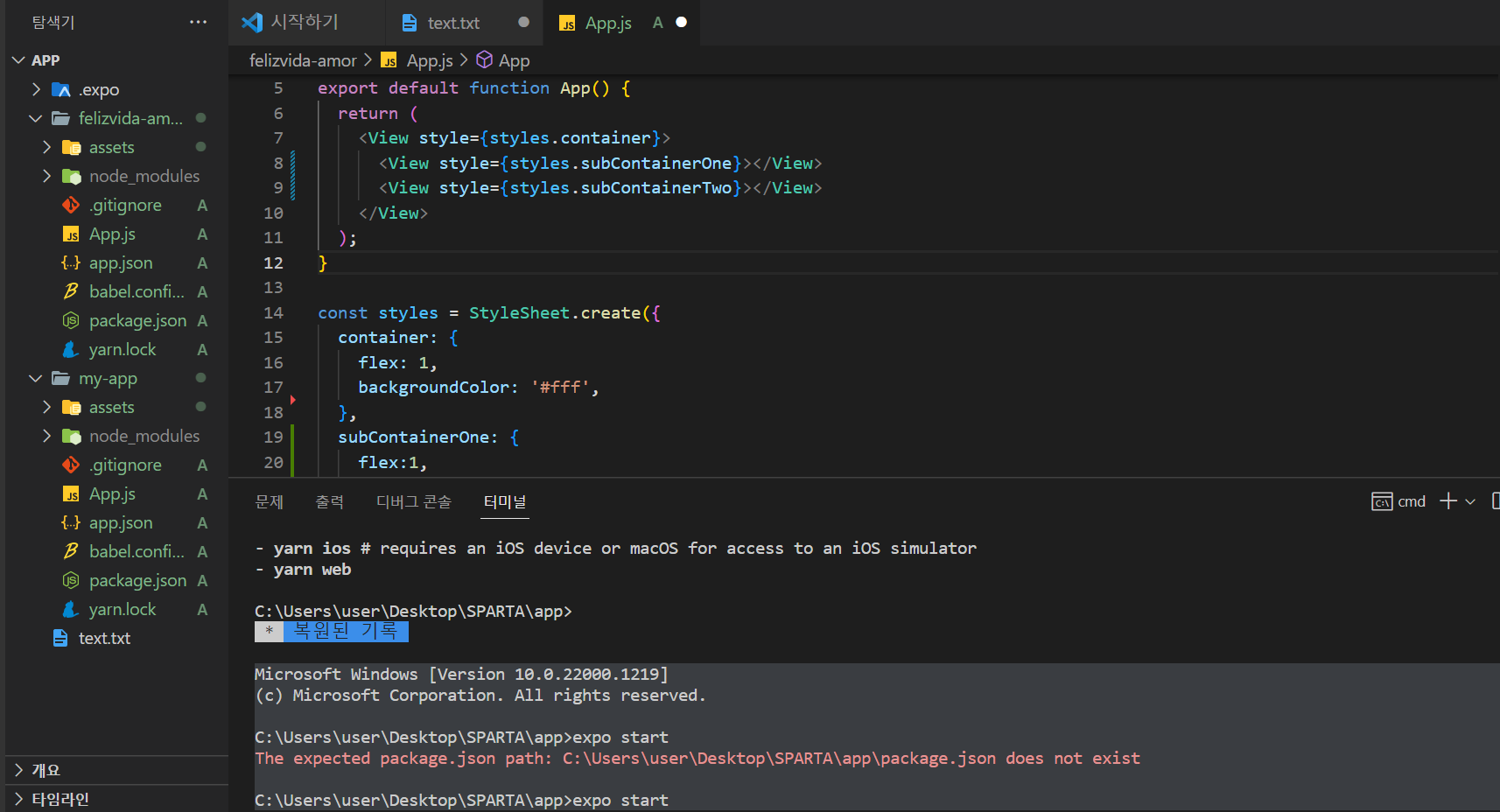
작성한 코드 및 에러 메세지
Microsoft Windows [Version 10.0.22000.1219]
(c) Microsoft Corporation. All rights reserved.
C:\Users\user\Desktop\SPARTA\app>expo start
The expected package.json path: C:\Users\user\Desktop\SPARTA\app\package.json does not exist
C:\Users\user\Desktop\SPARTA\app>expo start
The expected package.json path: C:\Users\user\Desktop\SPARTA\app\package.json does not exist
C:\Users\user\Desktop\SPARTA\app>expo start
The expected package.json path: C:\Users\user\Desktop\SPARTA\app\package.json does not exist
C:\Users\user\Desktop\SPARTA\app>expo init
Migrate to using:
› npx create-expo-app --template
√ What would you like to name your app? ... my-app
√ Choose a template: » blank a minimal app as clean as an empty canvas
√ Downloaded template.
🧶 Using Yarn to install packages. Pass --npm to use npm instead.
√ Installed JavaScript dependencies.
✅ Your project is ready!
To run your project, navigate to the directory and run one of the following yarn commands.
- cd my-app
- yarn start # you can open iOS, Android, or web from here, or run them directly with the commands below.
- yarn android
- yarn ios # requires an iOS device or macOS for access to an iOS simulator
- yarn web
C:\Users\user\Desktop\SPARTA\app>expo start
The expected package.json path: C:\Users\user\Desktop\SPARTA\app\package.json does not exist
C:\Users\user\Desktop\SPARTA\app>^S
* 복원된 기록
Microsoft Windows [Version 10.0.22000.1219]
(c) Microsoft Corporation. All rights reserved.
C:\Users\user\Desktop\SPARTA\app>expo start
The expected package.json path: C:\Users\user\Desktop\SPARTA\app\package.json does not exist
C:\Users\user\Desktop\SPARTA\app>expo init
Migrate to using:
› npx create-expo-app --template
√ What would you like to name your app? ... my-app
√ Choose a template: » blank a minimal app as clean as an empty canvas
√ Downloaded template.
🧶 Using Yarn to install packages. Pass --npm to use npm instead.
√ Installed JavaScript dependencies.
✅ Your project is ready!
To run your project, navigate to the directory and run one of the following yarn commands.
- cd my-app
- yarn start # you can open iOS, Android, or web from here, or run them directly with the commands below.
- yarn android
- yarn ios # requires an iOS device or macOS for access to an iOS simulator
- yarn web
C:\Users\user\Desktop\SPARTA\app>cd
C:\Users\user\Desktop\SPARTA\app
C:\Users\user\Desktop\SPARTA\app>expo init
Migrate to using:
› npx create-expo-app --template
√ What would you like to name your app? ... my-app
The directory my-app has files that might be overwritten:
App.js
app.json
assets
babel.config.js
node_modules
package.json
yarn.lock
Try using a new directory name, or moving these files.
C:\Users\user\Desktop\SPARTA\app>expo start
The expected package.json path: C:\Users\user\Desktop\SPARTA\app\package.json does not exist
C:\Users\user\Desktop\SPARTA\app>


