


4-7에서 코드스니펫 넣었는데 에러는 나지 않지만 카드를 눌러보면 이렇게 검은 화면만 떠요.
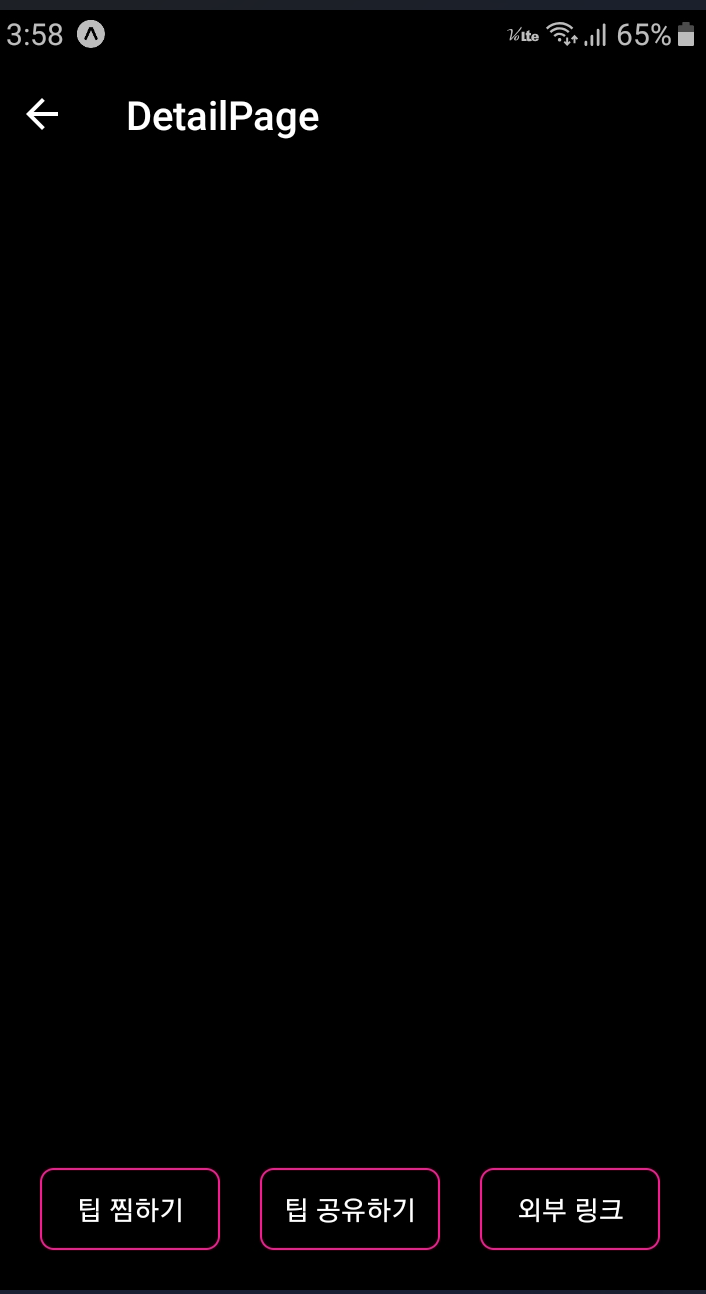
작성한 코드 및 에러 메세지
card.js
import React from 'react';
import {View, Image, Text, StyleSheet,TouchableOpacity} from 'react-native'
//MainPage로 부터 navigation 속성을 전달받아 Card 컴포넌트 안에서 사용
export default function Card({content,navigation}){
return(
//카드 자체가 버튼역할로써 누르게되면 상세페이지로 넘어가게끔 TouchableOpacity를 사용
<TouchableOpacity style={styles.card} onPress={()=>{navigation.navigate('DetailPage',{idx:content.idx})}}>
<Image style={styles.cardImage} source={{uri:content.image}}/>
<View style={styles.cardText}>
<Text style={styles.cardTitle} numberOfLines={1}>{content.title}</Text>
<Text style={styles.cardDesc} numberOfLines={3}>{content.desc}</Text>
<Text style={styles.cardDate}>{content.date}</Text>
</View>
</TouchableOpacity>
)
}
const styles = StyleSheet.create({
card:{
flex:1,
flexDirection:"row",
margin:10,
borderBottomWidth:0.5,
borderBottomColor:"#eee",
paddingBottom:10
},
cardImage: {
flex:1,
width:100,
height:100,
borderRadius:10,
},
cardText: {
flex:2,
flexDirection:"column",
marginLeft:10,
},
cardTitle: {
fontSize:20,
fontWeight:"700"
},
cardDesc: {
fontSize:15
},
cardDate: {
fontSize:10,
color:"#A6A6A6",
}
});
detailpage.js
import React,{useState,useEffect} from 'react';
import { StyleSheet, Text, View, Image, ScrollView,TouchableOpacity,Alert,Share } from 'react-native';
import * as Linking from 'expo-linking';
import {firebase_db} from "../firebaseConfig"
export default function DetailPage({navigation,route}) {
const [tip, setTip] = useState({
"idx":9,
"category":"재테크",
"title":"렌탈 서비스 금액 비교해보기",
"image": "https://storage.googleapis.com/sparta-image.appspot.com/lecture/money1.png",
"desc":"요즘은 정수기, 공기 청정기, 자동차나 장난감 등 다양한 대여서비스가 활발합니다. 사는 것보다 경제적이라고 생각해 렌탈 서비스를 이용하는 분들이 늘어나고 있는데요. 다만, 이런 렌탈 서비스 이용이 하나둘 늘어나다 보면 그 금액은 겉잡을 수 없이 불어나게 됩니다. 특히, 렌탈 서비스는 빌려주는 물건의 관리비용까지 포함된 것이기에 생각만큼 저렴하지 않습니다. 직접 관리하며 사용할 수 있는 물건이 있는지 살펴보고, 렌탈 서비스 항목에서 제외해보세요. 렌탈 비용과 구매 비용, 관리 비용을 여러모로 비교해보고 고민해보는 것이 좋습니다. ",
"date":"2020.09.09"
})
useEffect(()=>{
console.log(route)
navigation.setOptions({
title:route.params.title,
headerStyle: {
backgroundColor: '#000',
shadowColor: "#000",
},
headerTintColor: "#fff",
})
//넘어온 데이터는 route.params에 들어 있습니다.
const { idx } = route.params;
firebase_db.ref('/tip/'+idx).once('value').then((snapshot) => {
let tip = snapshot.val();
setTip(tip)
});
},[])
const popup = () => {
Alert.alert("팝업!!")
}
const share = () => {
Share.share({
message:`${tip.title} \n\n ${tip.desc} \n\n ${tip.image}`,
});
}
const link = () => {
Linking.openURL("https://spartacodingclub.kr")
}
return (
// ScrollView에서의 flex 숫자는 의미가 없습니다. 정확히 보여지는 화면을 몇등분 하지 않고
// 화면에 넣은 컨텐츠를 모두 보여주려 스크롤 기능이 존재하기 때문입니다.
// 여기선 내부의 컨텐츠들 영역을 결정짓기 위해서 height 값과 margin,padding 값을 적절히 잘 이용해야 합니다.
<ScrollView style={styles.container}>
<Image style={styles.image} source={{uri:tip.image}}/>
<View style={styles.textContainer}>
<Text style={styles.title}>{tip.title}</Text>
<Text style={styles.desc}>{tip.desc}</Text>
<View style={styles.buttonGroup}>
<TouchableOpacity style={styles.button} onPress={()=>popup()}><Text style={styles.buttonText}>팁 찜하기</Text></TouchableOpacity>
<TouchableOpacity style={styles.button} onPress={()=>share()}><Text style={styles.buttonText}>팁 공유하기</Text></TouchableOpacity>
<TouchableOpacity style={styles.button} onPress={()=>link()}><Text style={styles.buttonText}>외부 링크</Text></TouchableOpacity>
</View>
</View>
</ScrollView>
)
}
const styles = StyleSheet.create({
container:{
backgroundColor:"#000"
},
image:{
height:400,
margin:10,
marginTop:40,
borderRadius:20
},
textContainer:{
padding:20,
justifyContent:'center',
alignItems:'center'
},
title: {
fontSize:20,
fontWeight:'700',
color:"#eee"
},
desc:{
marginTop:10,
color:"#eee"
},
buttonGroup: {
flexDirection:"row",
},
button:{
width:90,
marginTop:20,
marginRight:10,
marginLeft:10,
padding:10,
borderWidth:1,
borderColor:'deeppink',
borderRadius:7
},
buttonText:{
color:'#fff',
textAlign:'center'
}
})


