


3강까지 수강중인데 아래와 같이 박스가 나오지 않습니다.
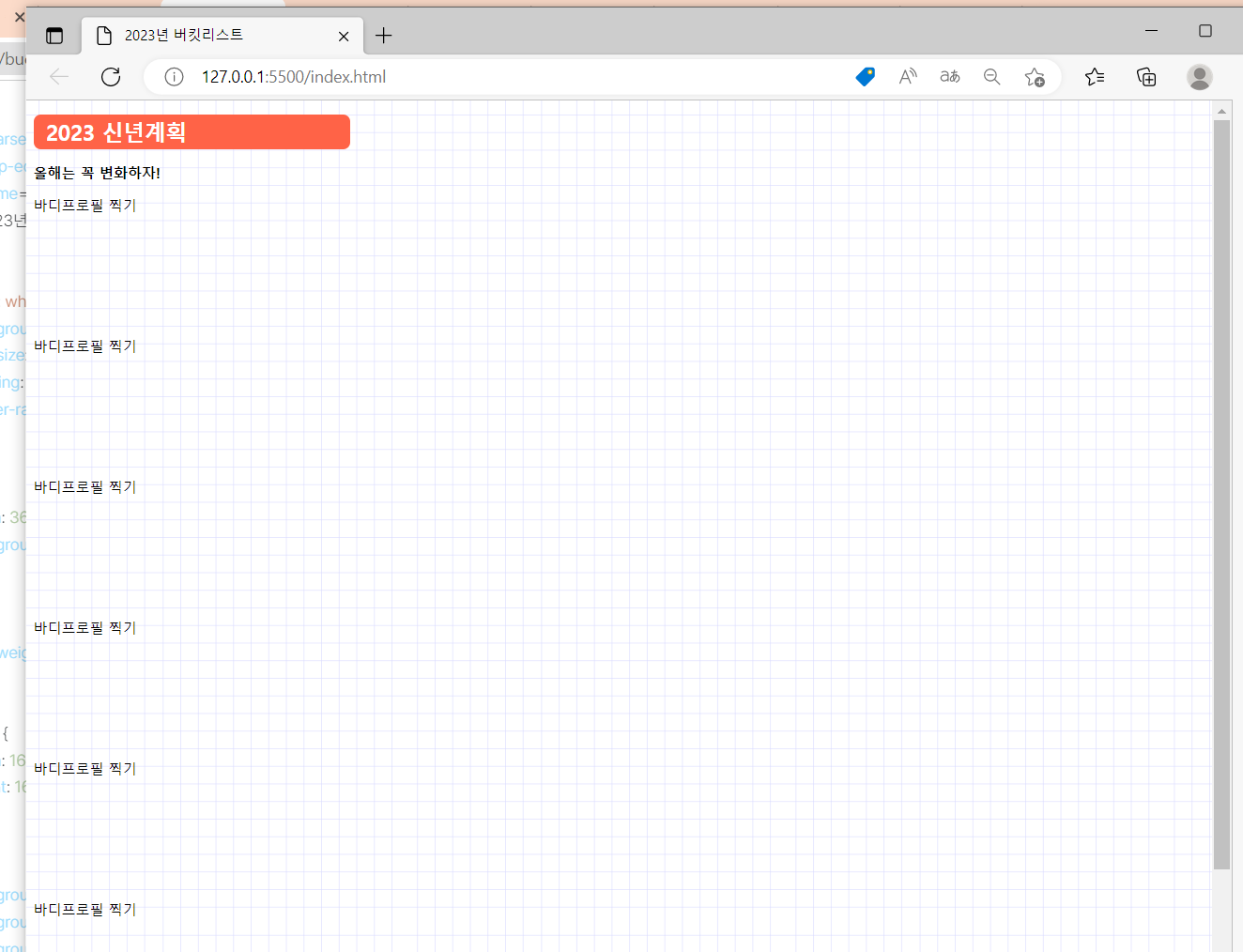
작성한 코드 및 에러 메세지
오류 발생 시, 작성한 코드 전체와 에러 메시지를 첨부해 주세요.
Tip 1) <!DOCTYPE html>
<html lang="en">
<head>
<meta charset="UTF-8">
<meta http-equiv="X-UA-Compatible" content="IE=edge">
<meta name="viewport" content="width=device-width, initial-scale=1.0">
<title>2023년 버킷리스트</title>
<style>
.title {
color: white;
background-color: tomato;
font-size: 24px;
padding: 4px 14px;
border-radius: 8px;
}
.bg {
width: 360px;
background-image: url("https://s3.ap-northeast-2.amazonaws.com/materials.spartacodingclub.kr/bucketList/bg-grid.png");
}
.msg {
font-weight: bold;
}
.bucket {
width: 160px;
height: 160px;
}
.img1 {
background-image: url("https://s3.ap-northeast-2.amazonaws.com/materials.spartacodingclub.kr/bucketList/bucket-red.png");
background-size: cover;
background-position: center;
}
.img2 {
background-image: url("https://s3.ap-northeast-2.amazonaws.com/materials.spartacodingclub.kr/bucketList/bucket-lightred.png");
background-size: cover;
background-position: center;
}
</style>
</head>
<body class="bg">
<h1 class="title">2023 신년계획</h1>
<p class="msg">올해는 꼭 변화하자!</p>
<div class="row">
<div class="bucket" img1>바디프로필 찍기</div>
<div class="bucket" img2>바디프로필 찍기</div>
<div class="bucket" img2>바디프로필 찍기</div>
<div class="bucket" img1>바디프로필 찍기</div>
<div class="bucket" img1>바디프로필 찍기</div>
<div class="bucket" img2>바디프로필 찍기</div>
</div>
<head>
<meta charset="UTF-8">
<meta http-equiv="X-UA-Compatible" content="IE=edge">
<meta name="viewport" content="width=, initial-scale=1.0">
<title>Document</title>
</head>
<body>
</body>
</html>
</p>
</body>
</html></> 아이콘을 눌러 코드박스를 만들어 보세요.
Tip 2) Ctrl+A(맥의 경우 Command+A) 단축키로 코드를 한 번에 선택할 수 있어요!


