


* 겪고 있는 문제 상황을 최대한 자세하게 작성해주세요.
* 문제 해결을 위해 어떤 시도를 해보았는지 구체적으로 함께 알려주세요.
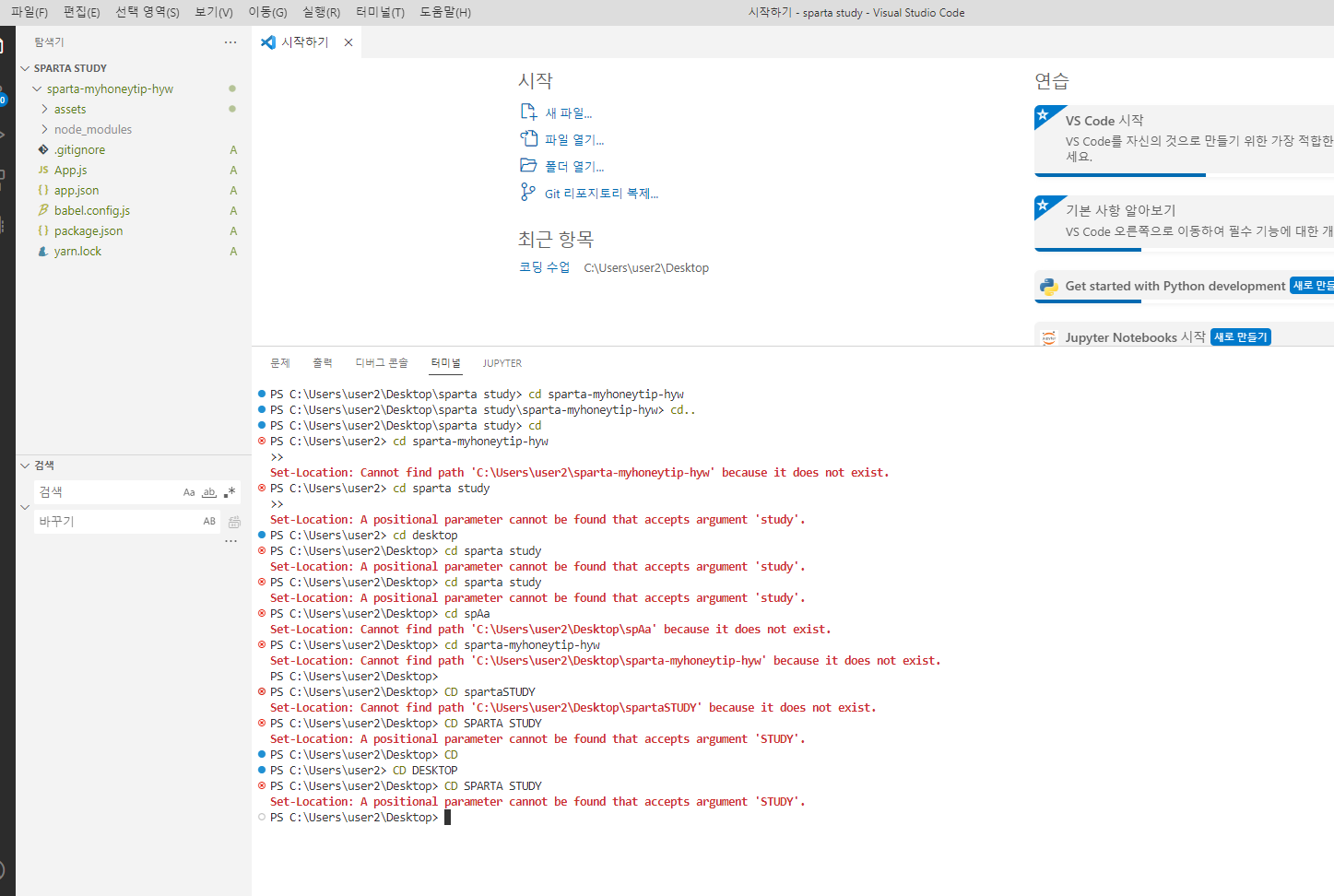
작성한 코드 및 에러 메세지
오류 발생 시, 작성한 코드 전체와 에러 메시지를 첨부해 주세요.
Tip 1) </> 아이콘을 눌러 코드박스를 만들어 보세요.
Tip 2) Ctrl+A(맥의 경우 CPS C:\Users\user2\Desktop\sparta study> expo init sparta-myhoneytip-
Migrate to using:
› npx create-expo-app --template
PS C:\Users\user2\Desktop\sparta study> cd sparta-myhoneytip-hyw
PS C:\Users\user2\Desktop\sparta study\sparta-myhoneytip-hyw> cd..
PS C:\Users\user2\Desktop\sparta study> cd
PS C:\Users\user2> cd sparta-myhoneytip-hyw
>>
Set-Location: Cannot find path 'C:\Users\user2\sparta-myhoneytip-hyw' because it does not exist.
PS C:\Users\user2> cd sparta study
>>
Set-Location: A positional parameter cannot be found that accepts argument 'study'.
PS C:\Users\user2> cd desktop
PS C:\Users\user2\Desktop> cd sparta study
Set-Location: A positional parameter cannot be found that accepts argument 'study'.
PS C:\Users\user2\Desktop> cd sparta study
Set-Location: A positional parameter cannot be found that accepts argument 'study'.
PS C:\Users\user2\Desktop> cd spAa
Set-Location: Cannot find path 'C:\Users\user2\Desktop\spAa' because it does not exist.
PS C:\Users\user2\Desktop> cd sparta-myhoneytip-hyw
Set-Location: Cannot find path 'C:\Users\user2\Desktop\sparta-myhoneytip-hyw' because it does not exist.
PS C:\Users\user2\Desktop>
PS C:\Users\user2\Desktop> CD spartaSTUDY
Set-Location: Cannot find path 'C:\Users\user2\Desktop\spartaSTUDY' because it does not exist.
PS C:\Users\user2\Desktop> CD SPARTA STUDY
Set-Location: A positional parameter cannot be found that accepts argument 'STUDY'.
PS C:\Users\user2\Desktop> CD
PS C:\Users\user2> CD DESKTOP
PS C:\Users\user2\Desktop> CD SPARTA STUDY
Set-Location: A positional parameter cannot be found that accepts argument 'STUDY'.
PS C:\Users\user2\Desktop> ommand+A) 단축키로 코드를 한 번에 선택할 수 있어요!


