


* 겪고 있는 문제 상황을 최대한 자세하게 작성해주세요.
* 문제 해결을 위해 어떤 시도를 해보았는지 구체적으로 함께 알려주세요.
npx expo install expo-build-properties
설치후 android connection shut down.
보
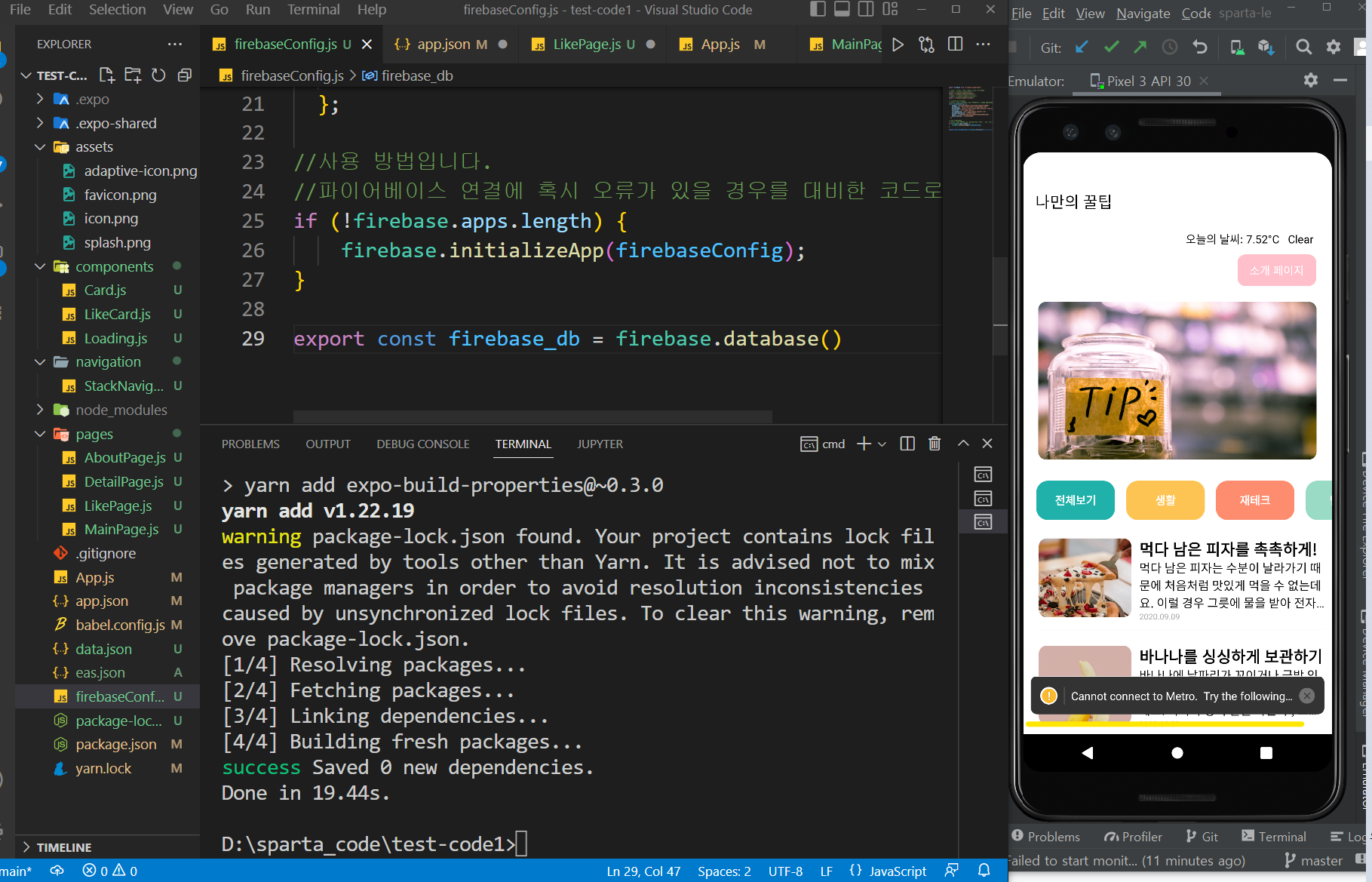
고 계신 화면 전체를 캡처해 주시면, 튜터님들이 빠르게 상황을 이해할 수 있어요.
작성한 코드 및 에러 메세지
D:\sparta_code\test-code1>npx expo install expo-build-properties
npm WARN config global `--global`, `--local` are deprecated. Use `--location=global` instead.
› Installing 1 SDK 46.0.0 compatible native module using Yarn
> yarn add expo-build-properties@~0.3.0
yarn add v1.22.19
warning package-lock.json found. Your project contains lock files generated by tools other than Yarn. It is advised not to mix package managers in order to avoid resolution inconsistencies
caused by unsynchronized lock files. To clear this warning, remove package-lock.json.
[1/4] Resolving packages...
[2/4] Fetching packages...
[3/4] Linking dependencies...
[4/4] Building fresh packages...
success Saved 0 new dependencies.
Done in 19.44s.
D:\sparta_code\test-code1>오류 발생 시, 작성한 코드 전체와 에러 메시지를 첨부해 주세요.
Tip 1) </> 아이콘을 눌러 코드박스를 만들어 보세요.
Tip 2) Ctrl+A(맥의 경우 Command+A) 단축키로 코드를 한 번에 선택할 수 있어요!


