


2주차 복습하는과정입니다. Button 과 image 과정에서 교육에서는 영역안에 버튼이 존재하는데, 제가 직접 쳐서 만든 코드로는 영역안에 들어가지않고, 이미지처럼 경계를 지고 나오네요....ㅜㅜ 제가 코드를 비교했을땐, Text다음 버튼 똑같이 한거같은데, 뭐가 문제일까요?
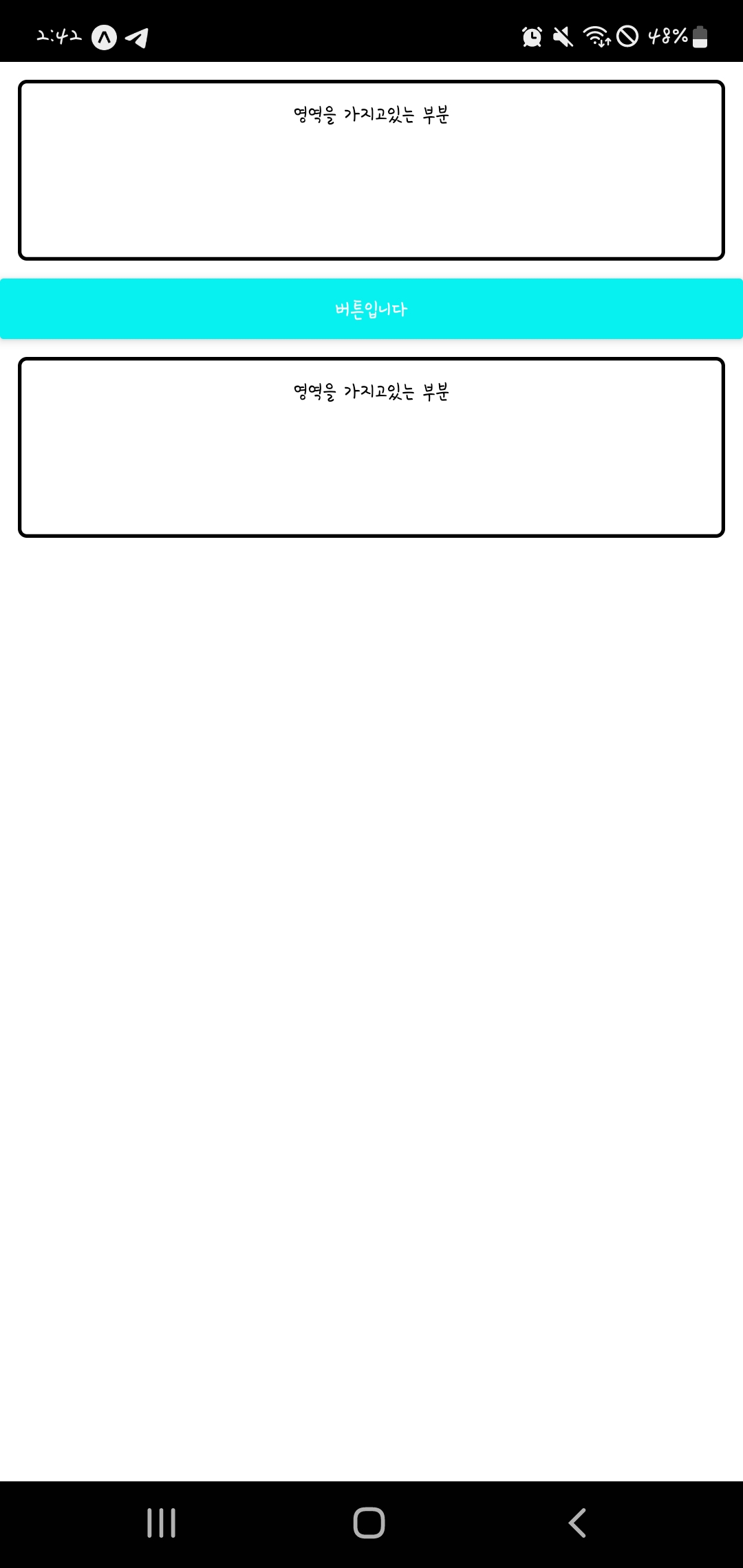
작성한 코드 및 에러 메세지
import React from 'react';
import { StyleSheet, Text, View, Button, Alert } from 'react-native';
export default function App() {
return (
<View style={styles.container}>
<View style={styles.textContainer}>
<Text style={styles.textStyle}>아래 버튼을 눌러주세요</Text>
<Button
style={styles.buttonStyle}
title="버튼입니다 "
color="#f194ff"
onPress={function(){
Alert.alert('팝업 알람입니다!!')
}}
/>
{/* ES6 문법으로 배웠던 화살표 함수로 연결 할 수도 있습니다. */}
<Button
style={styles.buttonStyle}
title="버튼입니다 "
color="#FF0000"
onPress={()=>{
Alert.alert('팝업 알람입니다!!')
}}
/></View></View>);}
const styles = StyleSheet.create({
container: {
flex: 1,
backgroundColor: '#fff',
},
textContainer: {
height:100,
margin:10,
},
textStyle: {
textAlign:"center"
},
});
import React from "react";
import {
  StyleSheet,
  Text,
  View,
  ScrollView,
  Button,
  Alert,
} from "react-native";


export default function MainPage() {
  return (
    <ScrollView style={styles.title}>
      <View style={styles.titlecontainer}>

        <Text style={styles.smalltitle}>영역을 가지고있는 부분</Text>
        <Button style={styles.buttonStyle} title="버튼입니다" color='#07f1f1'
            onPress={function () {
            Alert.alert("알람");
          }}
        />
      </View>
         <View style={styles.titlecontainer}>
        <Text style={styles.smalltitle}>영역을 가지고있는 부분</Text>
      </View>
    </ScrollView>
  );
}
const styles = StyleSheet.create({
  title: {
    flex: 1,
    backgroundColor: "#fff",
  },
  smalltitle: {
    borderColor: "#000",
    borderWidth: 2,
    borderRadius: 5,
    margin: 10,
    padding: 10,
    height:100,
    textAlign: "center",
  },
  buttonStyle:{
   backgroundColor: '#07f1f1',
  },
});


