


* 겪고 있는 문제 상황을 최대한 자세하게 작성해주세요.
* 문제 해결을 위해 어떤 시도를 해보았는지 구체적으로 함께 알려주세요.
"엑스포 상태바 설치" 이후 연결되어 있다가 혼자 Metro 끊어 져요
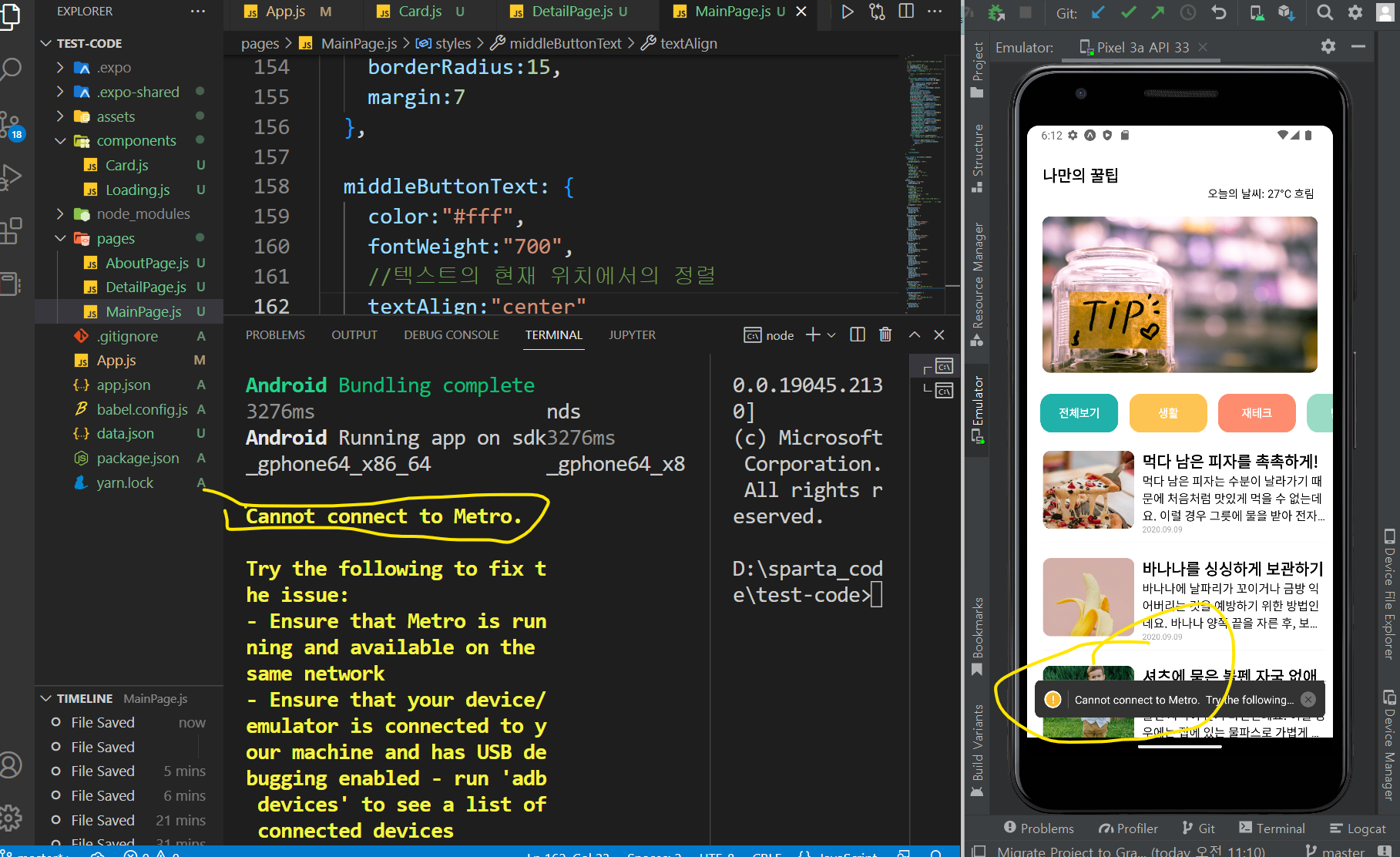
작성한 코드 및 에러 메세지
Cannot connect to Metro.
Try the following to fix the issue:
- Ensure that Metro is running and available on the
same network
- Ensure that your device/emulator is connected to your machine and has USB debugging enabled - run 'adb devices' to see a list of connected devices
- If you're on a physical
device connected to the same machine, run 'adb reverse tcp:8081 tcp:8081' to forward requests from your
device
- If your device is on the same Wi-Fi network, set 'Debug server host & port for device' in 'Dev settings' to your machine's IP address and the port of the
local dev server - e.g. 10.0.1.1:8081
URL: 5j-3s3.syang-lee.test-code.exp.direct:80
Error: null
at node_modules\expo\build\environment\react-native-logs.fx.js:null in warn
at node_modules\react-native\Libraries\Utilities\HMRClient.js:null in setHMRUnavailableReason
at node_modules\react-native\Libraries\Utilities\HMRClient.js:null in client.on$argument_1
at node_modules\metro-runtime\src\modules\vendor\eventemitter3.js:null in emitat node_modules\metro-runtime\src\modules\HMRClient.js:null in _ws.onerror
at node_modules\event-target-shim\dist\event-target-shim.js:null in EventTarget.prototype.dispatchEvent
at node_modules\react-native\Libraries\WebSocket\WebSocket.js:null in _eventEmitter.addListener$argument_1
at node_modules\react-native\Libraries\vendor\emitter\_EventEmitter.js:null in EventEmitter#emit
at node_modules\react-native\Libraries\BatchedBridge\MessageQueue.js:null in __callFunction
at node_modules\react-native\Libraries\BatchedBridge\MessageQueue.js:null in __guard$argument_0
at node_modules\react-native\Libraries\BatchedBridge\MessageQueue.js:null in __guard
at node_modules\react-native\Libraries\BatchedBridge\MessageQueue.js:null in callFunctionReturnFlushedQueue
Tip 1) </> 아이콘을 눌러 코드박스를 만들어 보세요.
Tip 2) Ctrl+A(맥의 경우 Command+A) 단축키로 코드를 한 번에 선택할 수 있어요!


