커뮤니티

포인트
쿠폰
내 강의실
국비 신청 내역
증명서
계정
로그아웃
학습 질문
개발 일지
나의 활동
답변 완료
mongo DB 연결 에러 추가문의
undefined주차


제*종
댓글
7
・
추천
0
・
조회수
48
조회수
48
답변 완료
기존의 질문들을 보고 해결해 보려 했으나 실행이 되질 않아 질문드립니다.
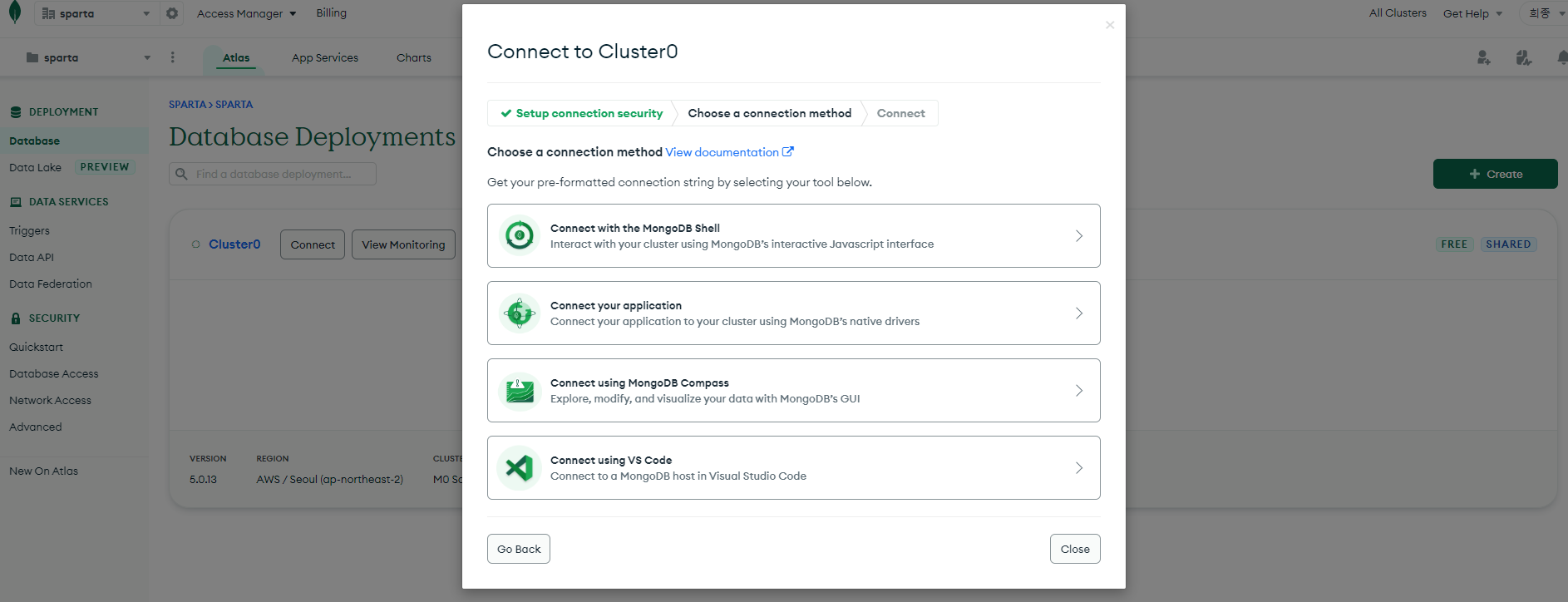
우선 강의 내용중 connect 버튼을 클릭후 "Allow Access form Anywhere" 버튼이 나오는 설정창이 나오질 않고 바로
"Choose a connection method"화면으로 넘어갑니다.
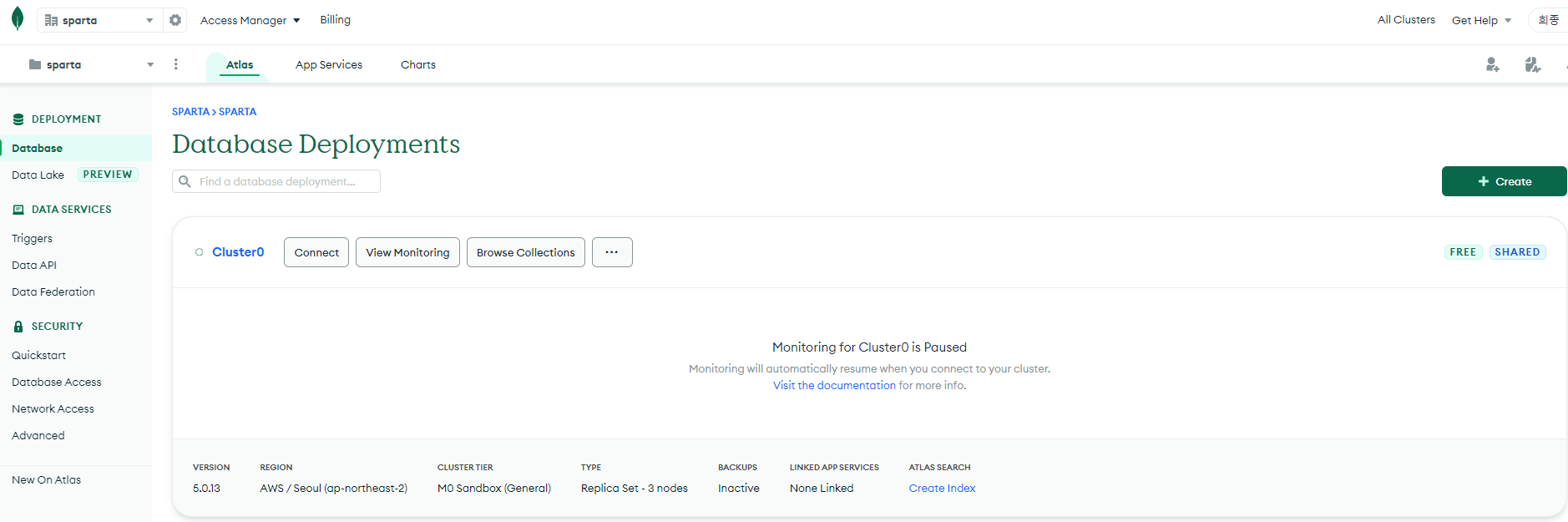
connect 클릭이후 화면
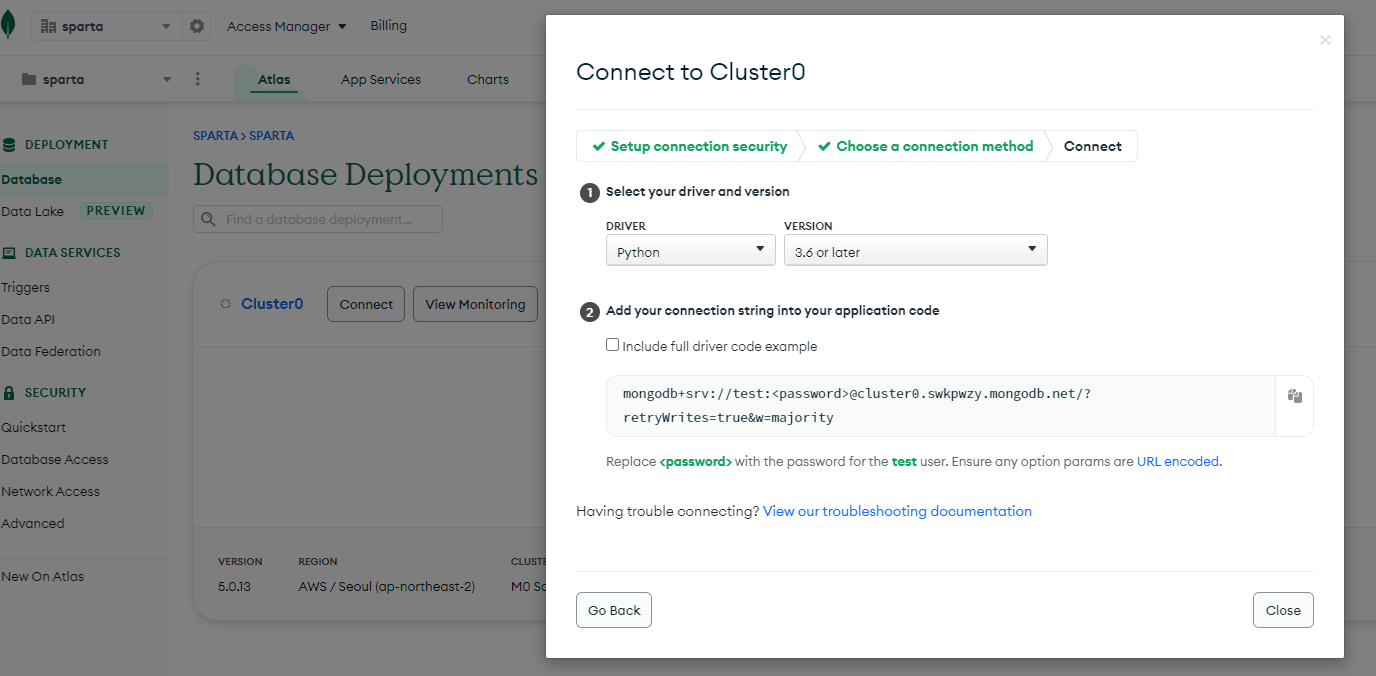
작성한 코드 및 에러 메세지
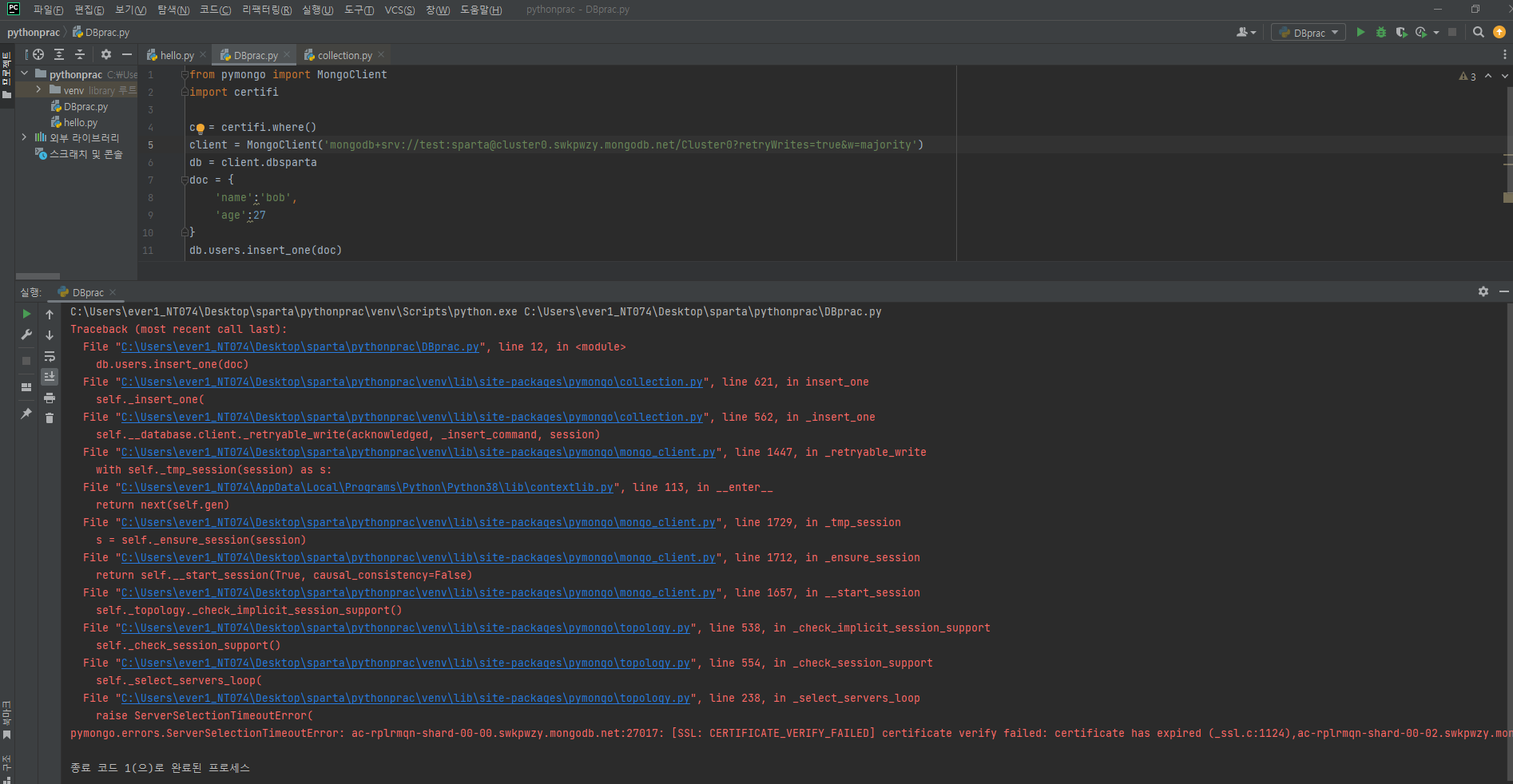
from pymongo import MongoClient
import certifi

ca = certifi.where()
client = MongoClient('mongodb+srv://test:sparta@cluster0.swkpwzy.mongodb.net/Cluster0?retryWrites=true&w=majority')
db = client.dbsparta
doc = {
    'name':'bob',
    'age':27
}
db.users.insert_one(doc)
오류 발생 시, 작성한 코드 전체와 에러 메시지를 첨부해 주세요.
Tip 1) </> 아이콘을 눌러 코드박스를 만들어 보세요.
Tip 2) Ctrl+A(맥의 경우 Command+A) 단축키로 코드를 한 번에 선택할 수 있어요!


댓글 알림
