커뮤니티

포인트
쿠폰
내 강의실
국비 신청 내역
증명서
계정
로그아웃
학습 질문
개발 일지
나의 활동
답변 완료
4주차에서 GET은 되나 POST가 안됩니다..
undefined주차


이*람
댓글
4
・
추천
0
・
조회수
15
조회수
15
답변 완료
현재 4-13 강의를 듣고 있는데 localhost:5000 하면 get연결 완료는 되지만 db에 저장이 안됩니다.
기록하기 클릭 시 아무 반응없고, db에 movies 폴더 생성도 안됩니다..
아래와 같이 소스코드 입력했고, 혹시 몰라 mongoDB에서도 다시 한 번 확인했는데 DB 저장이 안되서 문의 드립니다.
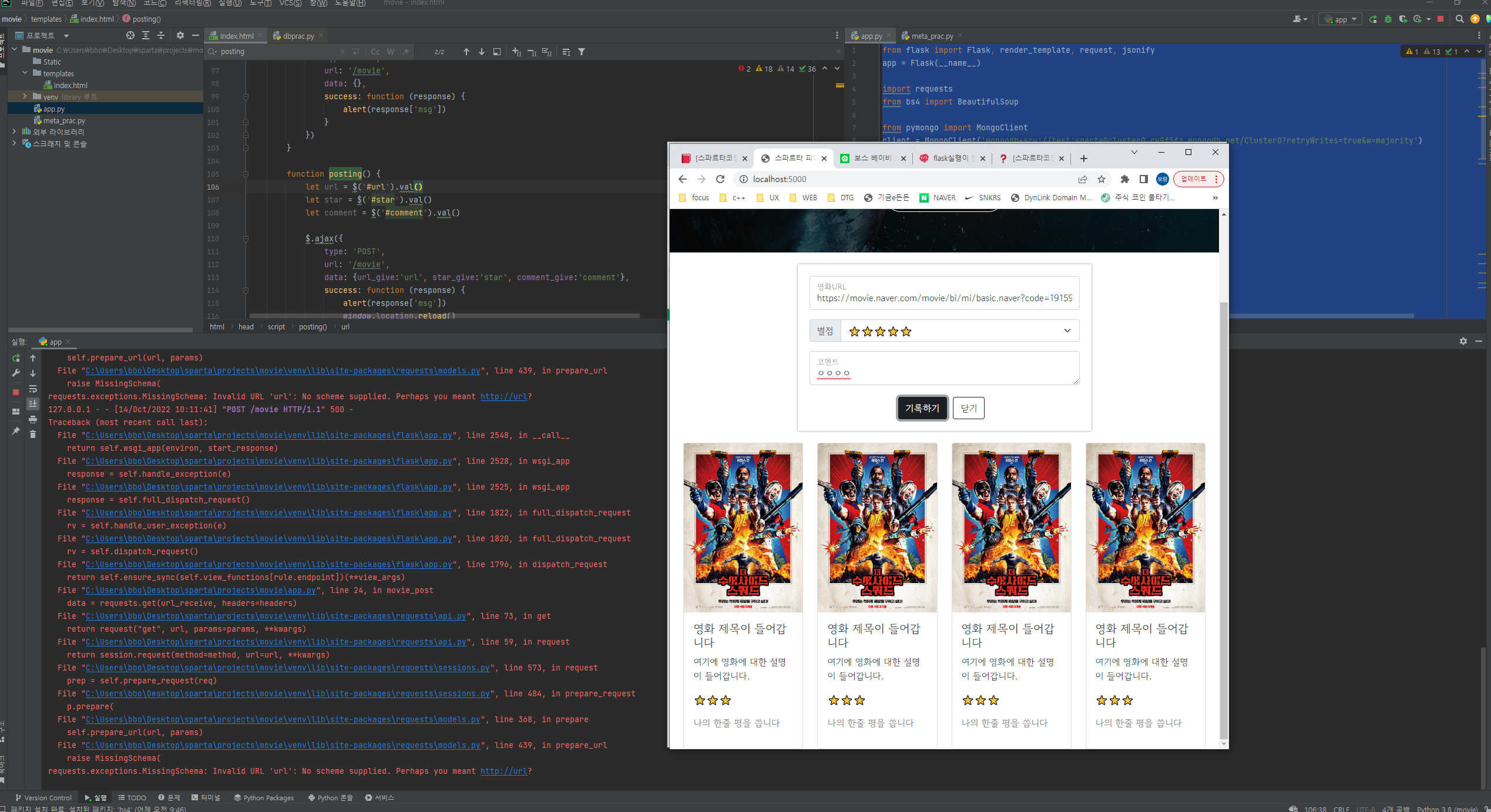
app.py 소스
from flask import Flask, render_template, request, jsonify
app = Flask(__name__)

import requests
from bs4 import BeautifulSoup

from pymongo import MongoClient
client = MongoClient('mongodb+srv://test:sparta@cluster0.ry9f5fz.mongodb.net/Cluster0?retryWrites=true&w=majority')
db = client.dbsparta

@app.route('/')
def home():
   return render_template('index.html')


@app.route("/movie", methods=["POST"])
def movie_post():
    url_receive = request.form['url_give']
    star_receive = request.form['star_give']
    comment_receive = request.form['comment_give']

    headers = {
        'User-Agent': 'Mozilla/5.0 (Windows NT 10.0; Win64; x64)AppleWebKit/537.36 (KHTML, like Gecko) Chrome/73.0.3683.86 Safari/537.36'}
    data = requests.get(url_receive, headers=headers)

    soup = BeautifulSoup(data.text, 'html.parser')

    title = soup.select_one('meta[property="og:title"]')['content']
    image = soup.select_one('meta[property="og:image"]')['content']
    desc = soup.select_one('meta[property="og:description"]')['content']

    doc = {
        'title': title,
        'image': image,
        'desc': desc,
        'star': star_receive,
        'comment': comment_receive
    }

    db.movies.insert_one(doc)

    return jsonify({'msg':'저장 완료!'})

@app.route("/movie", methods=["GET"])
def movie_get():
    return jsonify({'msg':'GET 연결 완료!'})

if __name__ == '__main__':
   app.run('0.0.0.0', port=5000, debug=True)
index.html 소스
<script>
    $(document).ready(function(){
      listing();
    });

    function listing() {
        $.ajax({
            type: 'GET',
            url: '/movie',
            data: {},
            success: function (response) {
                alert(response['msg'])
            }
        })
    }

    function posting() {
        let url = $('#url').val()
        let star = $('#star').val()
        let comment = $('#comment').val()

        $.ajax({
            type: 'POST',
            url: '/movie',
            data: {url_give:'url', star_give:'star', comment_give:'comment'},
            success: function (response) {
                alert(response['msg'])
                window.location.reload()
            }
        });
    }

    function open_box(){
        $('#post-box').show()
    }
    function close_box(){
        $('#post-box').hide()
    }
</script>
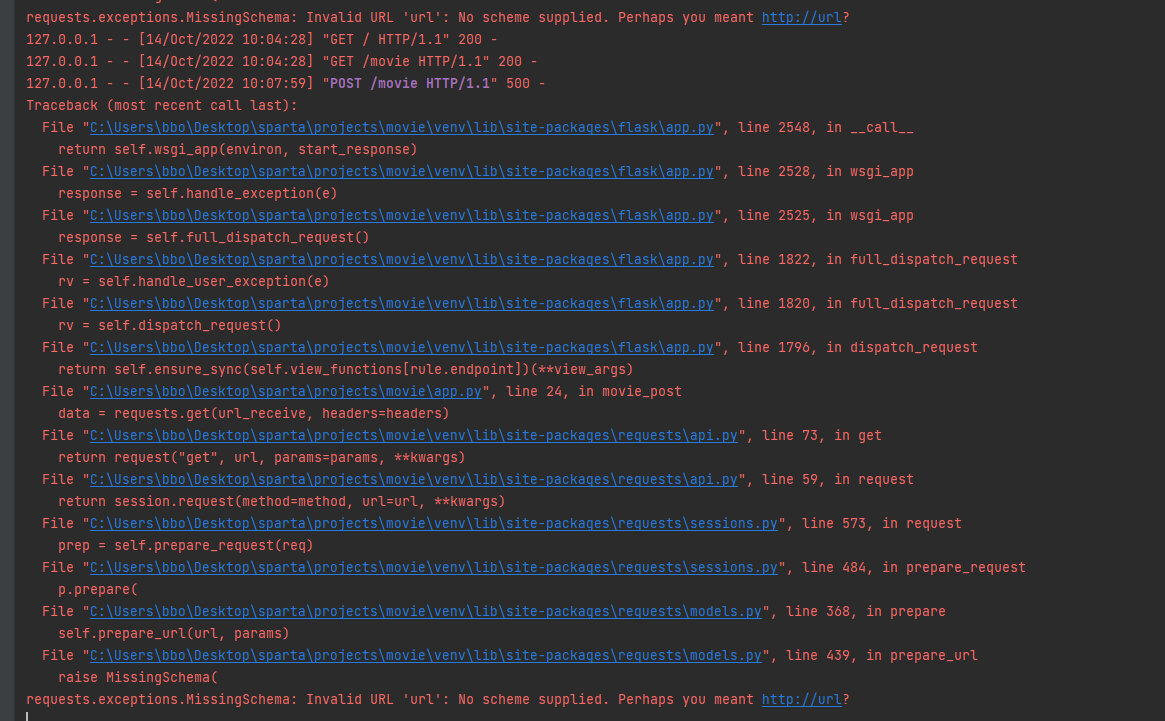
실행창


댓글 알림
