


텍스트와 이미지사이에 공간이 너무 넓어요
alignItems로 flex start공간으로 가라고 안되네요..
웹으로 보이고 있어서 그런건지
아니면
제가 모르는 텍스트와 이미지 사이공간을 좁히는 방법이 있는지요?
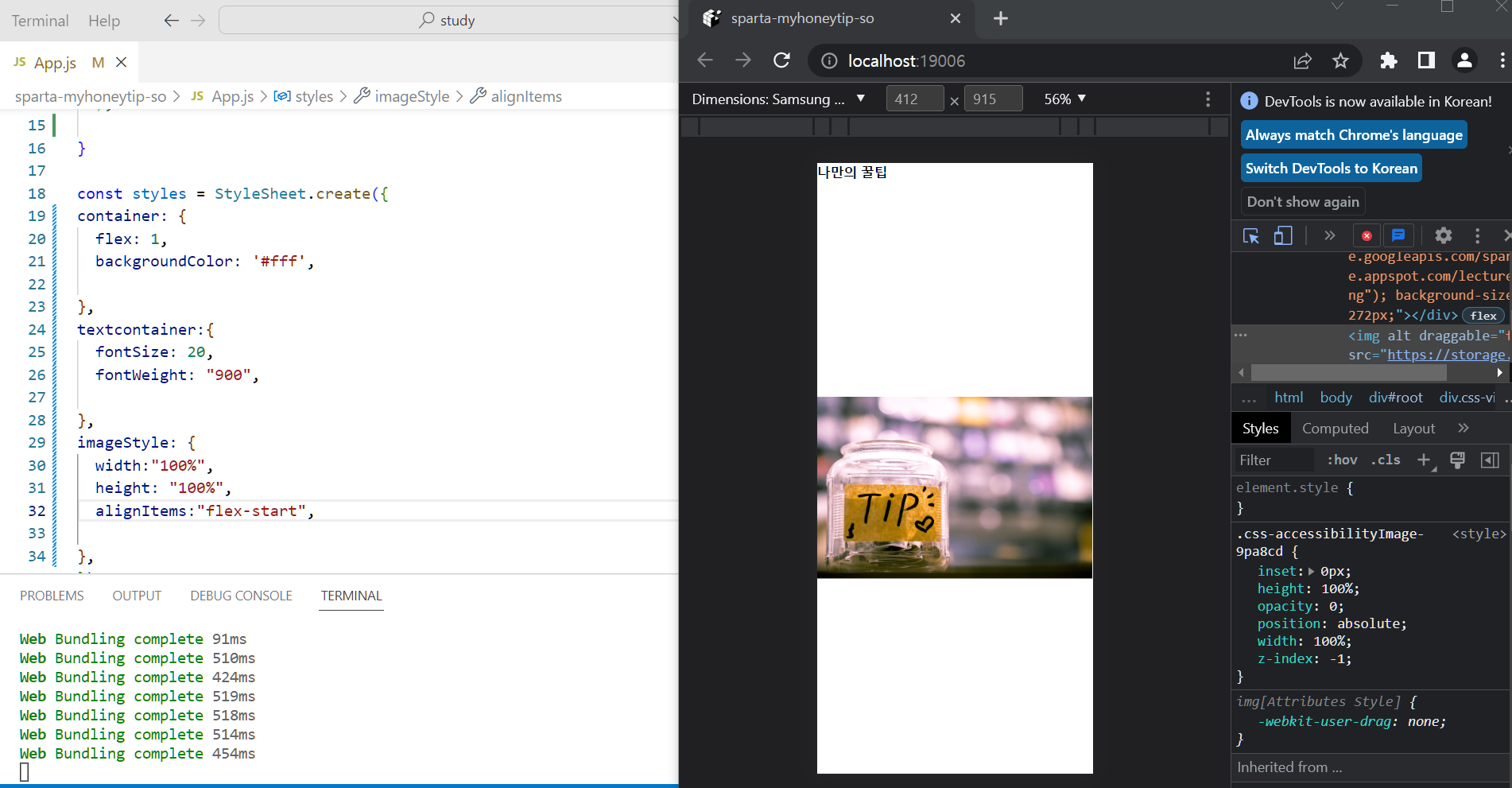
작성한 코드 및 에러 메세지
오류 발생 시, 작성한 코드 전체와 에러 메시지를 첨부해 주세요.
Tip 1) </> 아이콘을 눌러 코드import React from 'react';
import { StyleSheet, Text, View, Image, TouchableOpacity, ScrollView} from 'react-native';
export default function App() {
return (
<View style={styles.container}>
<Text style={styles.textcontainer}>나만의 꿀팁</Text>
<Image source={{uri: 'https://storage.googleapis.com/sparta-image.appspot.com/lecture/main.png'}}
resizeMode={"center"}
style={styles.imageStyle}
/>
</View>
);
}
const styles = StyleSheet.create({
container: {
flex: 1,
backgroundColor: '#fff',
},
textcontainer:{
fontSize: 20,
fontWeight: "900",
},
imageStyle: {
width:"100%",
height: "100%",
alignItems:"flex-start",
},
});박스를 만들어 보세요.
Tip 2) Ctrl+A(맥의 경우 Command+A) 단축키로 코드를 한 번에 선택할 수 있어요!


