


네비게이션 설치코드대로 모두 입력했는데도 아래와 같은 문제가 발생합니다....
다시 설치를 해도 문제가 발생하네요 ㅠㅠ
늦은시간에 올려서 죄송합니다....
천천히 답변 부탁드립니다!
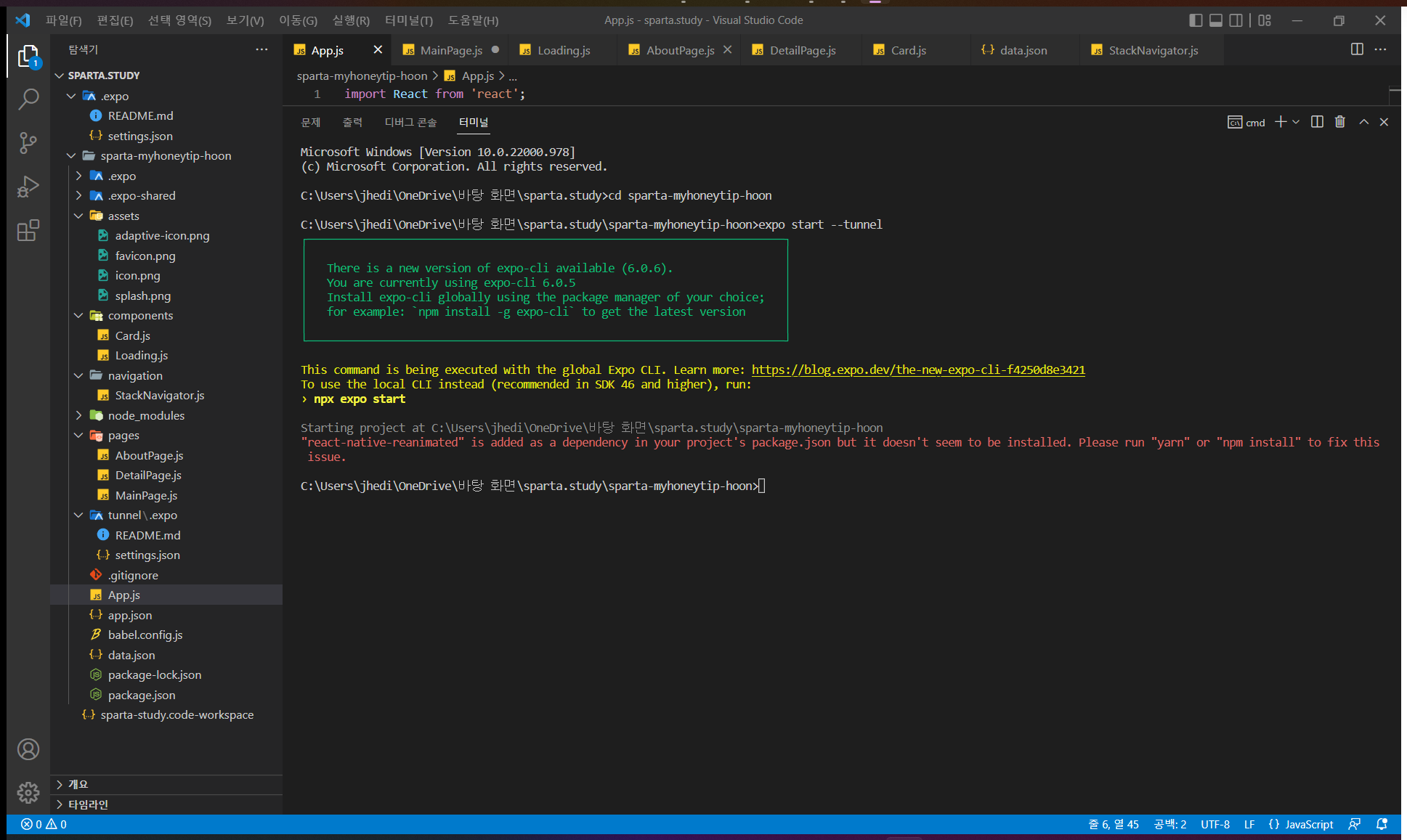
Microsoft Windows [Version 10.0.22000.978]
(c) Microsoft Corporation. All rights reserved.
C:\Users\jhedi\OneDrive\바탕 화면\sparta.study>cd sparta-myhoneytip-hoon
C:\Users\jhedi\OneDrive\바탕 화면\sparta.study\sparta-myhoneytip-hoon>expo start --tunnel
┌─────────────────────────────────────────────────────────────────────────┐
│ │
│ There is a new version of expo-cli available (6.0.6). │
│ You are currently using expo-cli 6.0.5 │
│ Install expo-cli globally using the package manager of your choice; │
│ for example: `npm install -g expo-cli` to get the latest version │
│ │
└─────────────────────────────────────────────────────────────────────────┘
This command is being executed with the global Expo CLI. Learn more: https://blog.expo.dev/the-new-expo-cli-f4250d8e3421
To use the local CLI instead (recommended in SDK 46 and higher), run:
› npx expo start
Starting project at C:\Users\jhedi\OneDrive\바탕 화면\sparta.study\sparta-myhoneytip-hoon
"react-native-reanimated" is added as a dependency in your project's package.json but it doesn't seem to be installed. Please run "yarn" or "npm install" to fix this issue.
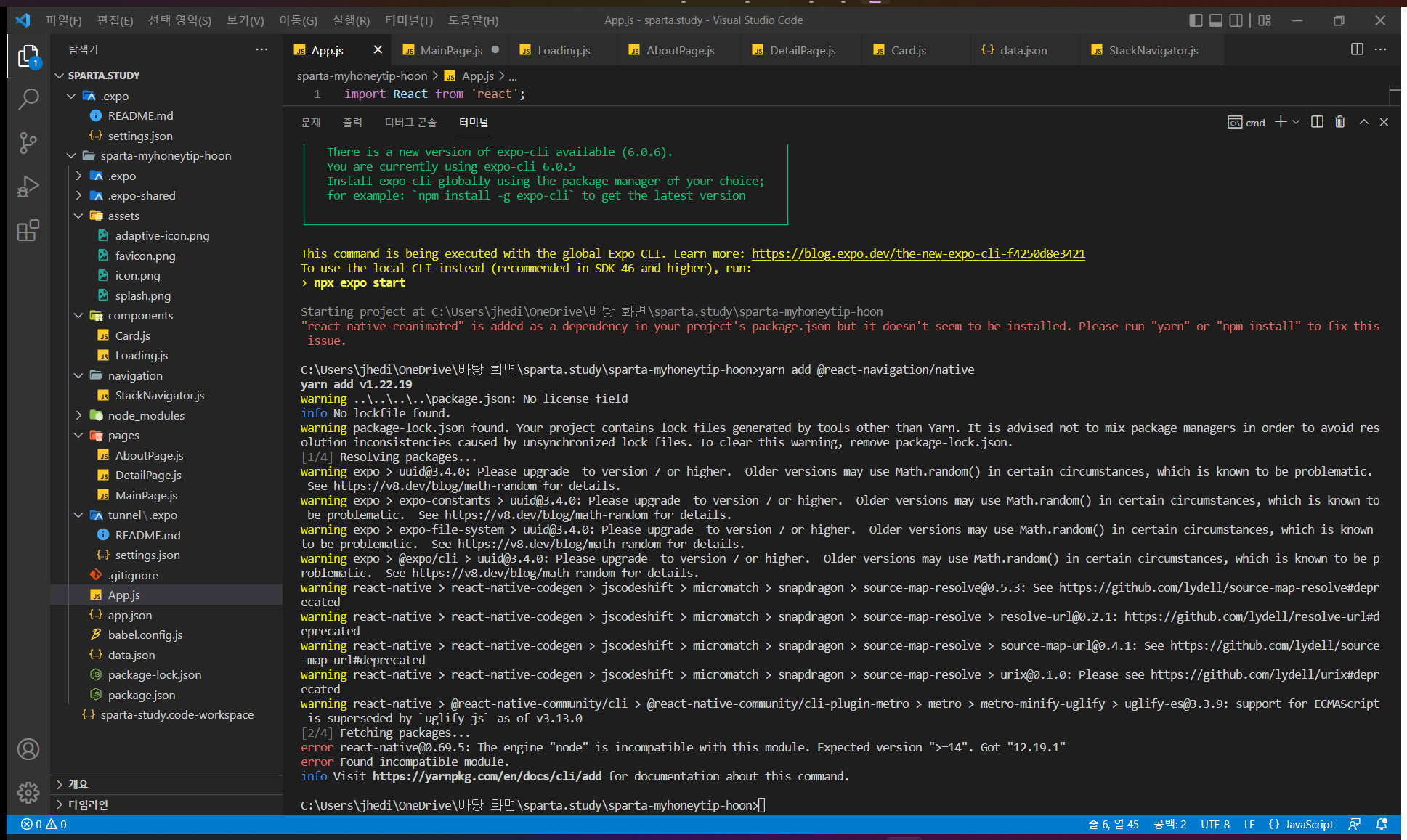
C:\Users\jhedi\OneDrive\바탕 화면\sparta.study\sparta-myhoneytip-hoon>yarn add @react-navigation/native
yarn add v1.22.19
warning ..\..\..\..\package.json: No license field
info No lockfile found.
warning package-lock.json found. Your project contains lock files generated by tools other than Yarn. It is advised not to mix package managers in order to avoid resolution inconsistencies caused by unsynchronized lock files. To clear this warning, remove package-lock.json.
[1/4] Resolving packages...
warning expo > uuid@3.4.0: Please upgrade to version 7 or higher. Older versions may use Math.random() in certain circumstances, which is known to be problematic. See https://v8.dev/blog/math-random for details.
warning expo > expo-constants > uuid@3.4.0: Please upgrade to version 7 or higher. Older versions may use Math.random() in certain circumstances, which is known to be problematic. See https://v8.dev/blog/math-random for details.
warning expo > expo-file-system > uuid@3.4.0: Please upgrade to version 7 or higher. Older versions may use Math.random() in certain circumstances, which is known to be problematic. See https://v8.dev/blog/math-random for details.
warning expo > @expo/cli > uuid@3.4.0: Please upgrade to version 7 or higher. Older versions may use Math.random() in certain circumstances, which is known to be problematic. See https://v8.dev/blog/math-random for details.
warning react-native > react-native-codegen > jscodeshift > micromatch > snapdragon > source-map-resolve@0.5.3: See https://github.com/lydell/source-map-resolve#deprecated
warning react-native > react-native-codegen > jscodeshift > micromatch > snapdragon > source-map-resolve > resolve-url@0.2.1: https://github.com/lydell/resolve-url#deprecated
warning react-native > react-native-codegen > jscodeshift > micromatch > snapdragon > source-map-resolve > source-map-url@0.4.1: See https://github.com/lydell/source-map-url#deprecated
warning react-native > react-native-codegen > jscodeshift > micromatch > snapdragon > source-map-resolve > urix@0.1.0: Please see https://github.com/lydell/urix#deprecated
warning react-native > @react-native-community/cli > @react-native-community/cli-plugin-metro > metro > metro-minify-uglify > uglify-es@3.3.9: support for ECMAScript is superseded by `uglify-js` as of v3.13.0
[2/4] Fetching packages...
error react-native@0.69.5: The engine "node" is incompatible with this module. Expected version ">=14". Got "12.19.1"
error Found incompatible module.
info Visit https://yarnpkg.com/en/docs/cli/add for documentation about this command.
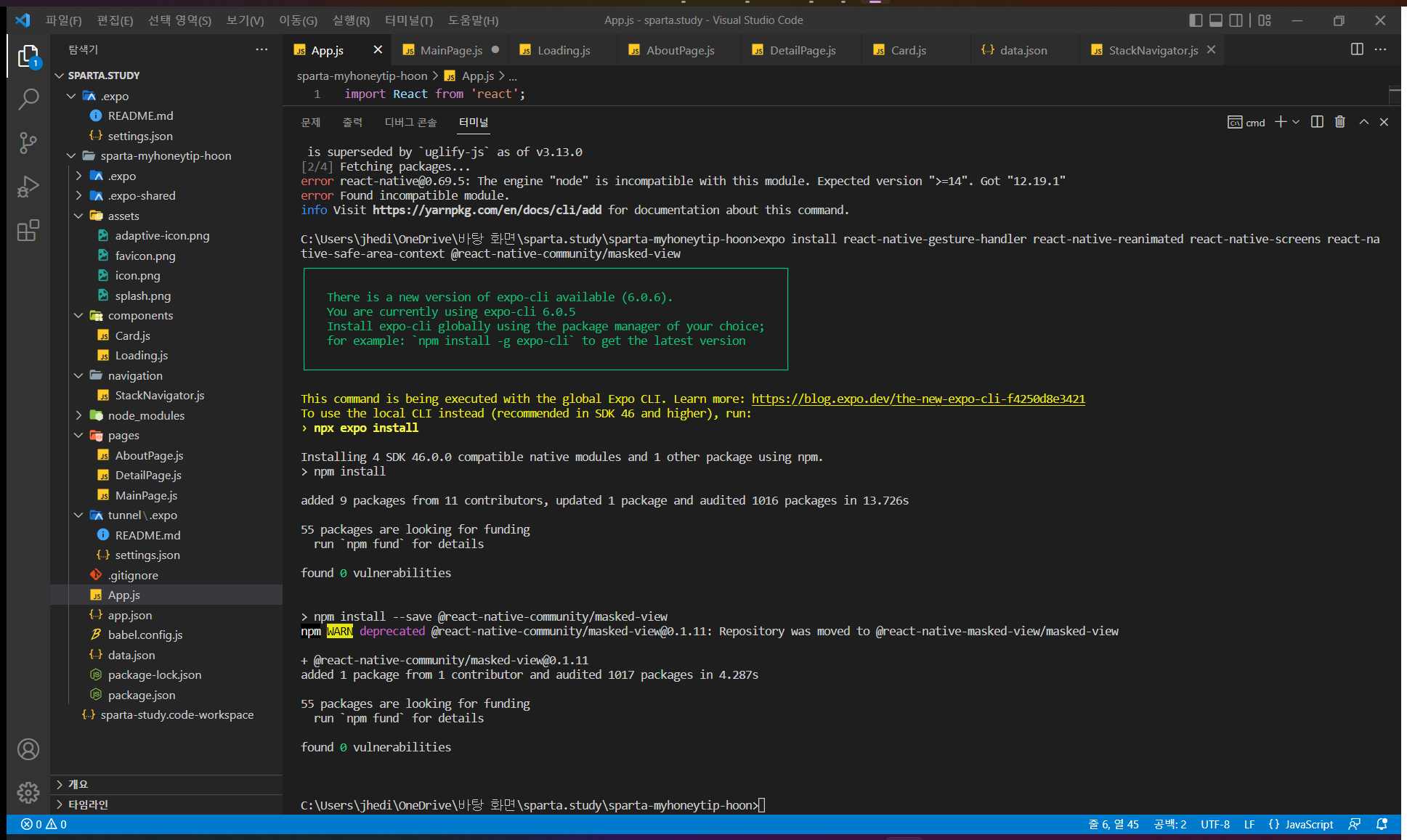
C:\Users\jhedi\OneDrive\바탕 화면\sparta.study\sparta-myhoneytip-hoon>expo install react-native-gesture-handler react-native-reanimated react-native-screens react-native-safe-area-context @react-native-community/masked-view
┌─────────────────────────────────────────────────────────────────────────┐
│ │
│ There is a new version of expo-cli available (6.0.6). │
│ You are currently using expo-cli 6.0.5 │
│ Install expo-cli globally using the package manager of your choice; │
│ for example: `npm install -g expo-cli` to get the latest version │
│ │
└─────────────────────────────────────────────────────────────────────────┘
This command is being executed with the global Expo CLI. Learn more: https://blog.expo.dev/the-new-expo-cli-f4250d8e3421
To use the local CLI instead (recommended in SDK 46 and higher), run:
› npx expo install
Installing 4 SDK 46.0.0 compatible native modules and 1 other package using npm.
> npm install
added 9 packages from 11 contributors, updated 1 package and audited 1016 packages in 13.726s
55 packages are looking for funding
run `npm fund` for details
found 0 vulnerabilities
> npm install --save @react-native-community/masked-view
npm WARN deprecated @react-native-community/masked-view@0.1.11: Repository was moved to @react-native-masked-view/masked-view
+ @react-native-community/masked-view@0.1.11
added 1 package from 1 contributor and audited 1017 packages in 4.287s
55 packages are looking for funding
run `npm fund` for details
found 0 vulnerabilities
C:\Users\jhedi\OneDrive\바탕 화면\sparta.study\sparta-myhoneytip-hoon>


