


import React from 'react';
import {View, Image, Text, StyleSheet,TouchableOpacity} from 'react-native'
//MainPage로 부터 navigation 속성을 전달받아 Card 컴포넌트 안에서 사용
export default function LikeCard({content,navigation}){
const detail = () => {
navigation.navigate('DetailPage',{idx:content.idx})
}
const remove = () => {
}
return(
//카드 자체가 버튼역할로써 누르게되면 상세페이지로 넘어가게끔 TouchableOpacity를 사용
<View style={styles.card}>
<Image style={styles.cardImage} source={{uri:content.image}}/>
<View style={styles.cardText}>
<Text style={styles.cardTitle} numberOfLines={1}>{content.title}</Text>
<Text style={styles.cardDesc} numberOfLines={3}>{content.desc}</Text>
<Text style={styles.cardDate}>{content.date}</Text>
<View style={styles.buttonGroup}>
<TouchableOpacity style={styles.button} onPress={()=>detail()}><Text style={styles.buttonText}>자세히보기</Text></TouchableOpacity>
<TouchableOpacity style={styles.button} onPress={()=>remove()}><Text style={styles.buttonText}>찜 해제</Text></TouchableOpacity>
</View>
</View>
</View>
)
}
const styles = StyleSheet.create({
card:{
flex:1,
flexDirection:"row",
margin:10,
borderBottomWidth:0.5,
borderBottomColor:"#eee",
paddingBottom:10
},
cardImage: {
flex:1,
width:100,
height:100,
borderRadius:10,
},
cardText: {
flex:2,
flexDirection:"column",
marginLeft:10,
},
cardTitle: {
fontSize:20,
fontWeight:"700"
},
cardDesc: {
fontSize:15
},
cardDate: {
fontSize:10,
color:"#A6A6A6",
},
buttonGroup: {
flexDirection:"row",
},
button:{
width:90,
marginTop:20,
marginRight:10,
marginLeft:10,
padding:10,
borderWidth:1,
borderColor:'deeppink',
borderRadius:7
},
buttonText:{
color:'deeppink',
textAlign:'center'
}
});
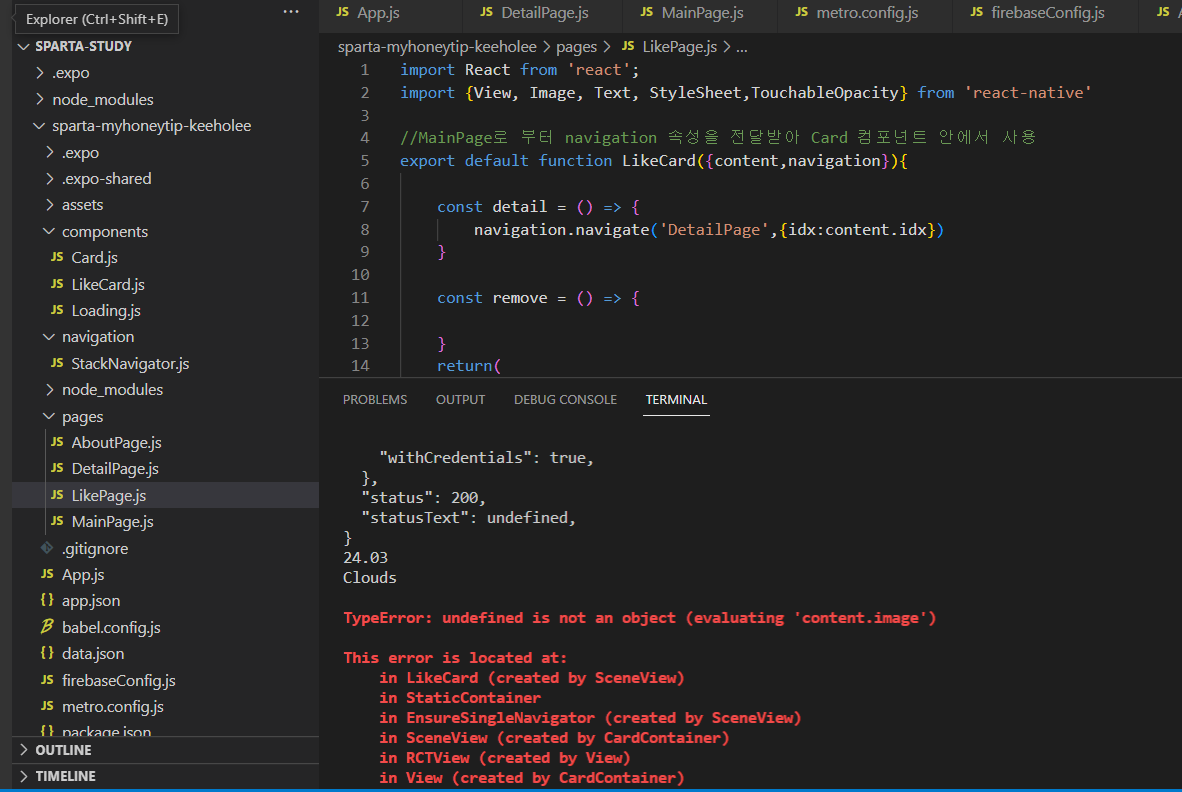
보고 계신 화면 전체를 캡처해 주시면, 튜터님들이 빠르게 상황을 상황을 이해할 수 있어요.


