커뮤니티

포인트
쿠폰
내 강의실
국비 신청 내역
증명서
계정
로그아웃
학습 질문
개발 일지
나의 활동
답변 완료
하위 서버 작성 에러
undefined주차


최*진
댓글
3
・
추천
1
・
조회수
7
조회수
7
답변 완료
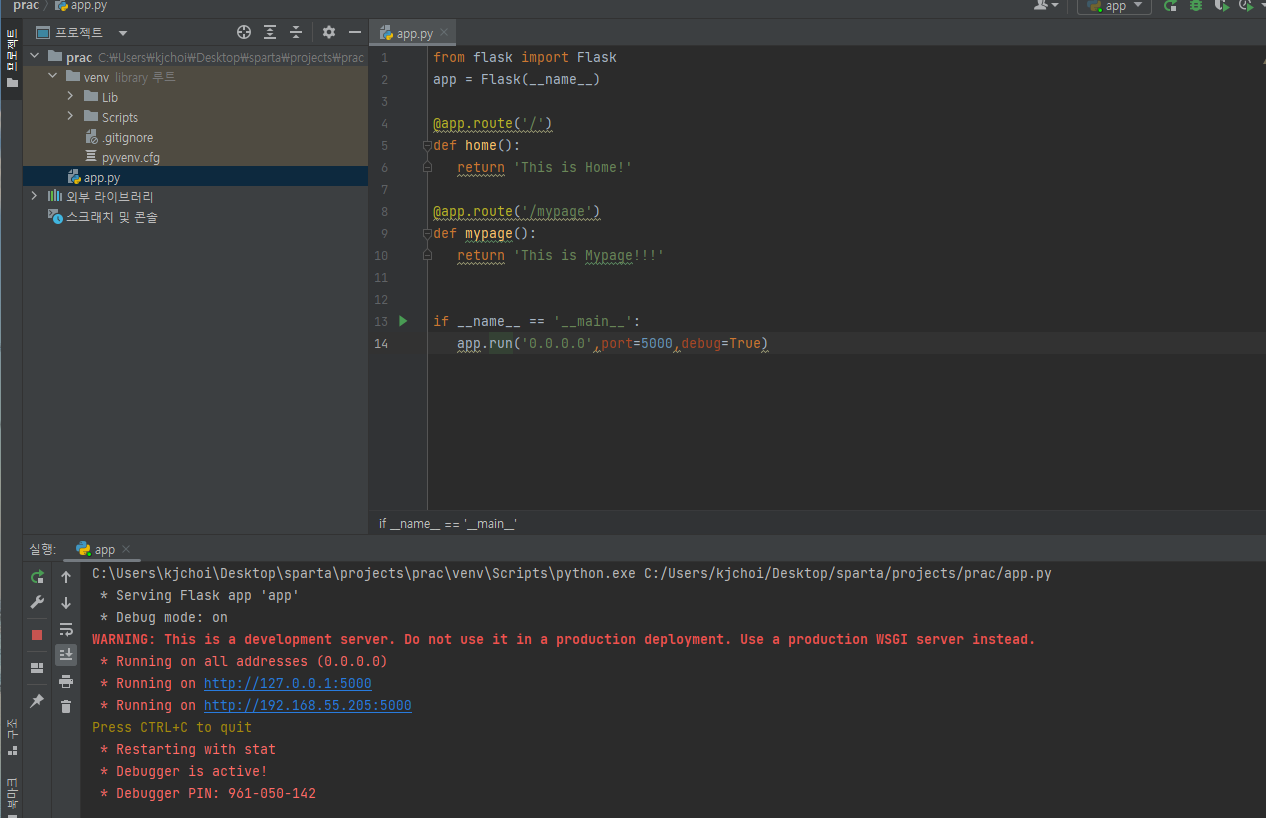
실행값이 아래와 같이 나타남
보고 계신 화면 전체를 캡처해 주시면, 튜터님들이 빠르게 상황을 상황을 이해할 수 있어요.
작성한 코드 및 에러 메세지
C:\Users\kjchoi\Desktop\sparta\projects\prac\venv\Scripts\python.exe C:/Users/kjchoi/Desktop/sparta/projects/prac/app.py
* Serving Flask app 'app'
* Debug mode: on
WARNING: This is a development server. Do not use it in a production deployment. Use a production WSGI server instead.
* Running on all addresses (0.0.0.0)
* Running on http://127.0.0.1:5000
* Running on http://192.168.55.205:5000
Press CTRL+C to quit
* Restarting with stat
* Debugger is active!
* Debugger PIN: 961-050-142오류 발생 시, 작성한 코드 전체와 에러 메시지를 첨부해 주세요.
Tip 1) </> 아이콘을 눌러 코드박스를 만들어 보세요.
Tip 2) Ctrl+A(맥의 경우 Command+A) 단축키로 코드를 한 번에 선택할 수 있어요!


댓글 알림
