커뮤니티

포인트
쿠폰
내 강의실
국비 신청 내역
증명서
계정
로그아웃
학습 질문
개발 일지
나의 활동
답변 완료
스스로 해보기 파트에서 왜 이렇게 나오는 건가요?
undefined주차


이*주
댓글
3
・
추천
0
・
조회수
11
조회수
11
답변 완료
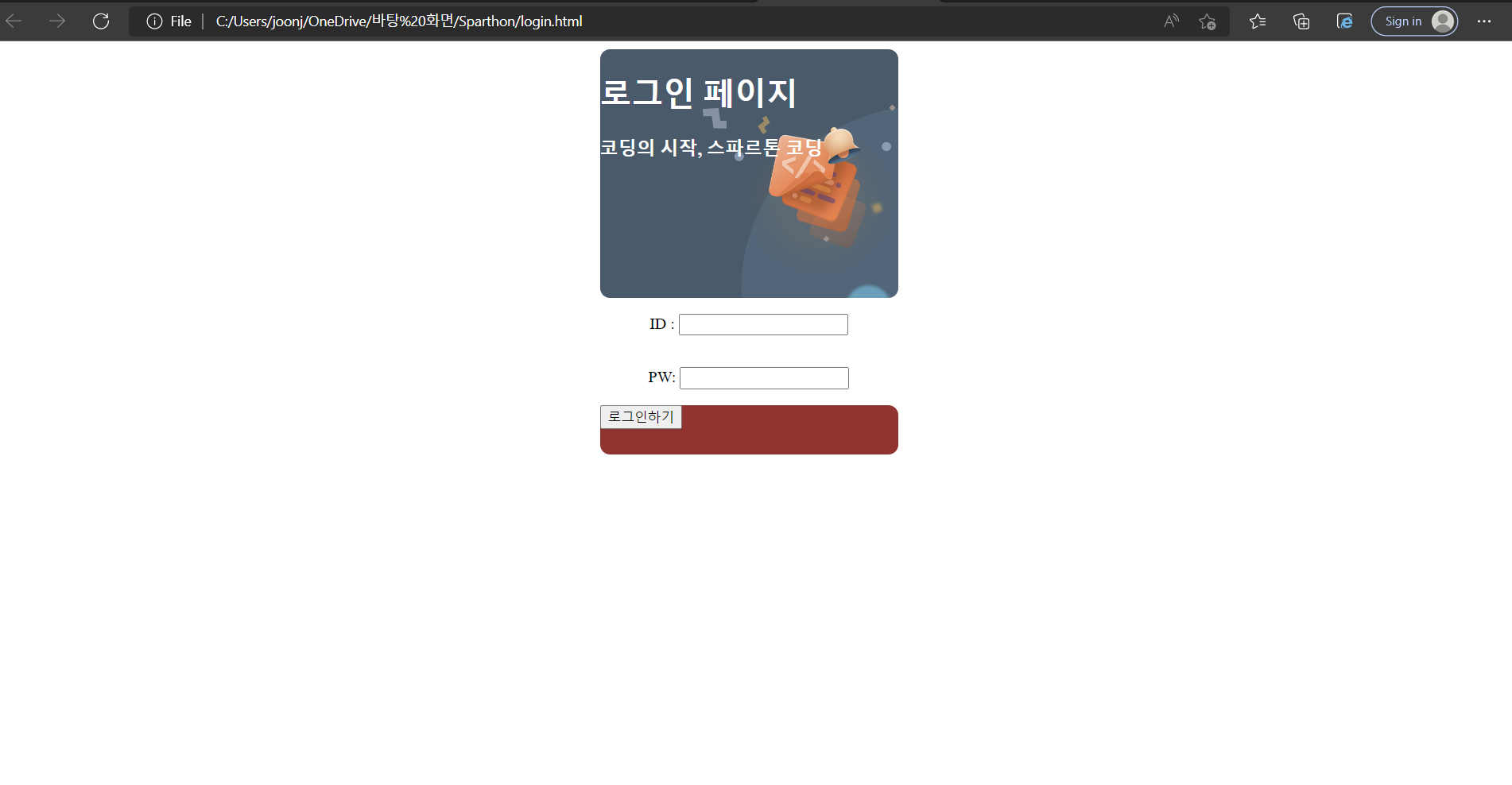
아래 캡처 화면과 같이 로그인하기 버튼에 전혀 변화가 없습니다.
혹시 잘못 적은 부분이 있나 싶어 제공해주신 소스코드와 비교를 하여 다시 작성하였으나 여전히 로그인하기 부분은 변화가 없네요.
(글씨 색 등)
이런건 어떻게 해결해야 하나요?
<!DOCTYPE html>
<html lang="en">
<head>
    <meta charset="UTF-8">
    <meta http-equiv="X-UA-Compatible" content="IE=edge">
    <meta name="viewport" content="width=device-width, initial-scale=1.0">
    <title>Sparthon Coding -Login Page</title>
    <style>
        .mytitle{
            background-image:url('https://static.spartacodingclub.kr/media/main_carousel/1kq0i51tuqc2kfzp.png');
            background-position:center;
            background-size:cover;


            width:300px;
            height:250px;
            border-radius:10px;
            color:white;
        }
        .wrap{
            display:flex;
            flex-direction: column;
            justify-content: center;
            align-items: center;
        }
        /*
        .Id{
            border-radius:10px;


            height : 20px;


            margin:30px 0px 30px 20px;
        }
        .Pw{
            border-radius:10px;


            height : 20px;


            margin:30px 0px 30px 20px;
        }
        */
        .login_button{
            width:300px;
            height:50px;


            background-color : brown;
            color : white;


            border-radius:10px;
            border : none;
        }

    </style>
</head>
<body>
    <div class = "wrap">
        <div class="mytitle">
            <h1>로그인 페이지</h1>
            <h3>코딩의 시작, 스파르톤 코딩</h3>
        </div>
        <div class = "Id">
            <p>ID : <input type="text"></p>
        </div>
        <div class = "Pw">
            <p>PW: <input type="password"></p>
        </div>
        <div class="login_button">
            <button>로그인하기</button>
        </div>
    </div>
</body>
</html>
오류 발생 시, 작성한 코드 전체와 에러 메시지를 첨부해 주세요.
Tip 1) </> 아이콘을 눌러 코드박스를 만들어 보세요.
Tip 2) Ctrl+A(맥의 경우 Command+A) 단축키로 코드를 한 번에 선택할 수 있어요!


댓글 알림
