커뮤니티

포인트
쿠폰
내 강의실
국비 신청 내역
증명서
계정
로그아웃
학습 질문
개발 일지
나의 활동
답변 완료
5 - 10 문의드립니다.
undefined주차


서*영
댓글
4
・
추천
0
・
조회수
35
조회수
35
답변 완료
아래와 같이 우분투 서버 접속 후
ubuntu@ip-172-31-38-110:~/sparta$ ls
app.py  static  templates
ubuntu@ip-172-31-38-110:~/sparta$ python app.py
 * Serving Flask app 'app'
 * Debug mode: on
WARNING: This is a development server. Do not use it in a production deployment. Use a production WSGI server instead.
 * Running on all addresses (0.0.0.0)
 * Running on http://127.0.0.1:5001
 * Running on http://172.31.38.110:5001
Press CTRL+C to quit
 * Restarting with stat
 * Debugger is active!
 * Debugger PIN: 373-777-391
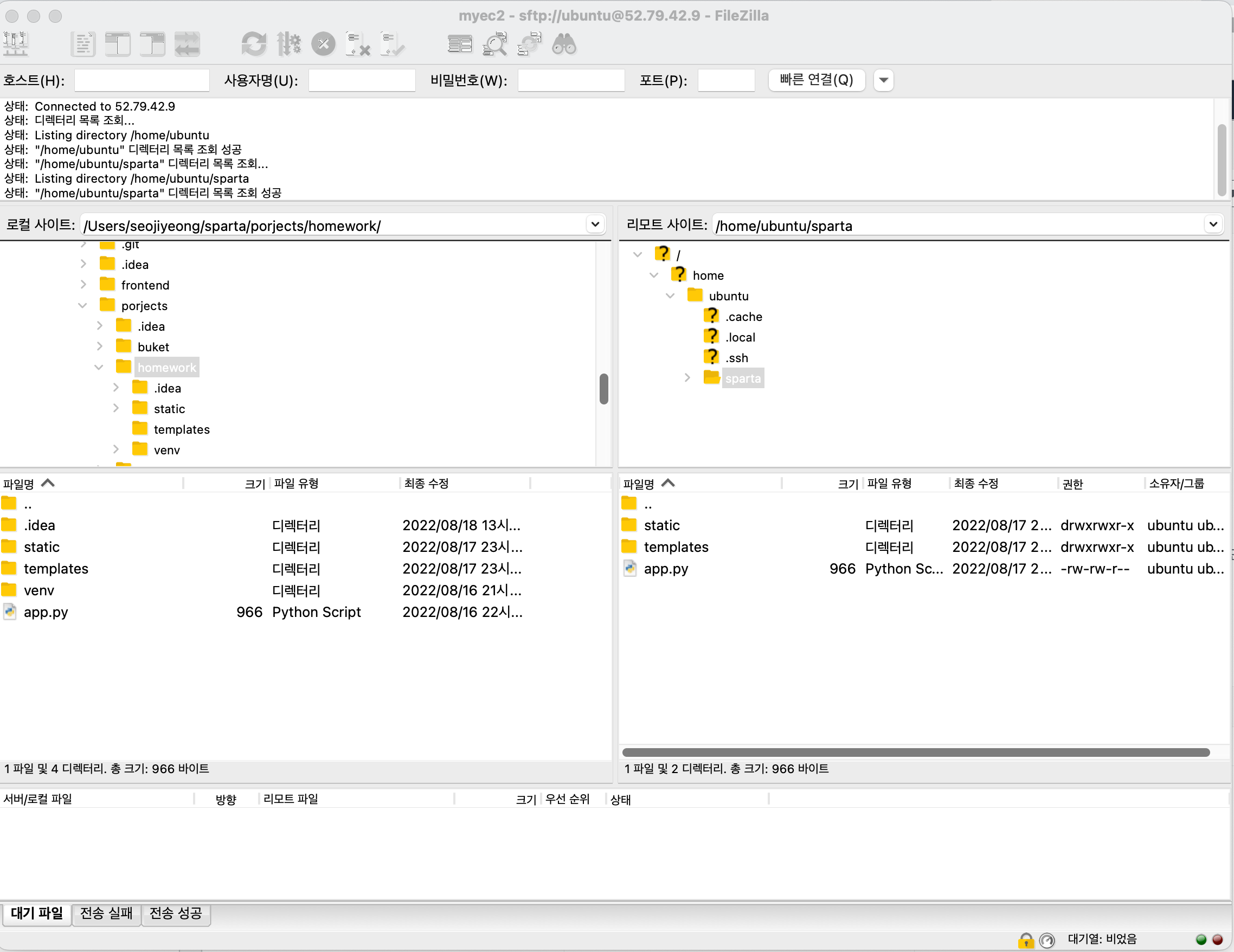
강의 내용과 동일하게 FileZilla 우측에 원하는 파일을 이동키고
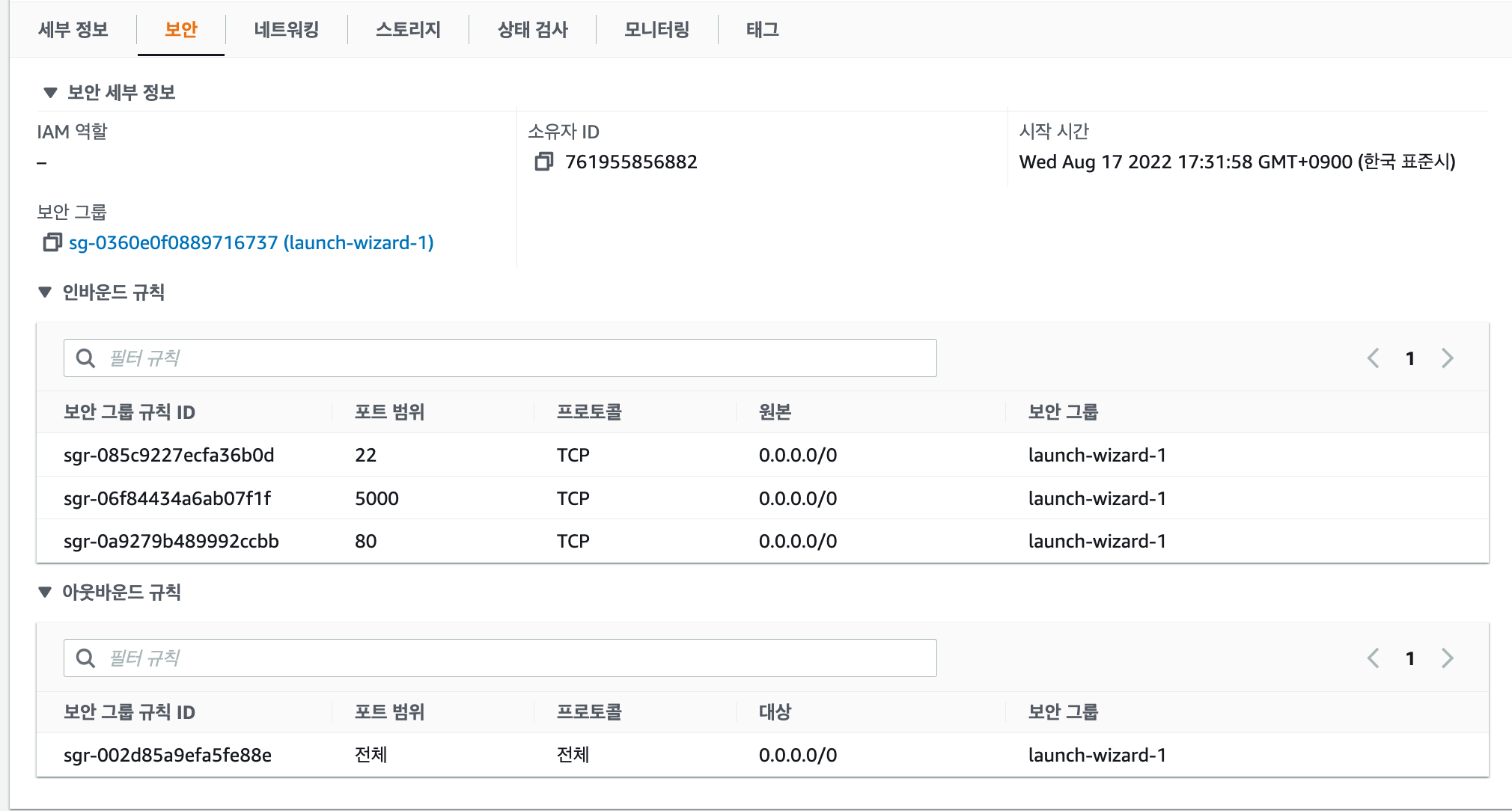
EC2에서 보안 설정을 한 후
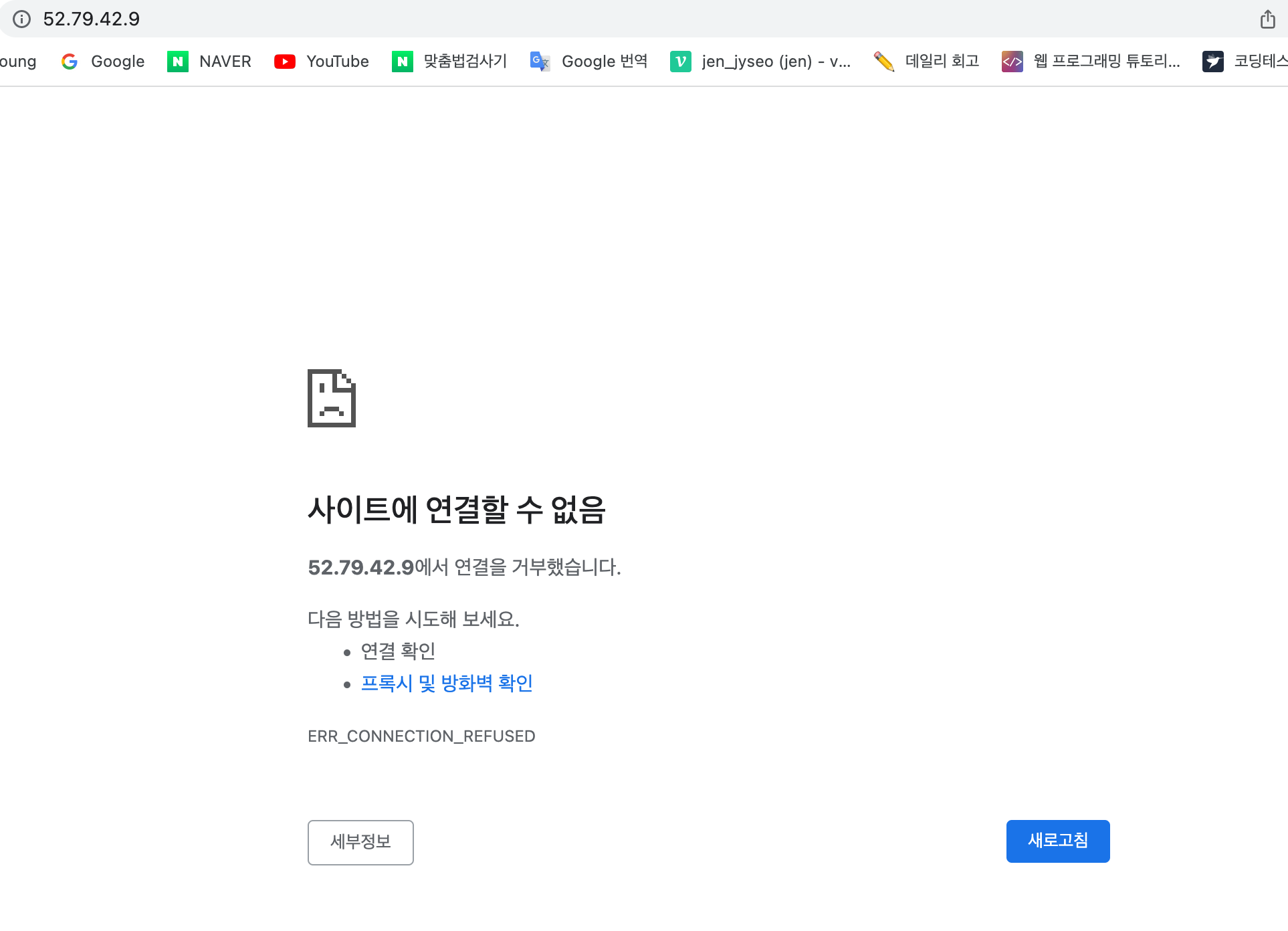
퍼블릭 IP주소를 복사해서 URL로 붙혀넣었지만 접속되지 않습니다.



댓글 알림
