커뮤니티

포인트
쿠폰
내 강의실
국비 신청 내역
증명서
계정
로그아웃
학습 질문
개발 일지
나의 활동
답변 완료
어디서 잘못된건지 모르겠습니다!
undefined주차


윤*진
댓글
2
・
추천
0
・
조회수
6
조회수
6
답변 완료
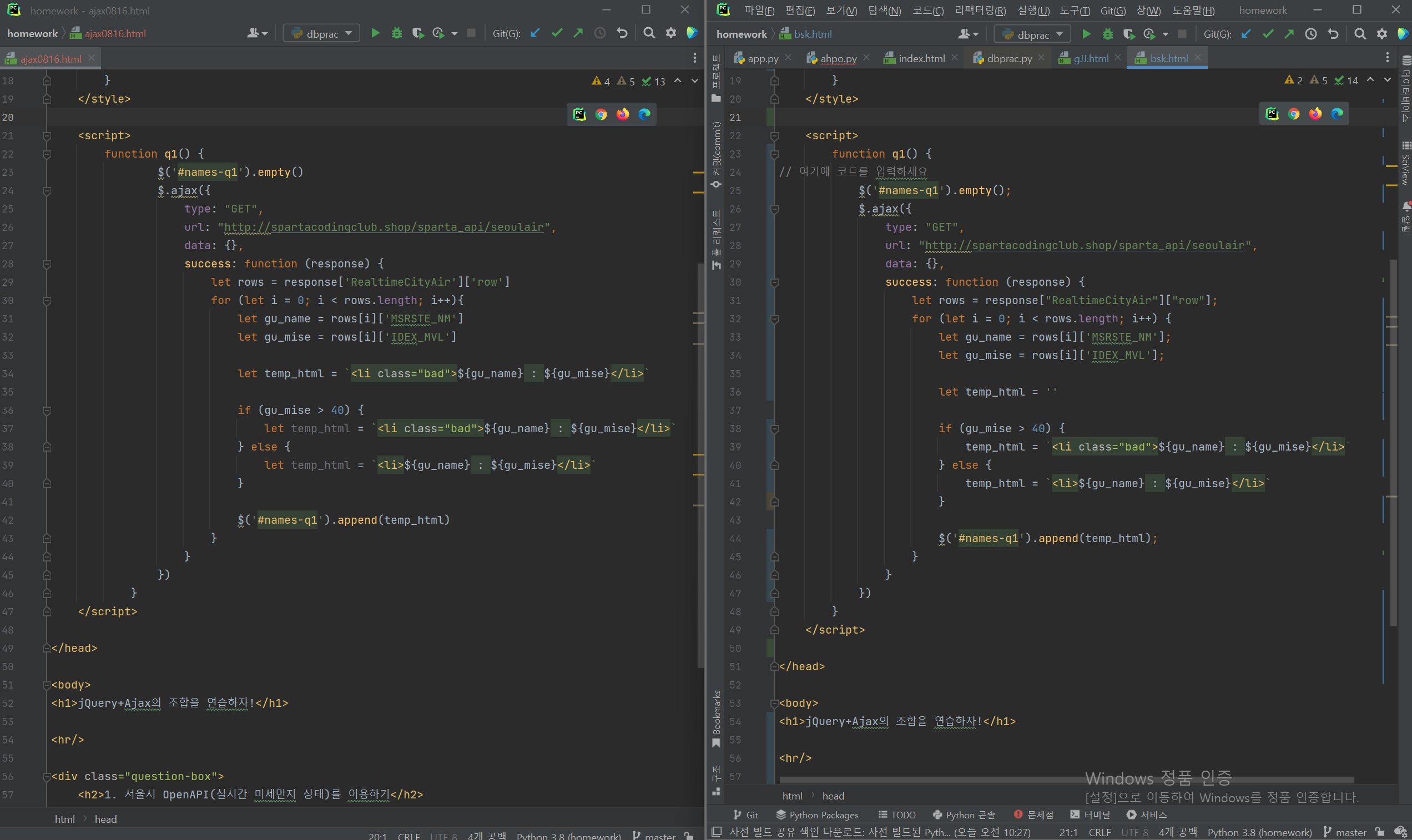
위 두개 코드 비교해보면 왼쪽이 강의 그대로 따라한거고, 오른쪽이 코드니스펫에 있는 완성형 코드 입니다.
코드니스펫 코드로 하면 업데이트 버튼을 눌렀을 때 40이상의 미세먼치 수치들이 빨간색으로 변하는데 , 강의 내용을 따라서 한 코드는 모든 미세먼지 수치가 빨간색으로 변합니다ㅠ 왜 이럴까요 .
아래 코드가 강의 코드이고
<!doctype html>
<html lang="ko">

<head>
    <meta charset="UTF-8">
    <title>jQuery 연습하고 가기!</title>

    <!-- jQuery를 import 합니다 -->
    <script src="https://ajax.googleapis.com/ajax/libs/jquery/3.4.1/jquery.min.js"></script>

    <style type="text/css">
        div.question-box {
            margin: 10px 0 20px 0;
        }

        .bad {
            color : red;
        }
    </style>

    <script>
        function q1() {
                $('#names-q1').empty()
                $.ajax({
                    type: "GET",
                    url: "http://spartacodingclub.shop/sparta_api/seoulair",
                    data: {},
                    success: function (response) {
                        let rows = response['RealtimeCityAir']['row']
                        for (let i = 0; i < rows.length; i++){
                            let gu_name = rows[i]['MSRSTE_NM']
                            let gu_mise = rows[i]['IDEX_MVL']

                            let temp_html = `<li class="bad">${gu_name} : ${gu_mise}</li>`

                            if (gu_mise > 40) {
                                let temp_html = `<li class="bad">${gu_name} : ${gu_mise}</li>`
                            } else {
                                let temp_html = `<li>${gu_name} : ${gu_mise}</li>`
                            }

                            $('#names-q1').append(temp_html)
                        }
                    }
                })
            }
    </script>

</head>

<body>
<h1>jQuery+Ajax의 조합을 연습하자!</h1>

<hr/>

<div class="question-box">
    <h2>1. 서울시 OpenAPI(실시간 미세먼지 상태)를 이용하기</h2>
    <p>모든 구의 미세먼지를 표기해주세요</p>
    <p>업데이트 버튼을 누를 때마다 지웠다 새로 씌여져야 합니다.</p>
    <button onclick="q1()">업데이트</button>
    <ul id="names-q1">
    </ul>
</div>
</body>

</html>
이쪽 코드가 코드니스펫 완성형 코드입니다.
<!doctype html>
<html lang="ko">

<head>
    <meta charset="UTF-8">
    <title>jQuery 연습하고 가기!</title>

    <!-- jQuery를 import 합니다 -->
    <script src="https://ajax.googleapis.com/ajax/libs/jquery/3.4.1/jquery.min.js"></script>

    <style type="text/css">
        div.question-box {
            margin: 10px 0 20px 0;
        }

        .bad {
            color: red;
            font-weight: bold;
        }
    </style>

    <script>
        function q1() {
// 여기에 코드를 입력하세요
            $('#names-q1').empty();
            $.ajax({
                type: "GET",
                url: "http://spartacodingclub.shop/sparta_api/seoulair",
                data: {},
                success: function (response) {
                    let rows = response["RealtimeCityAir"]["row"];
                    for (let i = 0; i < rows.length; i++) {
                        let gu_name = rows[i]['MSRSTE_NM'];
                        let gu_mise = rows[i]['IDEX_MVL'];

                        let temp_html = ''

                        if (gu_mise > 40) {
                            temp_html = `<li class="bad">${gu_name} : ${gu_mise}</li>`
                        } else {
                            temp_html = `<li>${gu_name} : ${gu_mise}</li>`
                        }

                        $('#names-q1').append(temp_html);
                    }
                }
            })
        }
    </script>

</head>

<body>
<h1>jQuery+Ajax의 조합을 연습하자!</h1>

<hr/>

<div class="question-box">
    <h2>1. 서울시 OpenAPI(실시간 미세먼지 상태)를 이용하기</h2>
    <p>모든 구의 미세먼지를 표기해주세요</p>
    <p>업데이트 버튼을 누를 때마다 지웠다 새로 씌여져야 합니다.</p>
    <button onclick="q1()">업데이트</button>
    <ul id="names-q1">
    </ul>
</div>
</body>

</html>


댓글 알림
